-
Book Overview & Buying
-
Table Of Contents

Programming Windows Workflow Foundation: Practical WF Techniques and Examples using XAML and C#
By :


Programming Windows Workflow Foundation: Practical WF Techniques and Examples using XAML and C#
By:
Overview of this book
Windows Workflow Foundation (WF) is a technology for defining, executing, and managing workflows. It is part of the .NET Framework 3.0 and will be available natively in the Windows Vista operating system.
Windows Workflow Foundation might be the most significant piece of middleware to arrive on the Windows platform since COM+ and the Distributed Transaction Coordinator. The difference is, not every application needs a distributed transaction, but nearly every application does have a workflow encoded inside it.
In this book, K Scott Allen, author of renowned .NET articles at www.odetocode.com, provides you with all the information needed to develop successful products with Windows Workflow.
From the basics of how Windows Workflow can solve the difficult problems inherent in workflow solutions, through authoring workflows in code, learning about the base activity library in Windows Workflow and the different types of workflow provided, and on to building event-driven workflows using state machines, workflow communications, and finally rules and conditions in Windows Workflow, this book will give you the in-depth information you need. Throughout the book, an example "bug reporting" workflow system is developed, showcasing the technology and techniques used.
Table of Contents (14 chapters)
Programming Windows Workflow Foundation: Practical WF Techniques and Examples using XAML and C#


Credits
About the Author
About the Reviewer
Preface
 Free Chapter
Hello, Workflow
Authoring Workflows
Sequential Workflows
The Base Activity Library
Custom Activities
Workflow Hosting
Event-Driven Workflows
Communication in Workflows
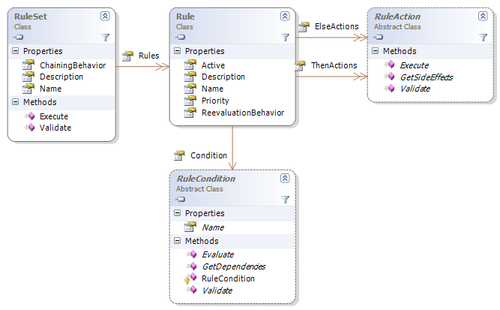
Rules and Conditions