Sign In Start Free Trial
Account

Add to playlist

Create a Playlist

Modal Close icon
You need to login to use this feature.
  • Book Overview & Buying Learning Azure Functions
  • Table Of Contents Toc
Learning Azure Functions

Learning Azure Functions

By : Manisha Yadav, Mitesh Soni
3 (3)
close
close
Learning Azure Functions

Learning Azure Functions

3 (3)
By: Manisha Yadav, Mitesh Soni

Overview of this book

Functions help you easily run small pieces of code in cloud with Azure functions without worrying about a whole application or the infrastructure to run it. With Azure functions, you can use triggers to execute your code and bindings to simplify the input and output of your code. This book will start with the basics of Azure Functions. You will learn the steps to set up the environment and the tools that we will be using in the further chapters. Once you have a better understanding of this, we will be creating our first hello world function app. Later you will be introduced to triggers, how they are used to activate a function, and how binding can be used to output results of a function.You will also explore the steps to create an assembly with complex functionality that can be used by functions. Next, this book will teach you to scale your functions and use them to process data, integrate systems, and build simple APIs and microservices. Finally, this book will cover some diagnostic techniques with Azure App services and best practices of working with Azure Functions. By the end of this book, you will be well-versed with the techniques of scaling your Azure functions and making the most of serverless architecture.
Table of Contents (10 chapters)
close
close

Continuous Integration


Continuous Integration is one of the most popular and core DevOps practices. Continuous Integration is a practice where code is committed to a shared repository such as Git, and the committed code is verified against static code analysis, automated build, and unit test cases.

  1. Let's create a build definition.
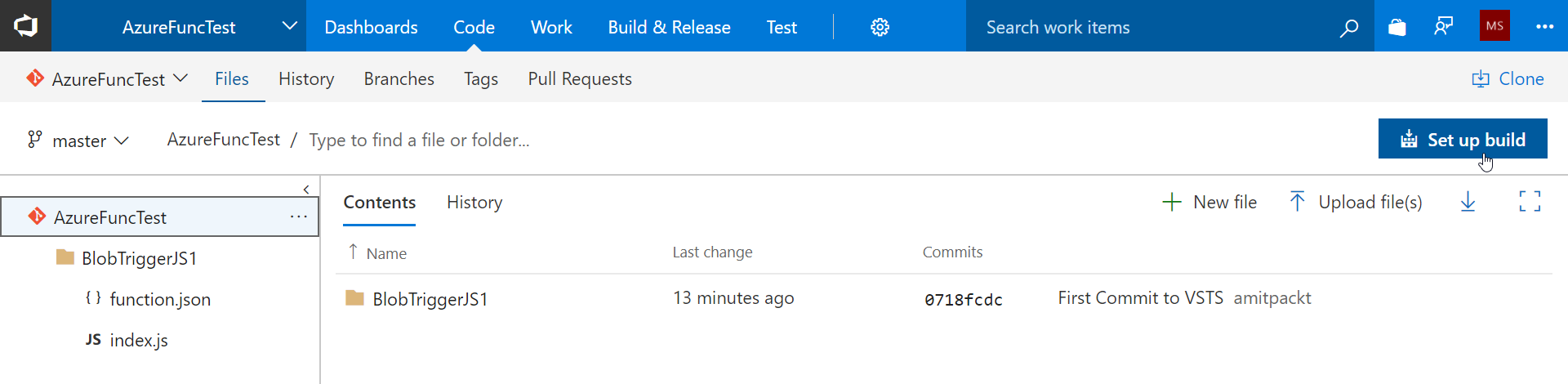
  2. Click on the Git repository and click on Set up build:
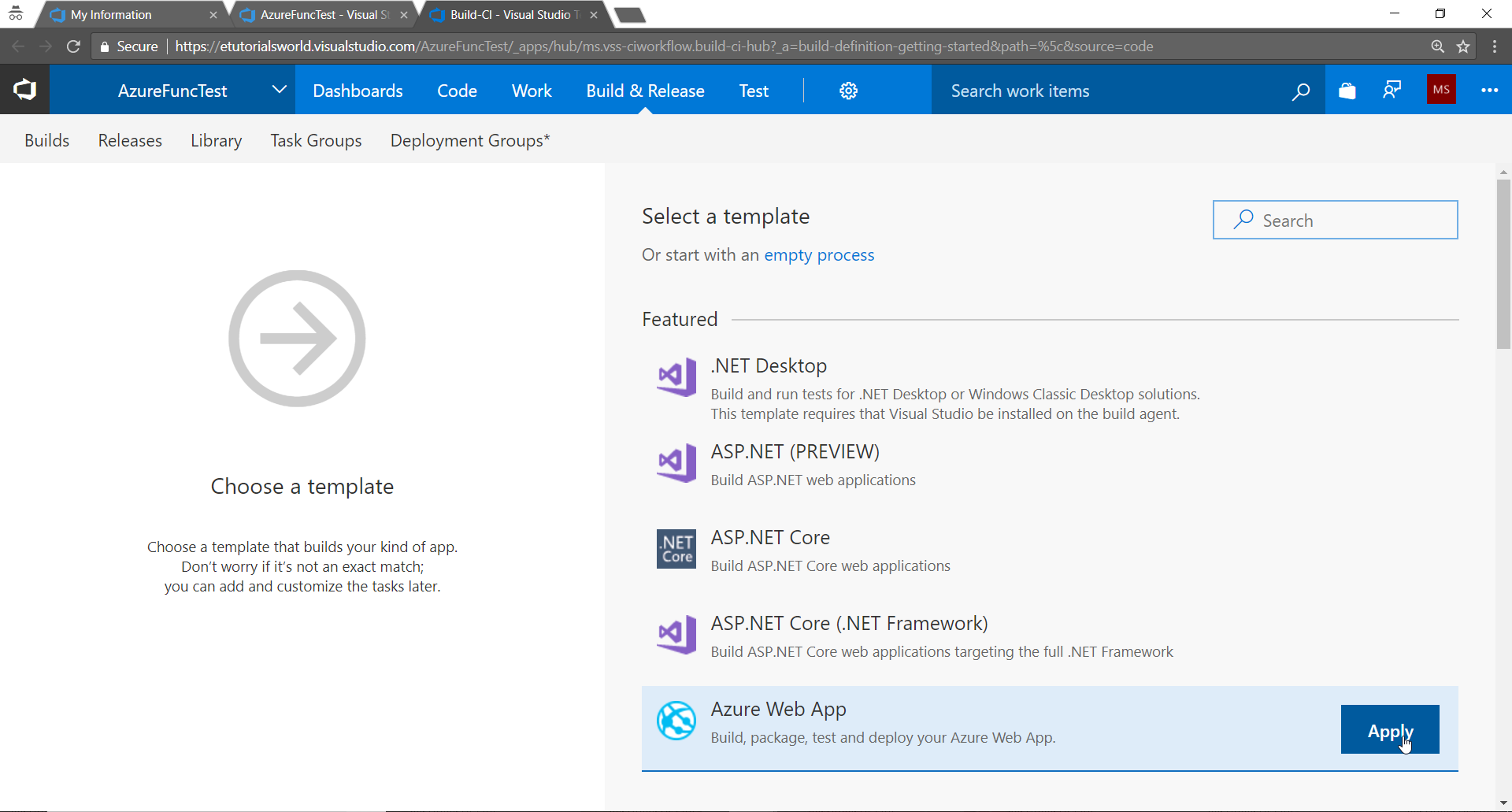
  1. Select a template Azure Web Appand click on Apply:
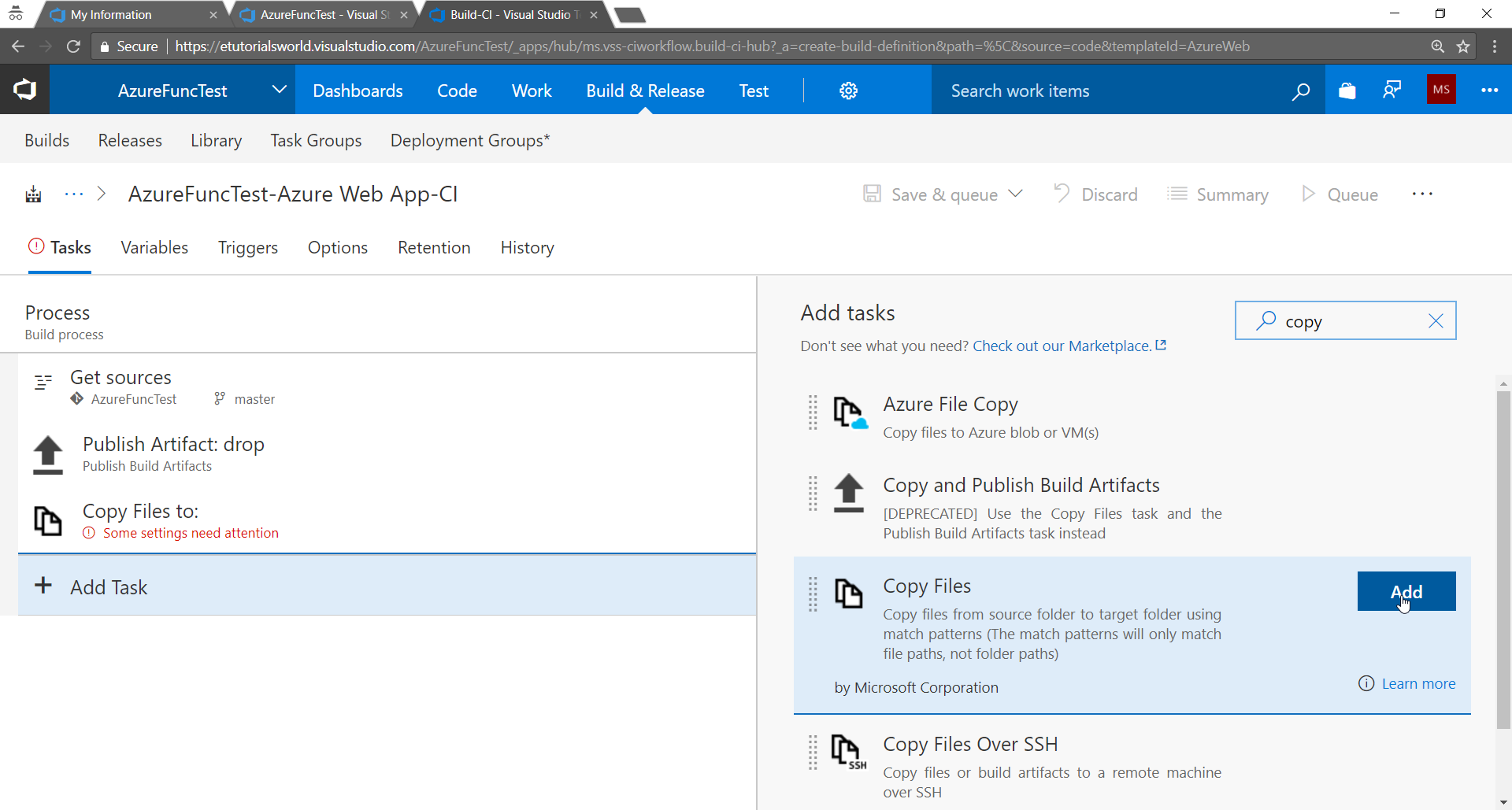
  1. Keep only Get sources and Publish Artifact tasks.
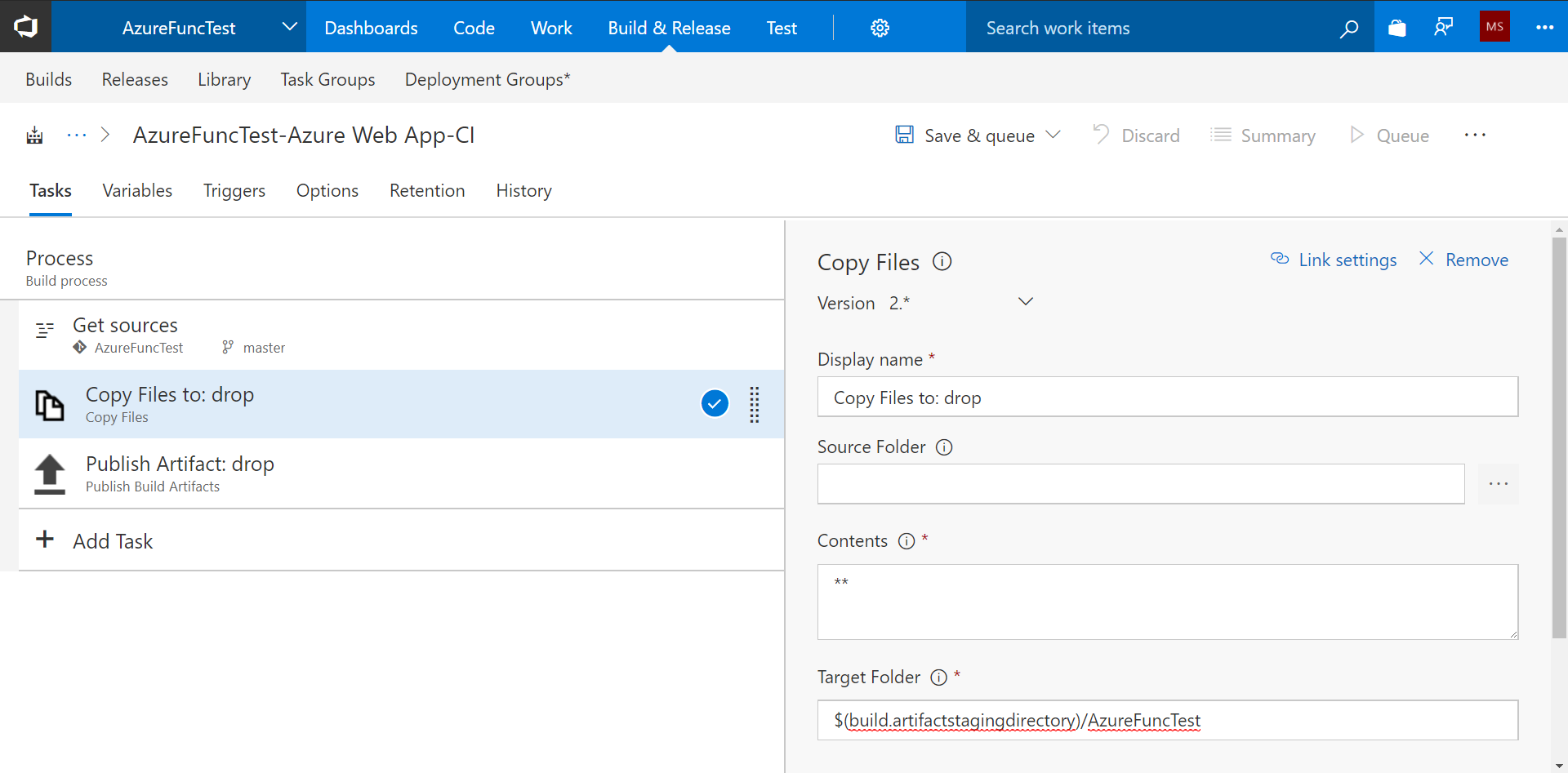
  2. Click on Add Task and add Copy Files task to the Build definition:
  1. We want to copy all the files available from the Azure Functions project.
  2. Provide the details for Target Folder:
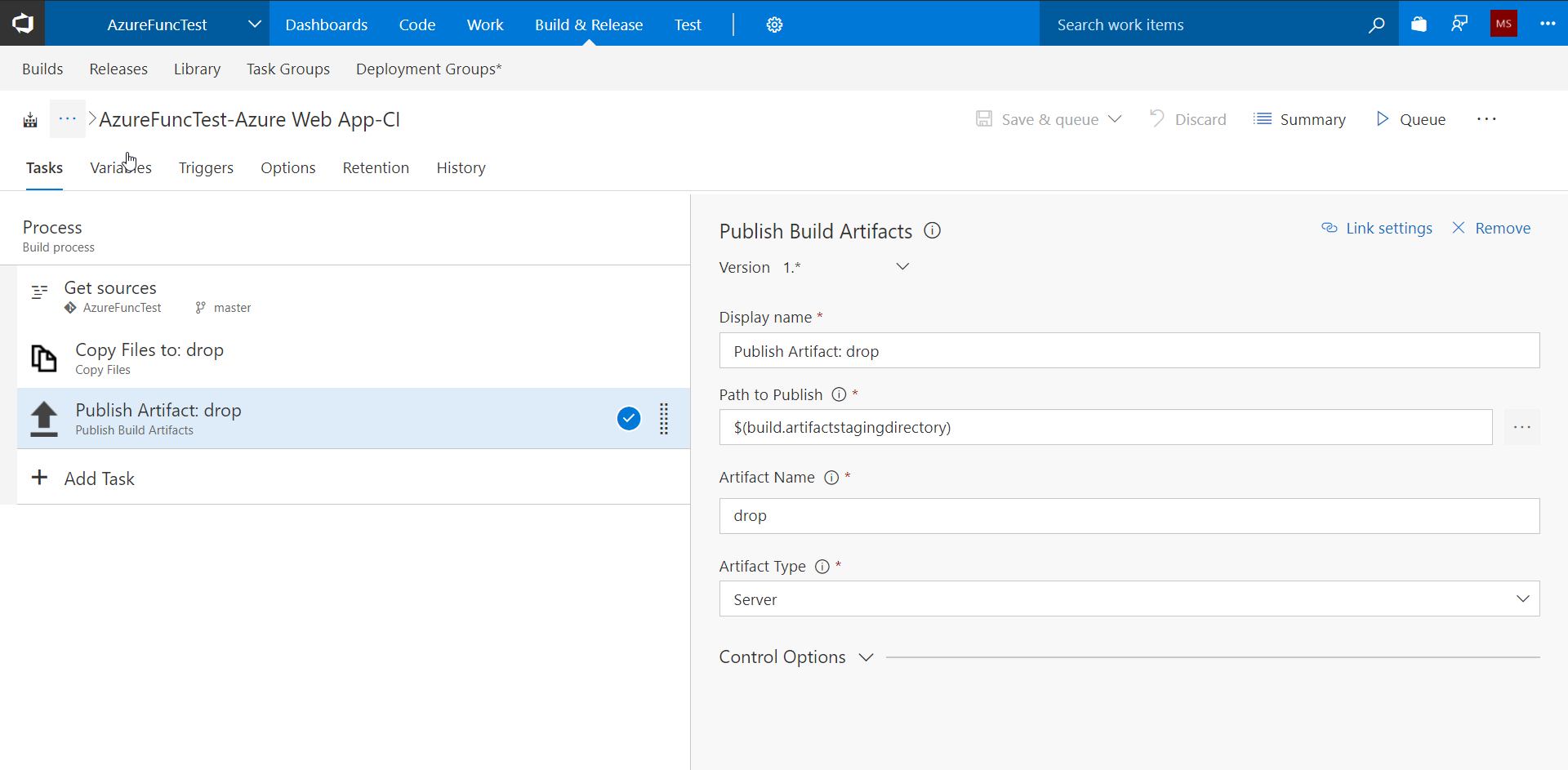
  1. Publish Artifact is used to make available files to be used in the Release definition:
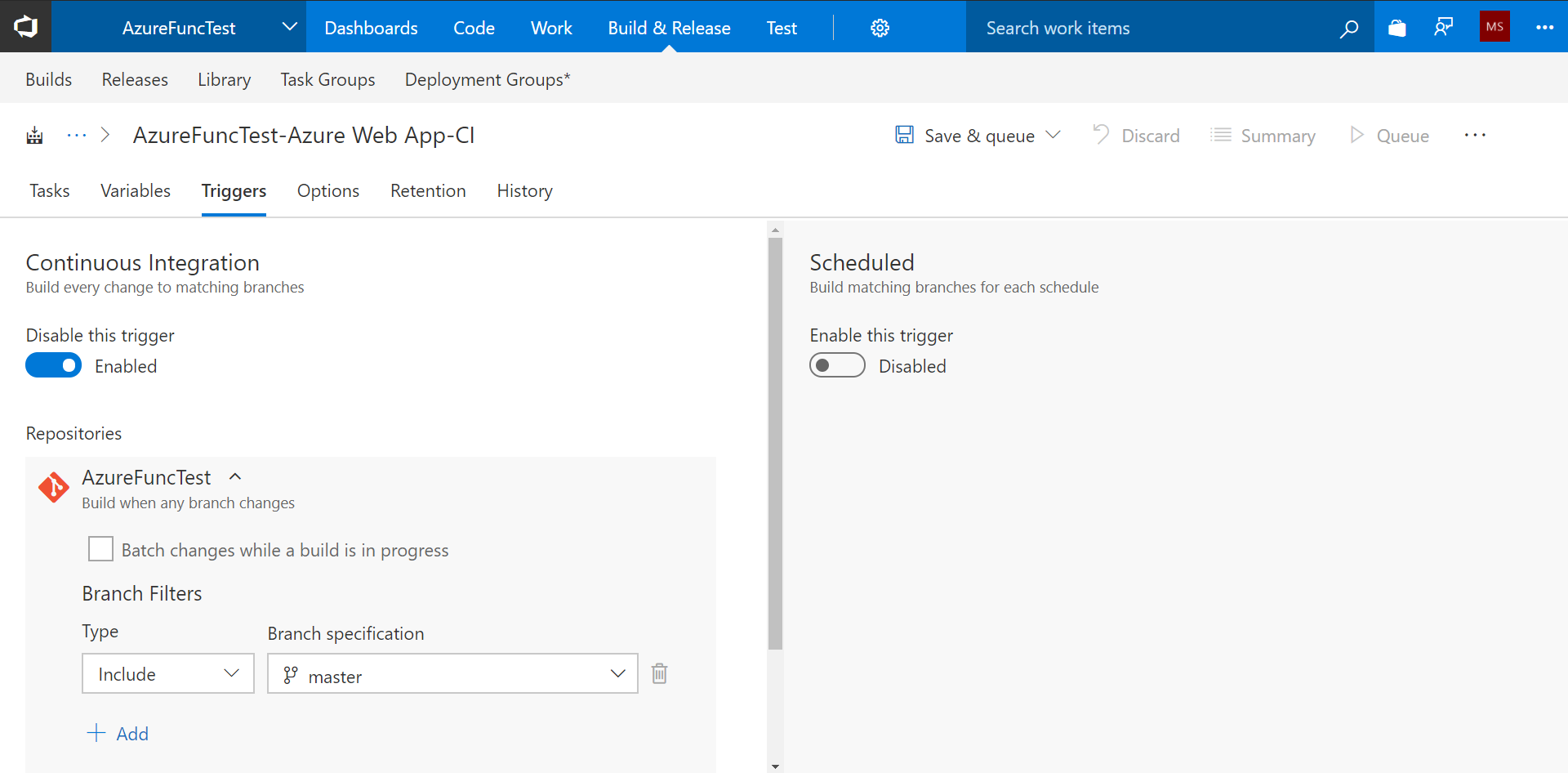
  1. In the Triggers section, enable the Continuous Integration trigger. Now, if any new code is checked in, then Continuous Integration will take place:
  1. Click on Save. Our Build definition is ready.

In the next section, we will create the Release definition.

Visually different images
CONTINUE READING
83
Tech Concepts
36
Programming languages
73
Tech Tools
Icon Unlimited access to the largest independent learning library in tech of over 8,000 expert-authored tech books and videos.
Icon Innovative learning tools, including AI book assistants, code context explainers, and text-to-speech.
Icon 50+ new titles added per month and exclusive early access to books as they are being written.
Learning Azure Functions
notes
bookmark Notes and Bookmarks search Search in title playlist Add to playlist download Download options font-size Font size

Change the font size

margin-width Margin width

Change margin width

day-mode Day/Sepia/Night Modes

Change background colour

Close icon Search
Country selected

Close icon Your notes and bookmarks

Confirmation

Modal Close icon
claim successful

Buy this book with your credits?

Modal Close icon
Are you sure you want to buy this book with one of your credits?
Close
YES, BUY

Submit Your Feedback

Modal Close icon
Modal Close icon
Modal Close icon