Sign In Start Free Trial
Account

Add to playlist

Create a Playlist

Modal Close icon
You need to login to use this feature.
  • Book Overview & Buying Pentaho 5.0 Reporting by Example: Beginner's Guide
  • Table Of Contents Toc
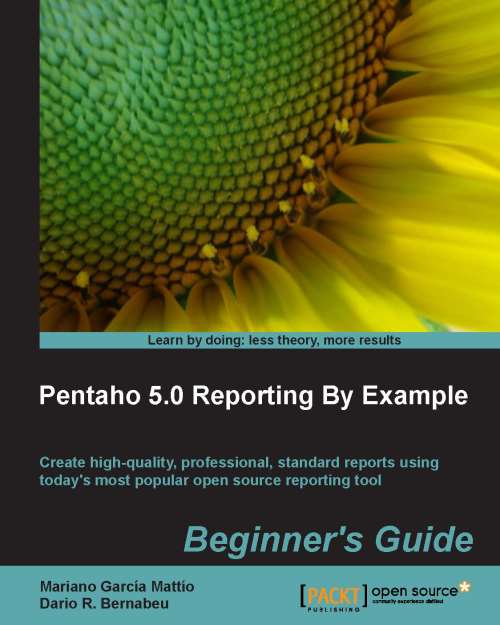
Pentaho 5.0 Reporting by Example: Beginner's Guide

Pentaho 5.0 Reporting by Example: Beginner's Guide

By : MATTIO, Dario R. Bernabeu
4.5 (10)
close
close
Pentaho 5.0 Reporting by Example: Beginner's Guide

Pentaho 5.0 Reporting by Example: Beginner's Guide

4.5 (10)
By: MATTIO, Dario R. Bernabeu

Overview of this book

Open source reporting tools and techniques, such as PRD, have been comparable in quality to their commercial counterparts this is largely due to the market's marked tendency to choose open source solutions. PRD is a very powerful tool and in order to take full advantage of it you need to pay attention to the important details. Pentaho 5.0 Reporting by Example: Beginner's Guide clearly explains the the foundation and then puts those concepts into practice through step-by-step visual guides. Feeling confident with your newly discovered, desirable, skill you will have the power to create your very own professional reports including graphics, formulas, sub-reports and many other forms of data reporting.Pentaho 5.0 Reporting By Example: Beginner's Guide is a step-by-step guide to create high quality, professional reports. Starting with the basics we will explore each feature to ensure a thorough understanding to peel back the curtain and take full advantage of the power that Pentaho puts at our fingertips. This book gives you the necessary resources to create a great variety of reports. You will be able to make reports that contain sub-reports, include graphics, sparklines and so on. You will also be able to parameterize your reports so that the final user can decide what information to visualize. You will be able to create your own stoplight type indicators and drill down in your reports. and execute your reports from your own web application. Pentaho 5.0 Reporting By Example: Beginner's Guide lets you learn everything necessary to work seriously with one of the world's most popular open source reporting tools. This book will guide you chapter by chapter through examples, graphics, and theoretical explanations so that you feel comfortable interacting with Pentaho Report Designer and creating your own reports.
Table of Contents (18 chapters)
close
close
17
Index

Chapter 1. What is Pentaho Report Designer?

In this chapter, we will explain what Pentaho Report Designer (PRD) is, and we will discuss its engine and its Graphical User Interface (GUI). We will also discuss the advantages that its open source license entails.

We will describe the two most common uses of PRD, which are embedding in Java projects and publishing to the Pentaho BA Server.

We will present the principal types of reports: Transactional Reporting, Tactical Reporting, Strategic Reporting, and Helper Reporting. As we will see throughout this book, PRD supports all of these types of reports.

Later, we will list the main features of PRD; this includes inserting charts (sparklines and JFreeCharts), a variety of export formats, parameterization, style expressions, crosstab reports, interactive reports, Java API, integration with the Pentaho suite, and abstraction layers.

We will make a brief review of the landmarks in the evolution of PRD and its different versions.

At the end of the chapter, we will display a series of PRD reports in order to show the scope of the potential capacities that PRD possesses.

Pentaho Reporting is a technology that allows you to design and build reports for the Pentaho BA platform and other application servers. Pentaho Report Designer (PRD) is a graphics tool that implements the report-editing function. The project from which PRD originated was originally called JFreeReport.

PRD is an open source tool licensed under the GNU Lesser General Public License (GNU LGPL). This license provides the four basic freedoms of free software and the GNU GPL. And the L (Lesser) in LGPL indicates that this software can be used as part of or in combination with proprietary software, which provides greater flexibility for different licenses and software to coexist.

Note

For more information about free software and the GNU project, visit http://www.gnu.org/.

To read more about the GNU GPL and GNU LGPL licenses, visit http://www.gnu.org/licenses/licenses.en.html.

PRD contains a Java-based report engine that provides scalability, portability, and integration. Additionally, the editor's UI is implemented with Swing widgets, which give it a friendly, multiplatform look and feel. This UI is very intuitive, and it allows you to become familiar with the tools quickly.

PRD lets you create simple reports, wizard-based reports, advanced reports, reports with charts, subreports, parameterized reports, and others. Once a report has been created, PRD lets you export it in a variety of formats, such as PDF, Excel, HTML, and CSV, or preview it using Swing.

Since the beginning, PRD has benefitted from multiple contributions from the community, and currently the community supporting this project is growing and becoming more stable and contributing regularly in the form of code, wikis, documentation, forums, bug reports, tutorials, and so on.

PRD has two typical uses as follows:

  • It can be embedded in Java projects in desktop and web applications. In this book, we will develop a good example of how to embed PRD reports in web applications.
  • It can, in a few steps, publish reports to the Pentaho BA Server to be used from there. It can, furthermore, be embedded in other application servers. These points will also be addressed in this book.
CONTINUE READING
83
Tech Concepts
36
Programming languages
73
Tech Tools
Icon Unlimited access to the largest independent learning library in tech of over 8,000 expert-authored tech books and videos.
Icon Innovative learning tools, including AI book assistants, code context explainers, and text-to-speech.
Icon 50+ new titles added per month and exclusive early access to books as they are being written.
Pentaho 5.0 Reporting by Example: Beginner's Guide
notes
bookmark Notes and Bookmarks search Search in title playlist Add to playlist font-size Font size

Change the font size

margin-width Margin width

Change margin width

day-mode Day/Sepia/Night Modes

Change background colour

Close icon Search
Country selected

Close icon Your notes and bookmarks

Confirmation

Modal Close icon
claim successful

Buy this book with your credits?

Modal Close icon
Are you sure you want to buy this book with one of your credits?
Close
YES, BUY

Submit Your Feedback

Modal Close icon
Modal Close icon
Modal Close icon