

Sign In Start Free Trial
Account

Add to playlist

Create a Playlist

Modal Close icon
You need to login to use this feature.
  • Book Overview & Buying Expert Data Visualization
  • Table Of Contents Toc
Expert Data Visualization

Expert Data Visualization

By : Jos Dirksen
close
close
Expert Data Visualization

Expert Data Visualization

By: Jos Dirksen

Overview of this book

Do you want to make sense of your data? Do you want to create interactive charts, data trees, info-graphics, geospatial charts, and maps efficiently? This book is your ideal choice to master interactive data visualization with D3.js V4. The book includes a number of extensive examples that to help you hone your skills with data visualization. Throughout nine chapters these examples will help you acquire a clear practical understanding of the various techniques, tools and functionality provided by D3.js. You will first setup your D3.JS development environment and learn the basic patterns needed to visualize your data. After that you will learn techniques to optimize different processes such as working with selections; animating data transitions; creating graps and charts, integrating external resources (static as well as streaming); visualizing information on maps; working with colors and scales; utilizing the different D3.js APIs; and much more. The book will also guide you through creating custom graphs and visualizations, and show you how to go from the raw data to beautiful visualizations. The extensive examples will include working with complex and realtime data streams, such as seismic data, geospatial data, scientific data, and more. Towards the end of the book, you will learn to add more functionality on top of D3.js by using it with other external libraries and integrating it with Ecmascript 6 and Typescript
Table of Contents (10 chapters)
close
close

Force layout

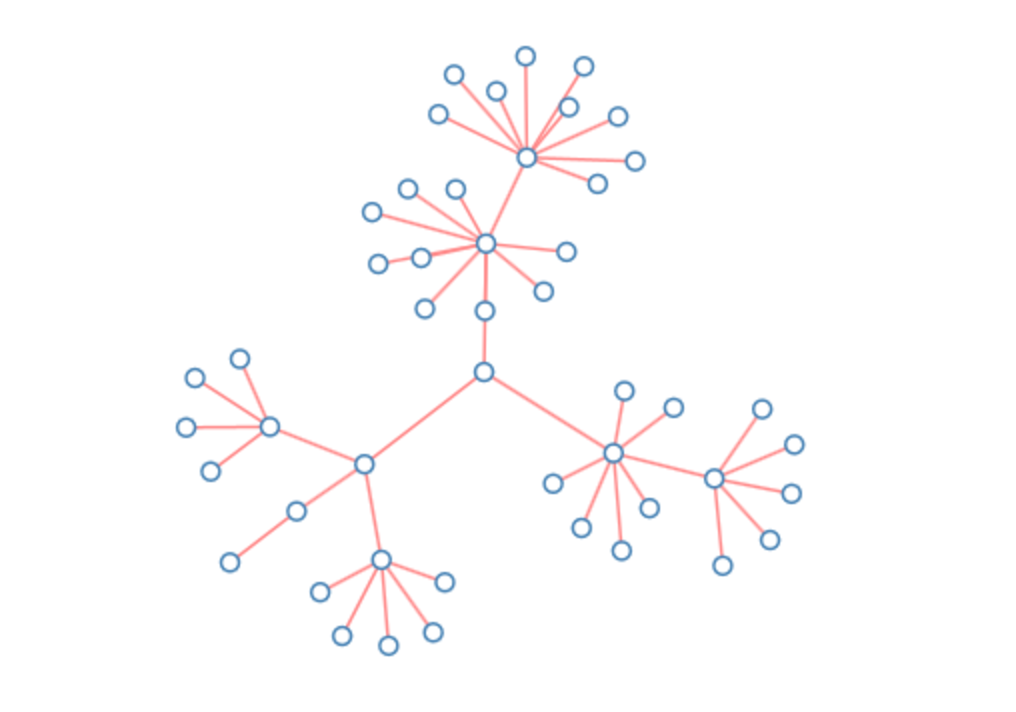
A force layout renders a graph as a set of nodes and interconnected links. It's easiest to visualize by looking at an example. The following graph is a very simple example of what you can create with a force layout:
While this is a very simple example, if you have the time, you can create beautiful layouts. An especially beautiful one is the one created by (amongst others) the creator of D3:
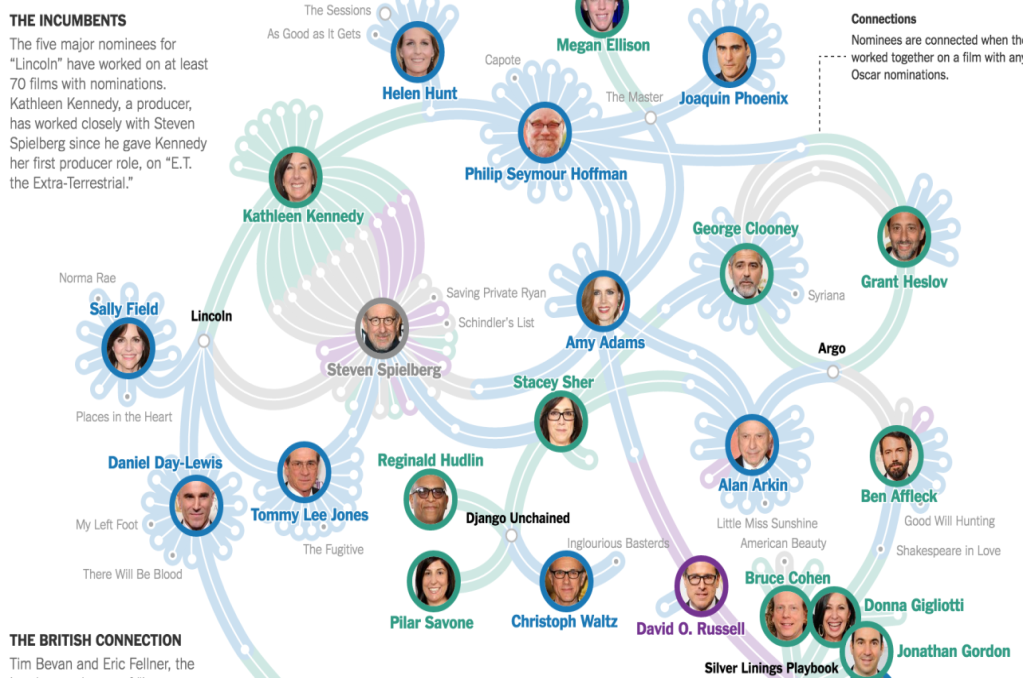
You can interact with this visualization here: http://www.nytimes.com/interactive/2013/02/20/movies/among-the-oscar-contenders-a-host-of-connections.html.

For our first visualization in this chapter, we're going to create a force layout that uses information from the Simpsons. We're going to show which characters appear in a specific location in an episode. The final result looks something like this:

Here we have a force layout (which you can see in DVD3/src/chapter-04/D04-01.html) with the following...

CONTINUE READING
83
Tech Concepts
36
Programming languages
73
Tech Tools
Icon Unlimited access to the largest independent learning library in tech of over 8,000 expert-authored tech books and videos.
Icon Innovative learning tools, including AI book assistants, code context explainers, and text-to-speech.
Icon 50+ new titles added per month and exclusive early access to books as they are being written.
Expert Data Visualization
notes
bookmark Notes and Bookmarks search Search in title playlist Add to playlist download Download options font-size Font size

Change the font size

margin-width Margin width

Change margin width

day-mode Day/Sepia/Night Modes

Change background colour

Close icon Search
Country selected

Close icon Your notes and bookmarks

Confirmation

Modal Close icon
claim successful

Buy this book with your credits?

Modal Close icon
Are you sure you want to buy this book with one of your credits?
Close
YES, BUY

Submit Your Feedback

Modal Close icon
Modal Close icon
Modal Close icon