Sign In Start Free Trial
Account

Add to playlist

Create a Playlist

Modal Close icon
You need to login to use this feature.
  • Book Overview & Buying Microsoft Power BI Quick Start Guide
  • Table Of Contents Toc
  • Feedback & Rating feedback
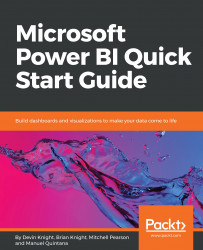
Microsoft Power BI Quick Start Guide

Microsoft Power BI Quick Start Guide

By : Devin Knight, Knight, Mitchell Pearson , Manuel Quintana
3.8 (10)
close
close
Microsoft Power BI Quick Start Guide

Microsoft Power BI Quick Start Guide

3.8 (10)
By: Devin Knight, Knight, Mitchell Pearson , Manuel Quintana

Overview of this book

Microsoft Power BI is a cloud-based service that helps you easily visualize and share insights using your organization's data.This book will get you started with business intelligence using the Power BI toolset, covering essential concepts such as installation,designing effective data models, as well as building basic dashboards and visualizations to make your data come to life You will learn how to get your data the way you want – connecting to data sources sources and how to clean your data with the Power BI Query Editor. You will next learn how to properly design your data model to make your data easier to work with.. You will next learn how to properly design your data model to navigate table relationships and build DAX formulas to make your data easier to work with. Visualizing your data is another key element of this book, and you will learn how to follow proper data visualization styles and enhanced digital storytelling techniques. By the end of this book, you will understand how to administer your organization's Power BI environment so deployment can be made seamless, data refreshes can run properly, and security can be fully implemented
Table of Contents (10 chapters)
close
close

Setting up row-level security

In most organizations, security is not just a report-level decision. Organizations want more granular decisions, such as whether a sales executive can only see his or her own data. Another example is the ability for a teacher to see his or her own students, but the school's principal can see all the teachers at their school and the school board members can see all of the data. This level of granularity is quite possible in Power BI, but will require some thought ahead of time on how to lay the data out.

To show an example of this, we'll need to go back to the Power BI Desktop and open Chapter 5 - Visualizing Data Completed.pbix from a previous chapter's example; this file can be downloaded from this book's web page at http://packtpub.com. The goal of this example is to ensure that United States sales managers can only see US...

Visually different images
CONTINUE READING
83
Tech Concepts
36
Programming languages
73
Tech Tools
Icon Unlimited access to the largest independent learning library in tech of over 8,000 expert-authored tech books and videos.
Icon Innovative learning tools, including AI book assistants, code context explainers, and text-to-speech.
Icon 50+ new titles added per month and exclusive early access to books as they are being written.
Microsoft Power BI Quick Start Guide
notes
bookmark Notes and Bookmarks search Search in title playlist Add to playlist download Download options font-size Font size

Change the font size

margin-width Margin width

Change margin width

day-mode Day/Sepia/Night Modes

Change background colour

Close icon Search
Country selected

Close icon Your notes and bookmarks

Confirmation

Modal Close icon
claim successful

Buy this book with your credits?

Modal Close icon
Are you sure you want to buy this book with one of your credits?
Close
YES, BUY

Submit Your Feedback

Modal Close icon
Modal Close icon
Modal Close icon