-
Book Overview & Buying
-
Table Of Contents
The Data Visualization Workshop
By :
Relation plots are perfectly suited to showing relationships among variables. A scatter plot visualizes the correlation between two variables for one or multiple groups. Bubble plots can be used to show relationships between three variables. The additional third variable is represented by the dot size. Heatmaps are great for revealing patterns or correlations between two qualitative variables. A correlogram is a perfect visualization for showing the correlation among multiple variables.
Scatter plots show data points for two numerical variables, displaying a variable on both axes.
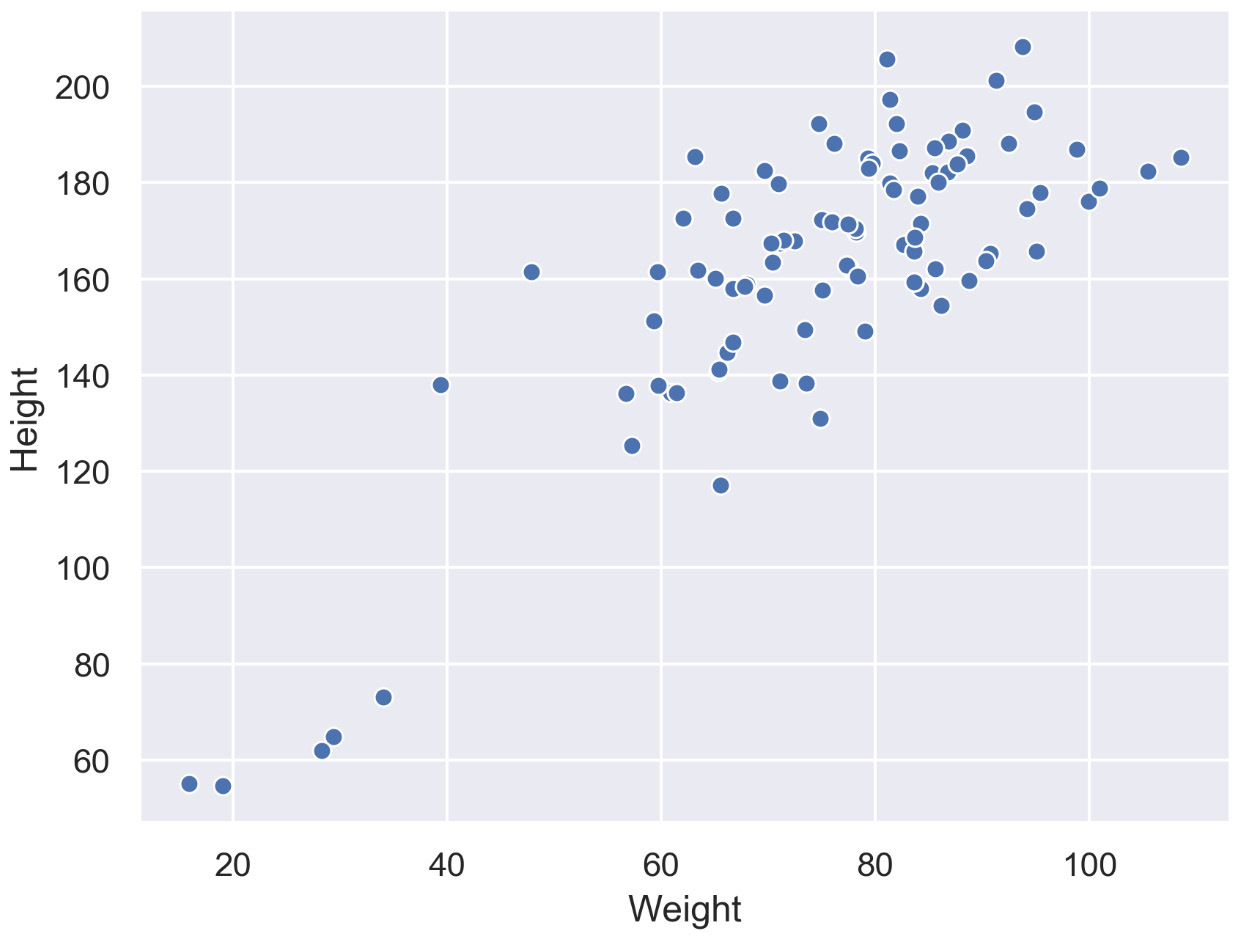
The following diagram shows a scatter plot of height and weight of persons belonging to a single group:
Figure 2.11: Scatter plot with a single group
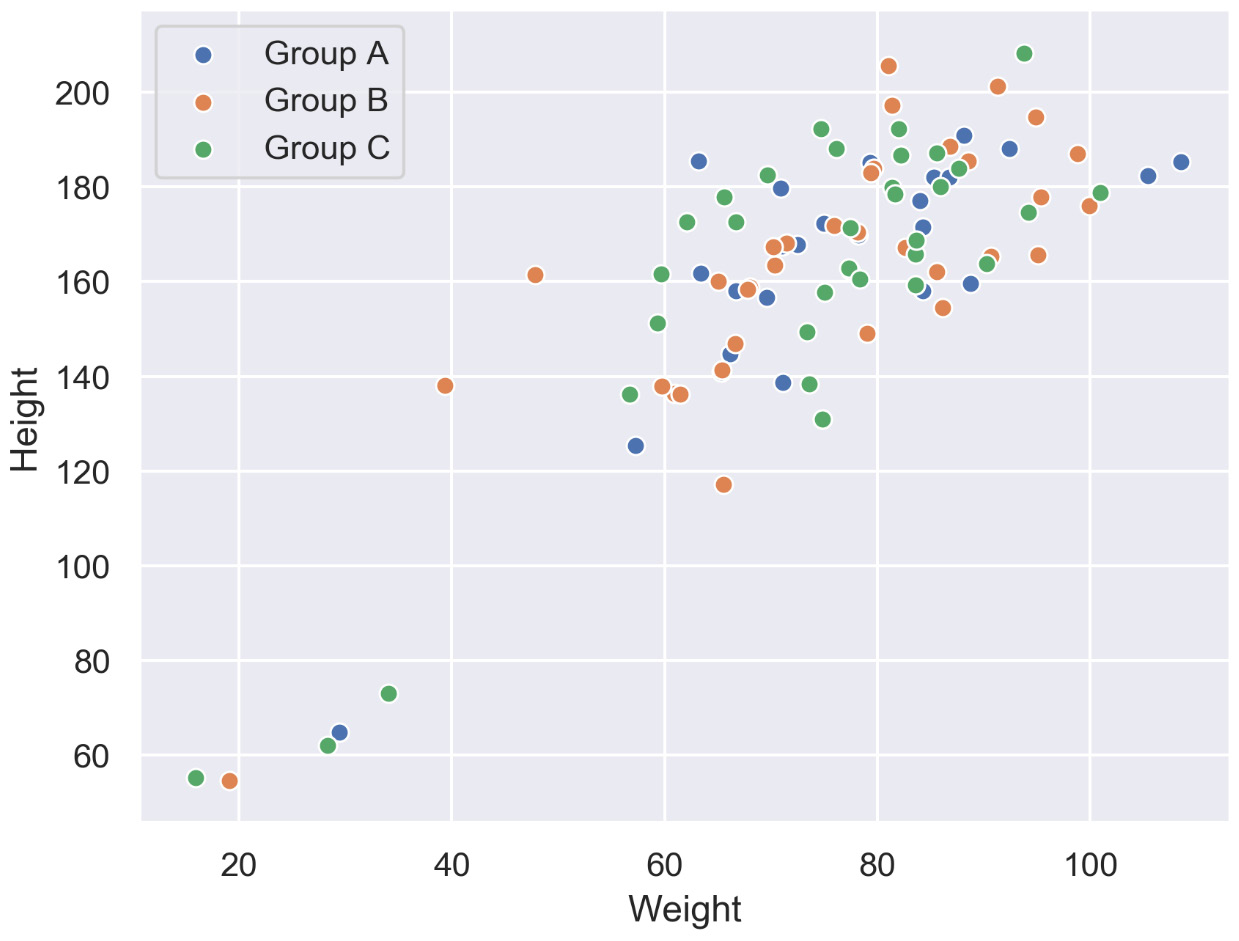
The following diagram shows the same data as in the previous plot but differentiates between groups. In this case, we have different groups: A, B, and C:
Figure 2.12: Scatter plot with multiple groups
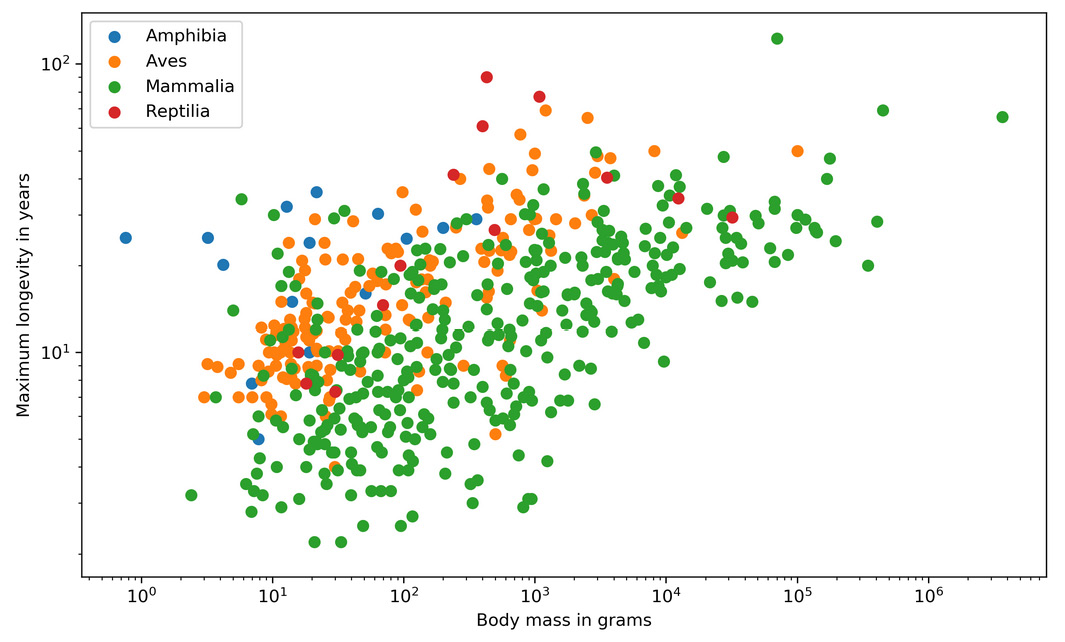
The following diagram shows the correlation between body mass and the maximum longevity for various animals grouped by their classes. There is a positive correlation between body mass and maximum longevity:
Figure 2.13: Correlation between body mass and maximum longevity for animals
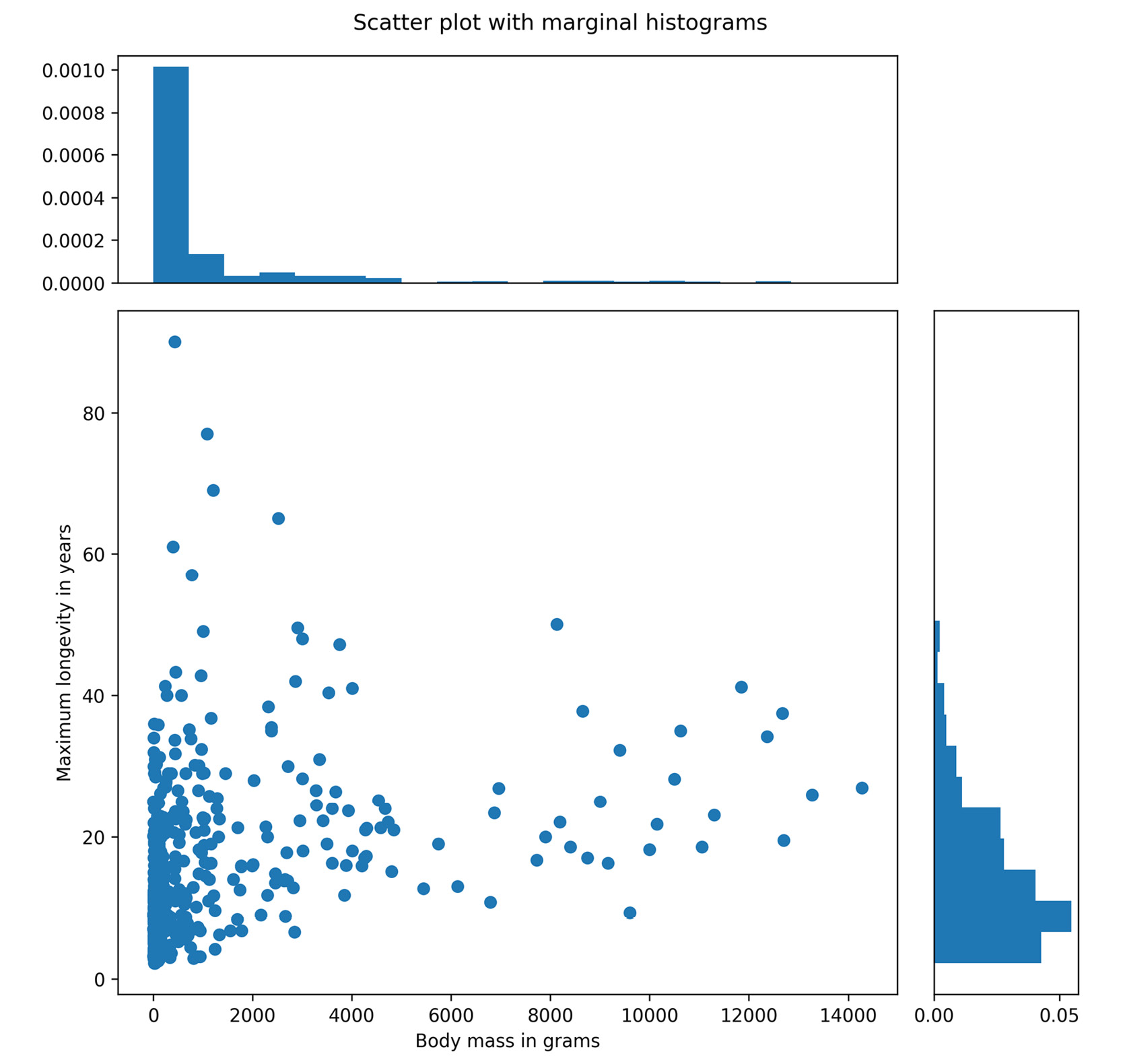
In addition to the scatter plot, which visualizes the correlation between two numerical variables, you can plot the marginal distribution for each variable in the form of histograms to give better insight into how each variable is distributed.
The following diagram shows the correlation between body mass and the maximum longevity for animals in the Aves class. The marginal histograms are also shown, which helps to get a better insight into both variables:
Figure 2.14: Correlation between body mass and maximum longevity of the Aves class with marginal histograms
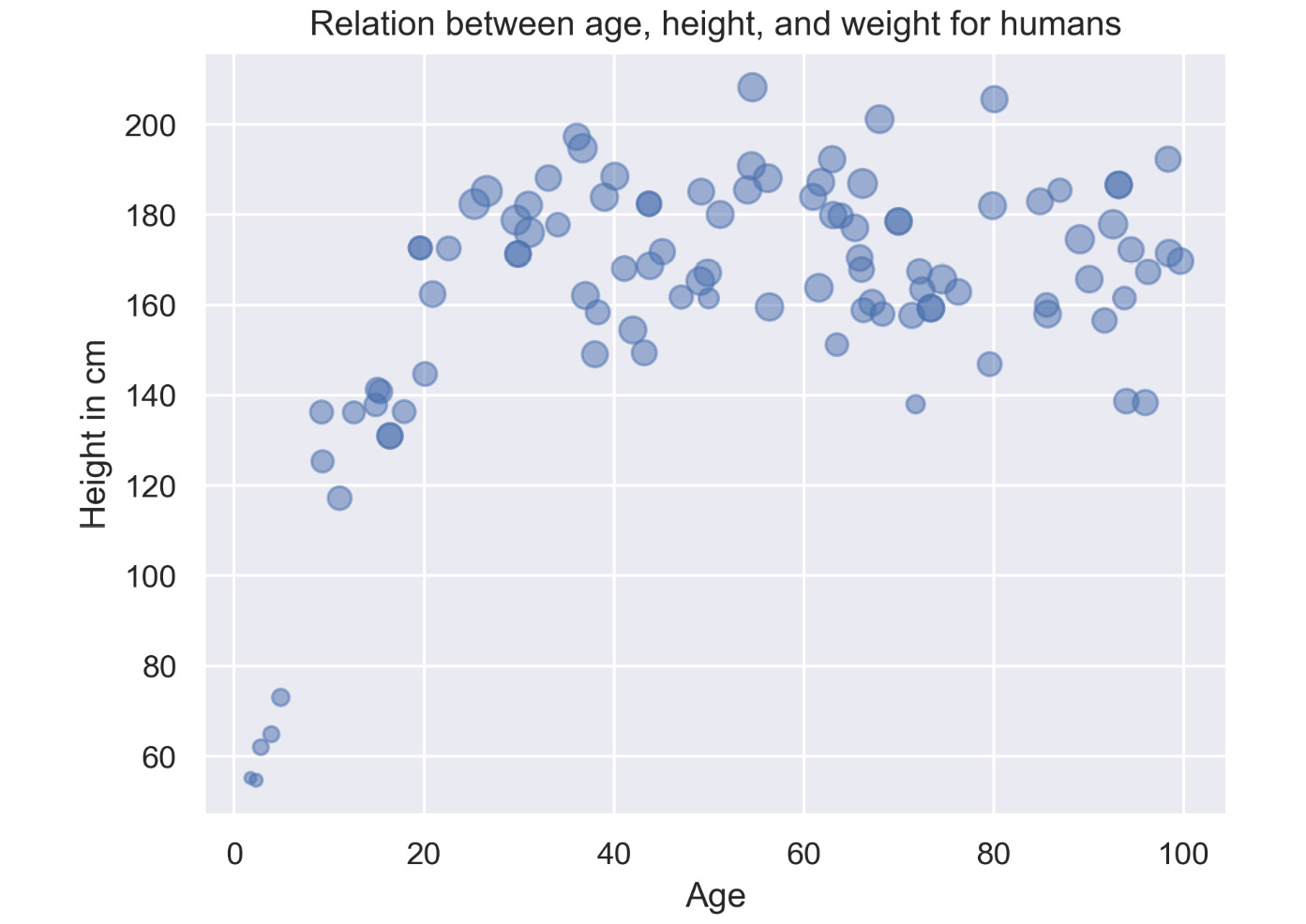
A bubble plot extends a scatter plot by introducing a third numerical variable. The value of the variable is represented by the size of the dots. The area of the dots is proportional to the value. A legend is used to link the size of the dot to an actual numerical value.
Bubble plots help to show a correlation between three variables.
The following diagram shows a bubble plot that highlights the relationship between heights and age of humans to get the weight of each person, which is represented by the size of the bubble:
Figure 2.15: Bubble plot showing the relation between height and age of humans
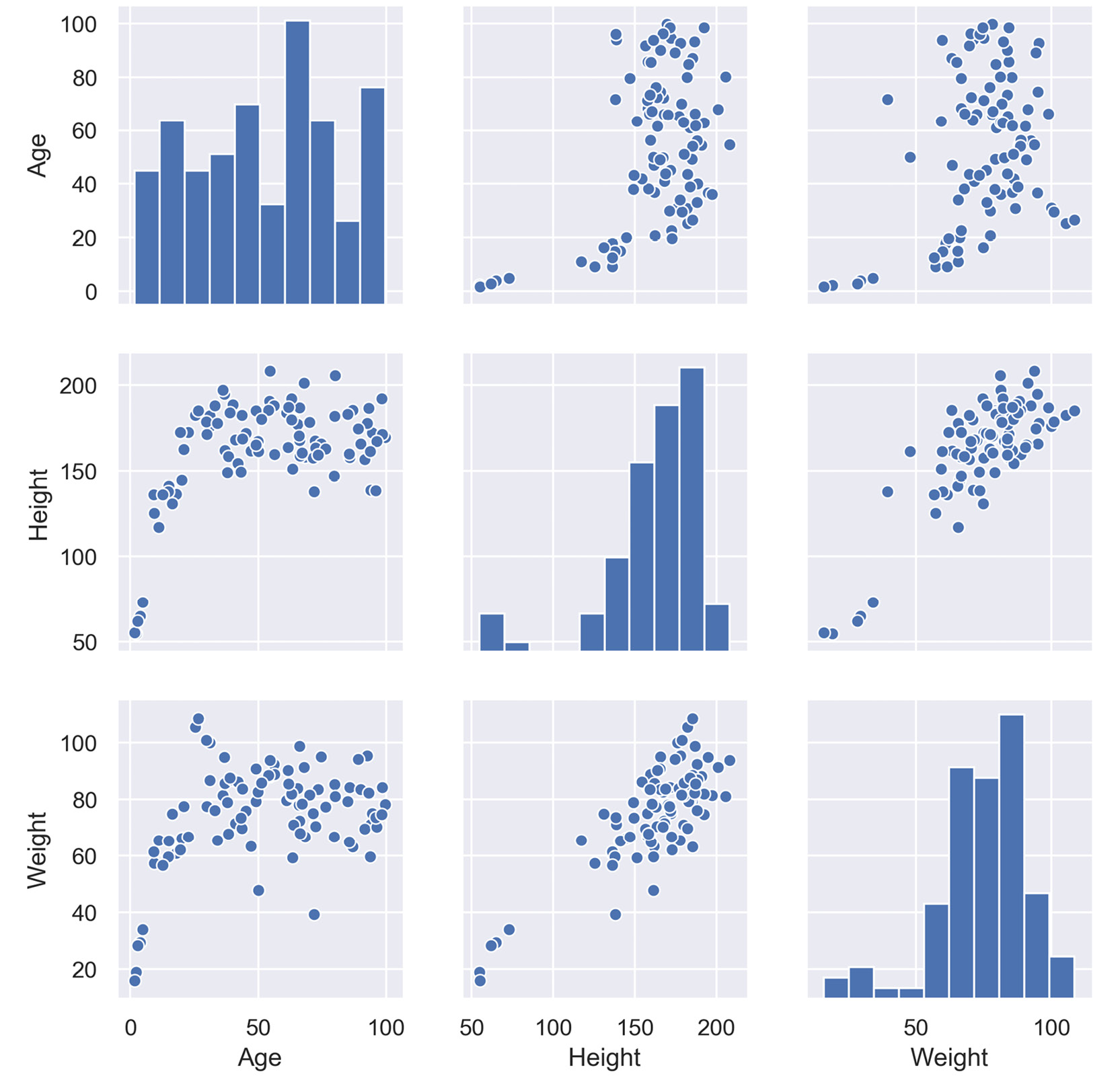
A correlogram is a combination of scatter plots and histograms. Histograms will be discussed in detail later in this chapter. A correlogram or correlation matrix visualizes the relationship between each pair of numerical variables using a scatter plot.
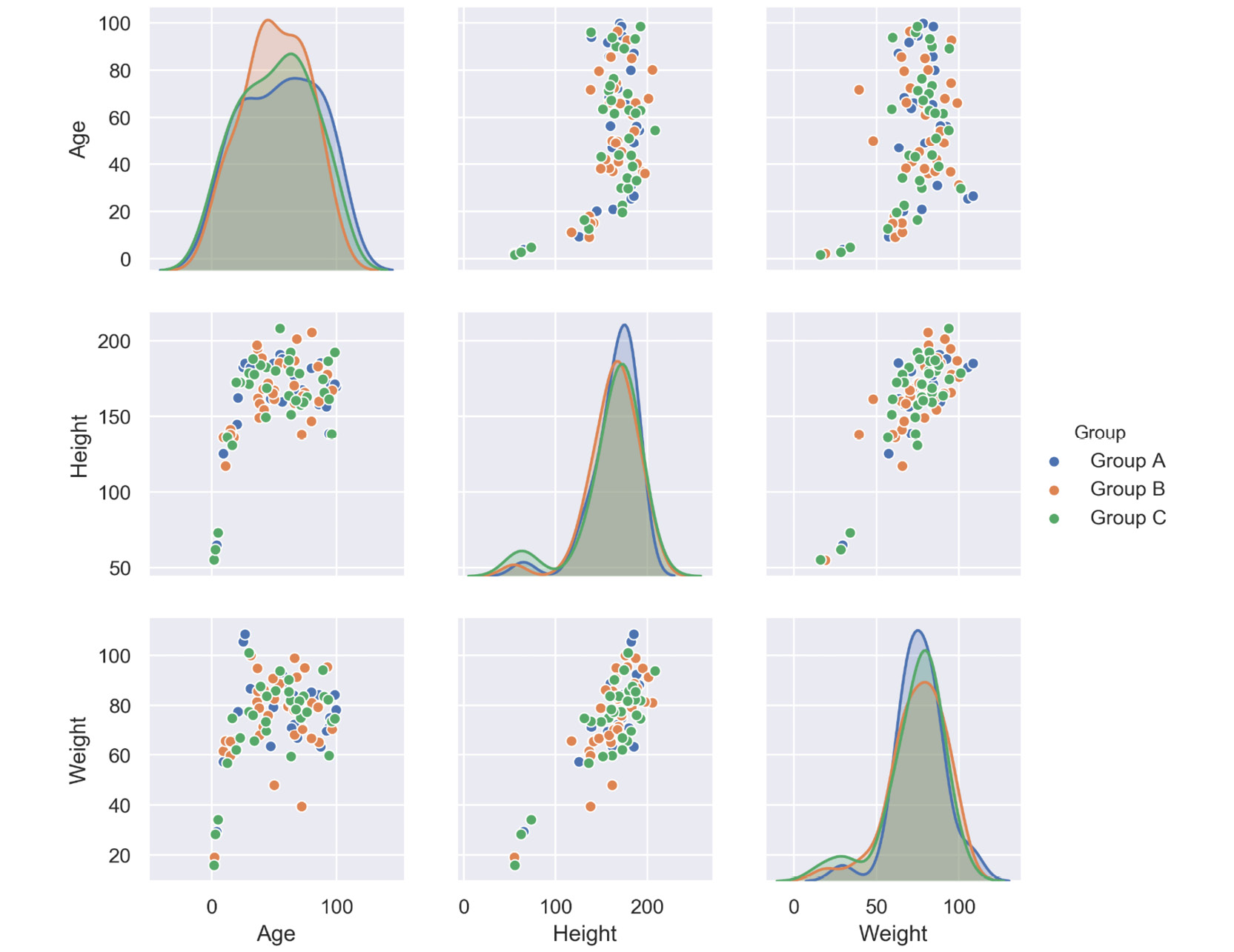
The diagonals of the correlation matrix represent the distribution of each variable in the form of a histogram. You can also plot the relationship between multiple groups or categories using different colors. A correlogram is a great chart for exploratory data analysis to get a feel for your data, especially the correlation between variable pairs.
The following diagram shows a correlogram for the height, weight, and age of humans. The diagonal plots show a histogram for each variable. The off-diagonal elements show scatter plots between variable pairs:
Figure 2.16: Correlogram with a single category
The following diagram shows the correlogram with data samples separated by color into different groups:
Figure 2.17: Correlogram with multiple categories
A heatmap is a visualization where values contained in a matrix are represented as colors or color saturation. Heatmaps are great for visualizing multivariate data (data in which analysis is based on more than two variables per observation), where categorical variables are placed in the rows and columns and a numerical or categorical variable is represented as colors or color saturation.
The visualization of multivariate data can be done using heatmaps as they are great for finding patterns in your data.
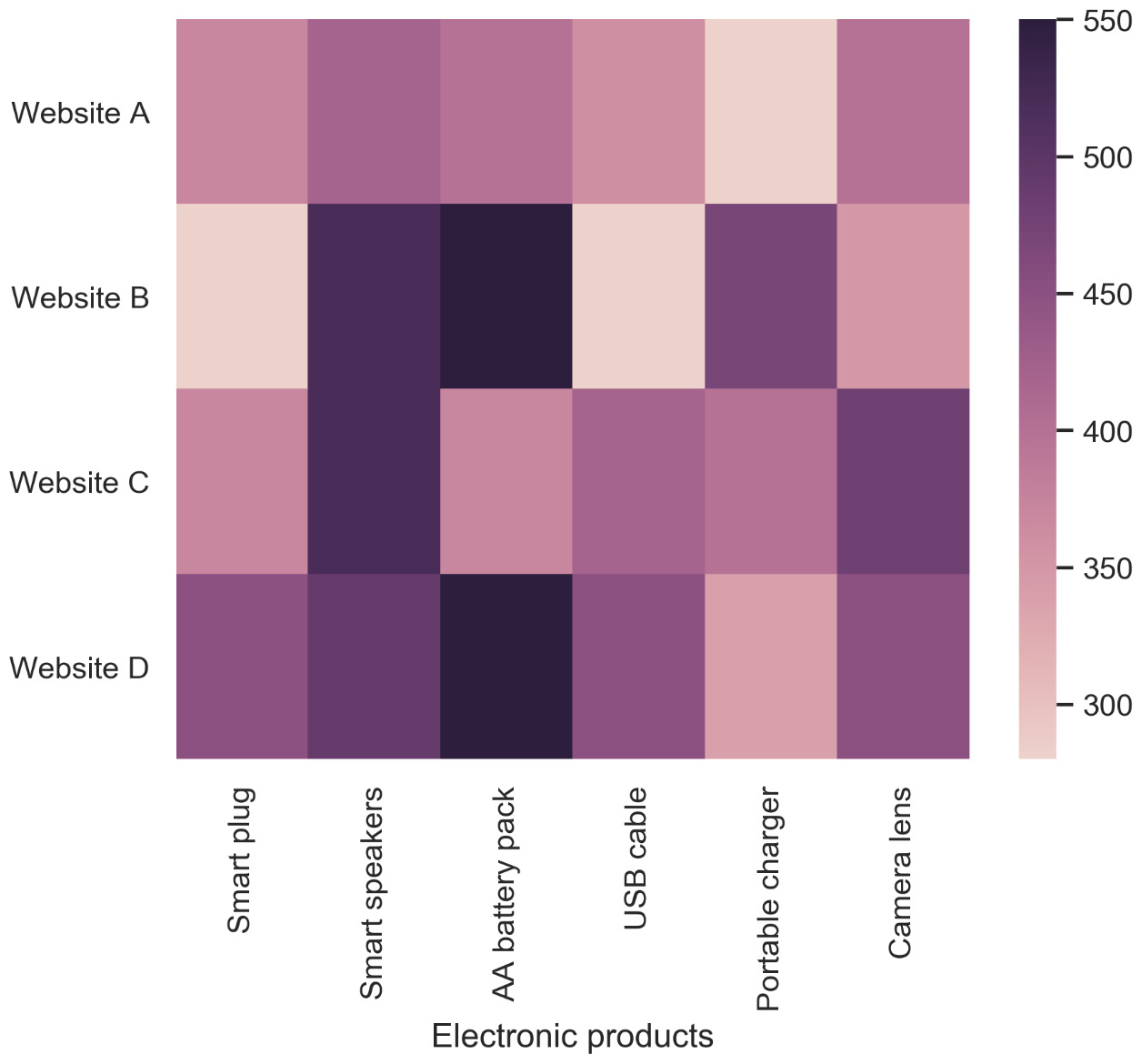
The following diagram shows a heatmap for the most popular products on the electronics category page across various e-commerce websites, where the color shows the number of units sold. In the following diagram, we can analyze that the darker colors represent more units sold, as shown in the key:
Figure 2.18: Heatmap for popular products in the electronics category
Variants: Annotated Heatmaps
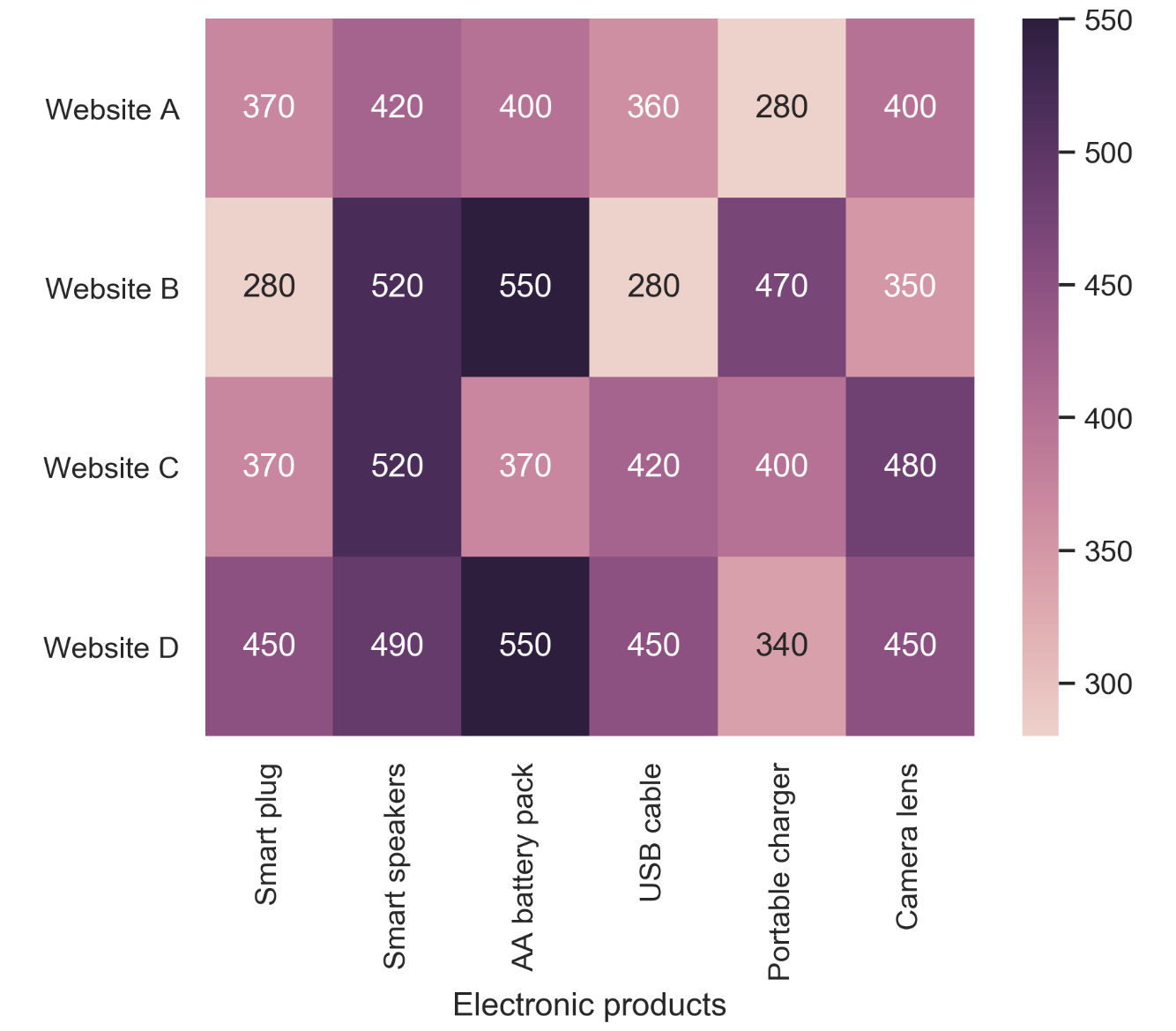
Let’s see the same example we saw previously in an annotated heatmap, where the color shows the number of units sold:
Figure 2.19: Annotated heatmap for popular products in the electronics category
In this section, we introduced various plots for relating a variable to other variables and looked at their uses, and multiple examples for the different relation plots were given. The following activity will give you some practice in working with heatmaps.
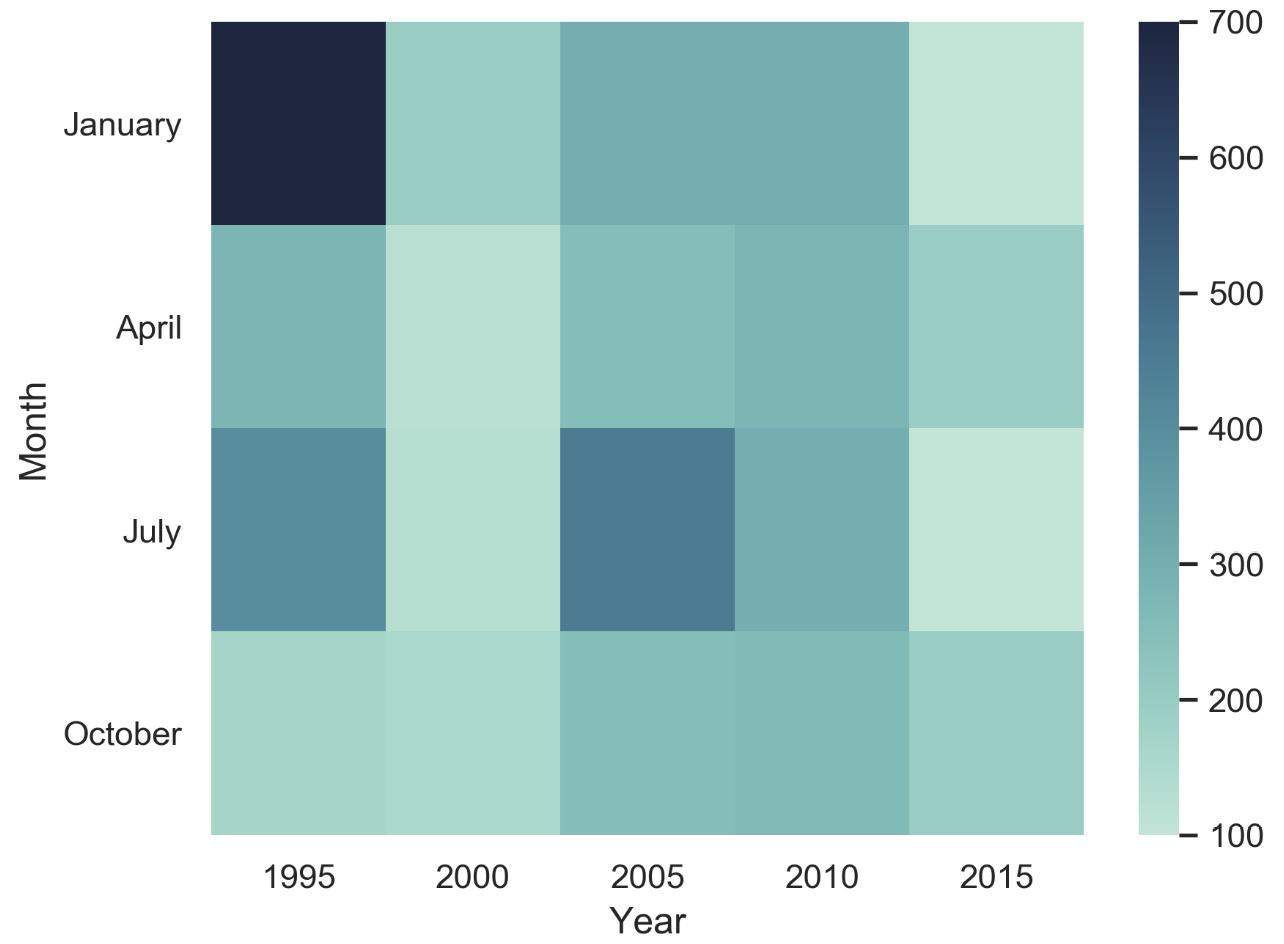
You are given a diagram that provides information about the road accidents that have occurred over the past two decades during the months of January, April, July, and October. The aim of this activity is to understand how you can use heatmaps to visualize multivariate data.

Figure 2.20: Total accidents over 20 years
Note
The solution for this activity can be found via this link.
Change the font size
Change margin width
Change background colour