Sign In Start Free Trial
Account

Add to playlist

Create a Playlist

Modal Close icon
You need to login to use this feature.
  • Book Overview & Buying IBM Cognos 10 Framework Manager
  • Table Of Contents Toc
  • Feedback & Rating feedback
IBM Cognos 10 Framework Manager

IBM Cognos 10 Framework Manager

By : Terence Phillip Curran
2.8 (5)
close
close
IBM Cognos 10 Framework Manager

IBM Cognos 10 Framework Manager

2.8 (5)
By: Terence Phillip Curran

Overview of this book

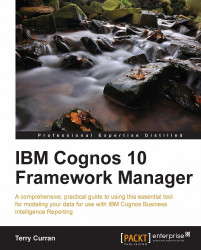
"IBM Cognos 10 Framework Manager" is a complete practical guide to using and getting the best out of this essential tool for modeling your data for use with IBM Cognos Business Intelligence Reporting. With its step-by-step approach, this book is suitable for anyone from a beginner to an expert, complete with tips and tricks for better data modeling."IBM Cognos 10 Framework Manager" is a step by step tutorial-based guide; from importing your data to designing and improving your model, and creating your packages while working with other modelers, every step is presented in a logical process.Learn how to use the best design strategy to design your model, create an import layer, a modeling layer, and a presentation layer to make your model easy to maintain. Do you need to design a DMR model? No problem, this book shows you every step. This book can even make working with other users easier - we will show you the methods and techniques for allowing others to work on the same model at the same time. Need to create dynamic data structures to change the way the data is presented to your users so your French users can see the data in French, your German users in German, and your English users in English? You can do all this with parameter maps."IBM Cognos 10 Framework Manager" continues where the product manuals end, showing you how to build and refine your project through practical, step by step instructions.
Table of Contents (19 chapters)
close
close
IBM Cognos 10 Framework Manager
Credits
About the Author
Acknowledgement
About the Reviewer
www.PacktPub.com
Preface
2
Index

Moving a model by using the log file


You can move your Framework Manager model from one environment to another by using the Framework Manager log file.

The log file is created the first time you save your project and exists until you delete the project. The log file, log.xml, is saved in the project folder with the other project files. Every action that has been run and saved in the project since the model was originally created is stored in this log file.

Within Framework Manager, you can view and play back any of the actions saved in the log file. Alternatively, you can use the command line Script Player, BmtScriptPlayer, to play back the actions in batch mode.

It is easy to use the log file to transfer your Framework Manager project from a development to a production (or any other) environment. You only need to make changes to your mode in the development environment, and when you want to move the model to your production environment you can use the log file to replay the actions to create...

Visually different images
CONTINUE READING
83
Tech Concepts
36
Programming languages
73
Tech Tools
Icon Unlimited access to the largest independent learning library in tech of over 8,000 expert-authored tech books and videos.
Icon Innovative learning tools, including AI book assistants, code context explainers, and text-to-speech.
Icon 50+ new titles added per month and exclusive early access to books as they are being written.
IBM Cognos 10 Framework Manager
notes
bookmark Notes and Bookmarks search Search in title playlist Add to playlist download Download options font-size Font size

Change the font size

margin-width Margin width

Change margin width

day-mode Day/Sepia/Night Modes

Change background colour

Close icon Search
Country selected

Close icon Your notes and bookmarks

Confirmation

Modal Close icon
claim successful

Buy this book with your credits?

Modal Close icon
Are you sure you want to buy this book with one of your credits?
Close
YES, BUY

Submit Your Feedback

Modal Close icon
Modal Close icon
Modal Close icon