Sign In Start Free Trial
Account

Add to playlist

Create a Playlist

Modal Close icon
You need to login to use this feature.
  • Book Overview & Buying Internet of Things with Arduino Cookbook
  • Table Of Contents Toc
  • Feedback & Rating feedback
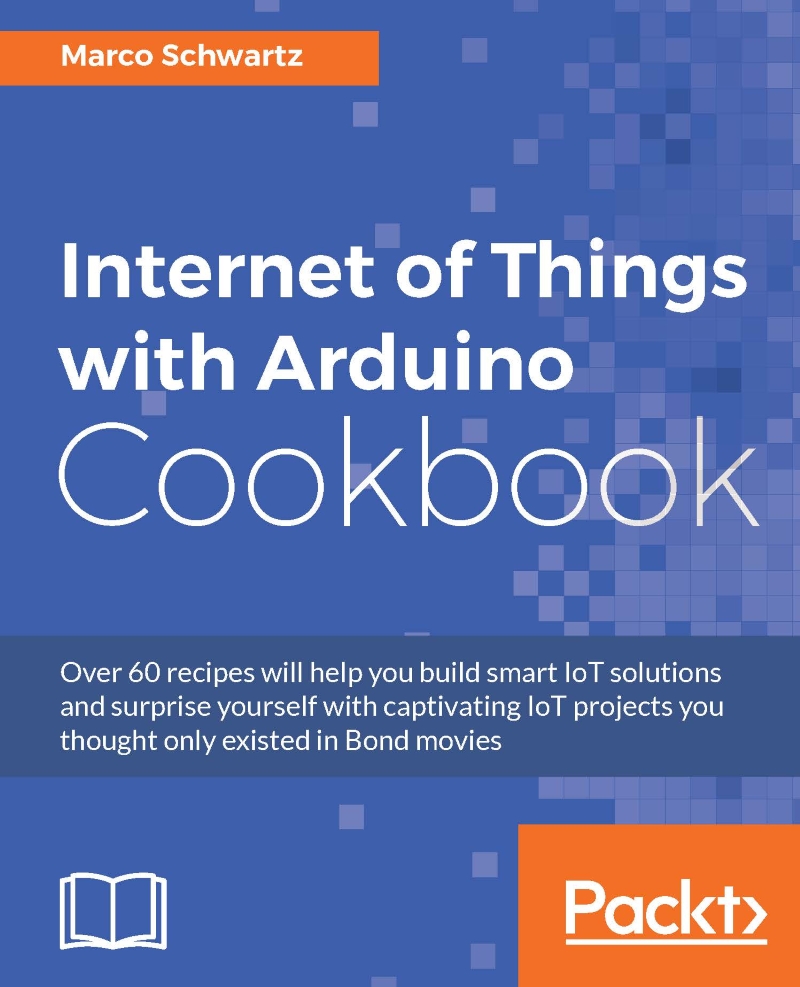
Internet of Things with Arduino Cookbook

Internet of Things with Arduino Cookbook

By : Marco Schwartz
4.5 (2)
close
close
Internet of Things with Arduino Cookbook

Internet of Things with Arduino Cookbook

4.5 (2)
By: Marco Schwartz

Overview of this book

Arduino is a powerful and very versatile platform used by millions of people around the world to create DIY electronics projects. It can be connected to a wide variety of sensors and other components, making it the ideal platform to build amazing Internet of Things (IoT) projects on—the next wave in the era of computing. This book takes a recipe-based approach, giving you precise examples on how to build IoT projects of all types using the Arduino platform. You will come across projects from several fields, including the popular robotics and home automation domains. Along with being introduced to several forms of interactions within IoT, including projects that directly interact with well-known web services such as Twitter, Facebook, and Dropbox we will also focus on Machine-to-Machine (M2M) interactions, where Arduino projects interact without any human intervention. You will learn to build a few quick and easy-to-make fun projects that will really expand your horizons in the world of IoT and Arduino. Each chapter ends with a troubleshooting recipe that will help you overcome any problems faced while building these projects. By the end of this book, you will not only know how to build these projects, but also have the skills necessary to build your own IoT projects in the future.
Table of Contents (9 chapters)
close
close
8
Index

Sending data to the cloud

In the last recipe of this chapter, we are actually going to use everything we learned so far in this chapter and apply it to a simple project: sending data to a cloud server, so it can be stored there. This is something that we are going to do many times in this book, but I wanted to give you a short overview first.

Getting ready

For this recipe, you will need the same configuration that we used in the recipe Interacting with basic sensors, but ? with a photocell connected to the Arduino board. Please refer to this recipe to know how to assemble the hardware for the project.

How to do it...

Let's now see the sketch that we will use for this chapter. It is actually very similar to the code for the previous chapter, so I will just highlight the important parts here.

As before, we define the server to which we want to connect the board. Here, we will use the dweet.io service:

char server[] = "dweet.io";

We also define an interval on which we will send data to the dweet.io servers:

unsigned long lastConnectionTime = 0;            
const unsigned long postingInterval = 10L * 1000L;

In the loop() function, we check if it is time to send data. If so, we measure the reading from the sensor, and send this to a function that will send the data:

if (millis() - lastConnectionTime > postingInterval) {

    // Measure light level
    int sensorData = analogRead(A0);

    // Send request
    httpRequest(sensorData);
  }

Let's now see the details of this function:

void httpRequest(int sensorData) {

  // Close existing connection
  client.stop();

  // Connect & send request
  if (client.connect(server, 80)) {
    
    Serial.println("connecting...");
    
    // Send the HTTP PUT request:
    client.println("GET /dweet/for/myarduino?light=" + String(sensorData) + " HTTP/1.1");
    client.println("Host: dweet.io");
    client.println("User-Agent: ArduinoWiFi/1.1");
    client.println("Connection: close");
    client.println();

    // Note the time that the connection was made:
    lastConnectionTime = millis();
  }
  else {
    // if you couldn't make a connection:
    Serial.println("connection failed");
  }
}

As you can see, the function is very similar to what we did in the previous recipe. The main difference is that we pass the measured data as an argument when calling the dweet.io server.

You can now grab the code from the GitHub repository of this book, and upload it to the board.

Tip

Don't forget to change your Wi-Fi name and password here, otherwise it won't work.

Then, open the Serial monitor, and this is what you should see:

How to do it...

If you can see the 'succeeded' message, it means that the data has been correctly stored on the server.

To check that it was actually recorded, you can now go to the following URL:

https://dweet.io/get/latest/dweet/for/myarduino

You should see the answer in JSON format, meaning data was recorded from your board.

How to do it...

How it works...

The Dweet.io service is a very useful (and free) web service to store data coming from your IoT project. We are going to use it extensively in the coming chapters of this book.

See also

I now recommend that you move on to the next chapter, so you can start using what you learned in this introductory chapter to build actual IoT projects!

Visually different images
CONTINUE READING
83
Tech Concepts
36
Programming languages
73
Tech Tools
Icon Unlimited access to the largest independent learning library in tech of over 8,000 expert-authored tech books and videos.
Icon Innovative learning tools, including AI book assistants, code context explainers, and text-to-speech.
Icon 50+ new titles added per month and exclusive early access to books as they are being written.
Internet of Things with Arduino Cookbook
notes
bookmark Notes and Bookmarks search Search in title playlist Add to playlist download Download options font-size Font size

Change the font size

margin-width Margin width

Change margin width

day-mode Day/Sepia/Night Modes

Change background colour

Close icon Search
Country selected

Close icon Your notes and bookmarks

Confirmation

Modal Close icon
claim successful

Buy this book with your credits?

Modal Close icon
Are you sure you want to buy this book with one of your credits?
Close
YES, BUY

Submit Your Feedback

Modal Close icon
Modal Close icon
Modal Close icon