Sign In Start Free Trial
Account

Add to playlist

Create a Playlist

Modal Close icon
You need to login to use this feature.
  • Book Overview & Buying React Native Blueprints
  • Table Of Contents Toc
React Native Blueprints

React Native Blueprints

By : Martinez
3.8 (4)
close
close
React Native Blueprints

React Native Blueprints

3.8 (4)
By: Martinez

Overview of this book

Considering the success of the React framework, Facebook recently introduced a new mobile development framework called React Native. With React Native's game-changing approach to hybrid mobile development, you can build native mobile applications that are much more powerful, interactive, and faster by using JavaScript This project-based guide takes you through eight projects to help you gain a sound understanding of the framework and helps you build mobile apps with native user experience. Starting with a simple standalone groceries list app, you will progressively move on to building advanced apps by adding connectivity with external APIs, using native features, such as the camera or microphone, in the mobile device, integrating with state management libraries such as Redux or MobX, or leveraging React Native’s performance by building a full-featured game. This book covers the entire feature set of React Native, starting from the simplest (layout or navigation libraries) to the most advanced (integration with native code) features. By the end of this book, you’ll be able to build professional Android and iOS applications using React Native.
Table of Contents (9 chapters)
close
close

Overview


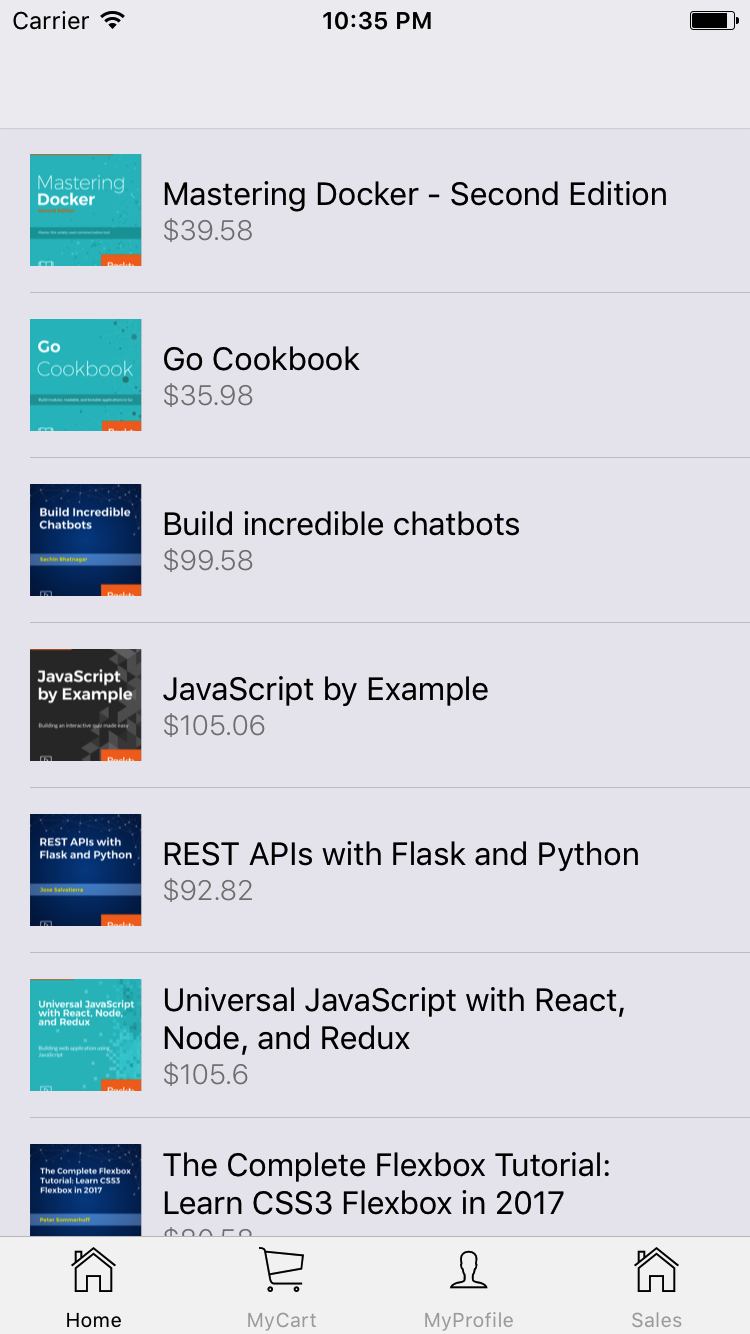
Instead of putting much effort into the app's look and feel, as we did in previous chapters, we will focus on functionality and code quality for this one. Nevertheless, we will build it in a way which will allow any developer to style it easily at a later stage. With that in mind, let's take a look at what the app will look like once finished.

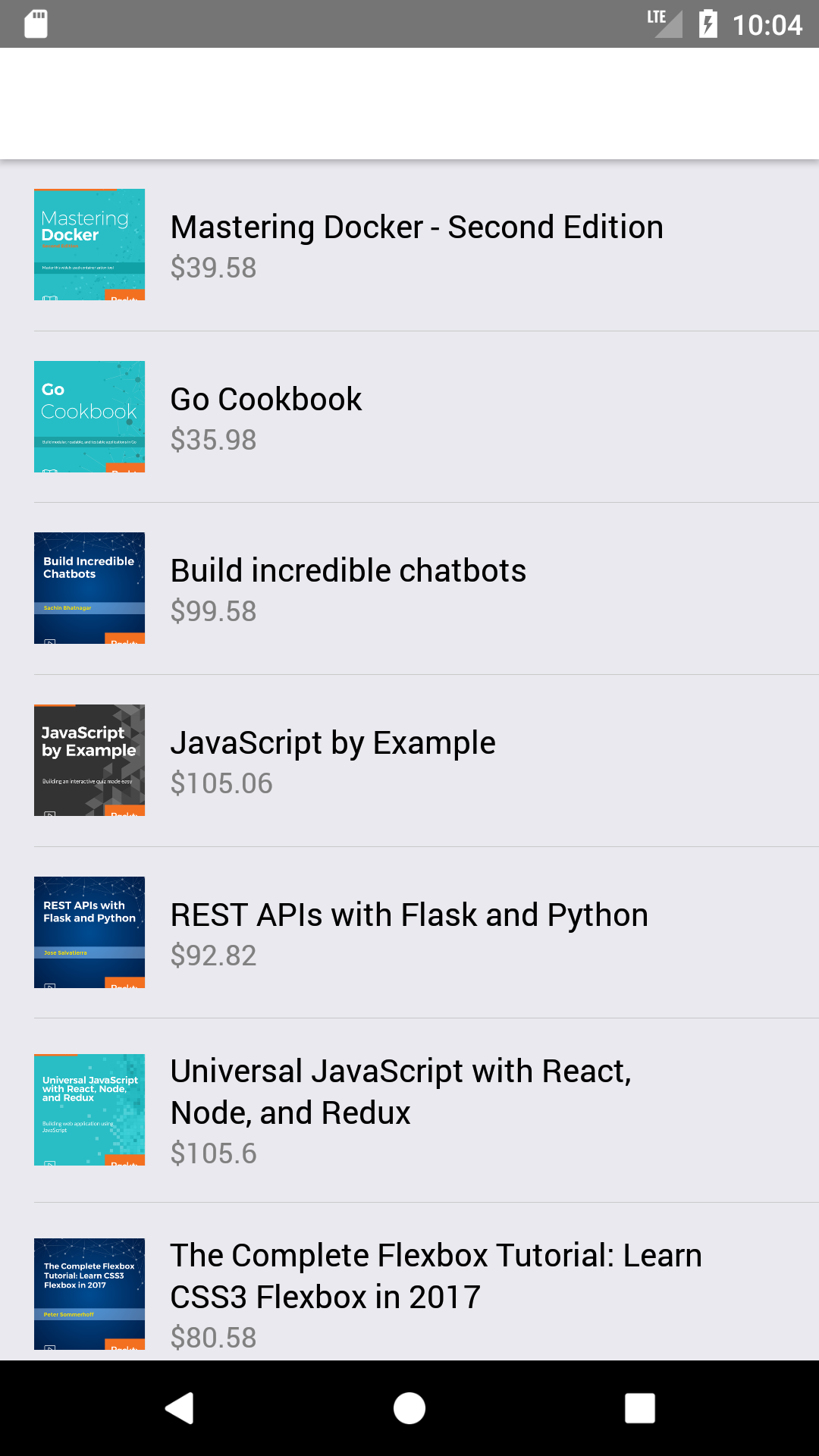
Let's start from the home screen where all the books are displayed:

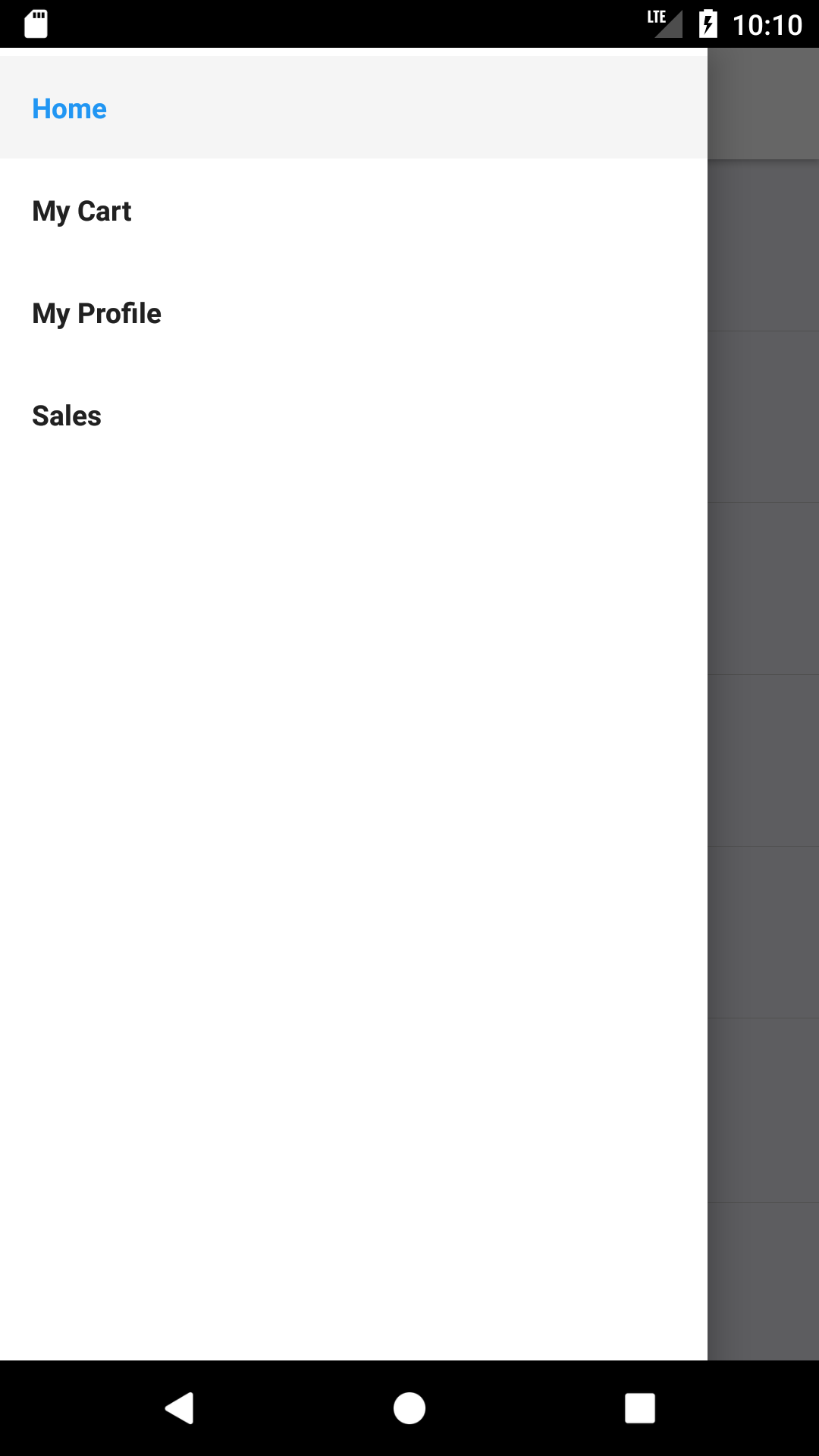
In Android, we will add a drawer navigation pattern instead of a tabbed one as Android users are more used to it:

The drawer can be opened by swiping the screen from the left edge to the right:

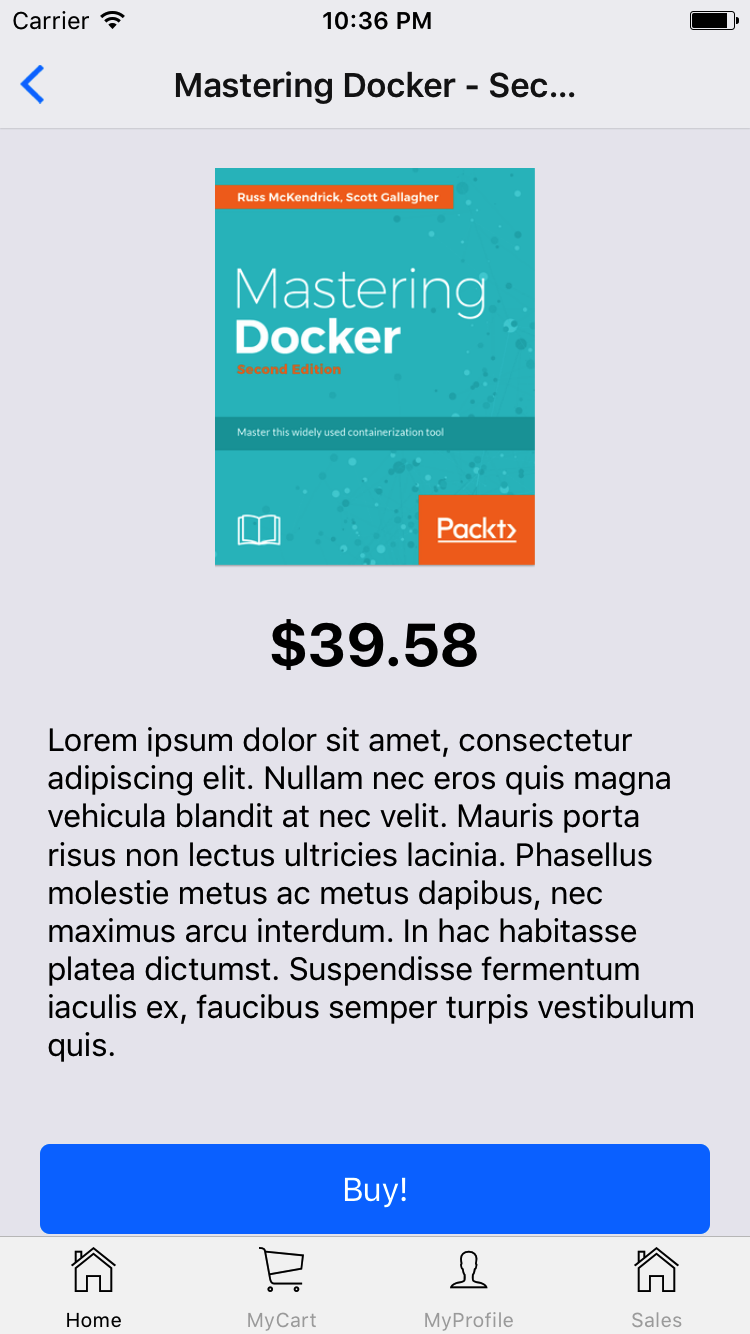
Now, let's see what happens when a user taps on one of the books from the home screen (list of books available):

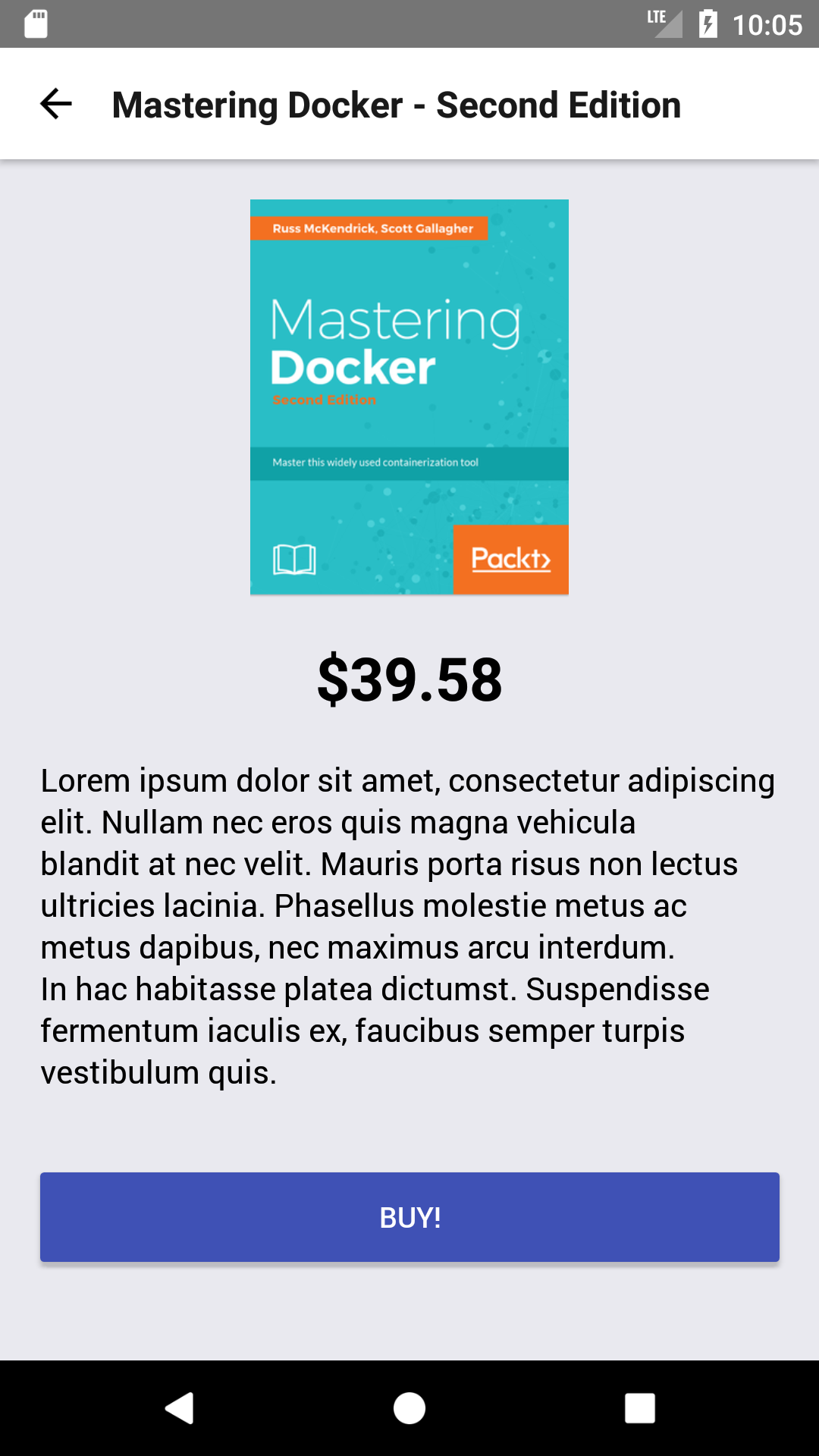
The Android version for this screen will be similar, as only a couple of native components will adopt a different styling, depending on which platform the app is executed:

Only logged-in users will be able to buy books from our app. This means that we need to pop up a login/registration...

CONTINUE READING
83
Tech Concepts
36
Programming languages
73
Tech Tools
Icon Unlimited access to the largest independent learning library in tech of over 8,000 expert-authored tech books and videos.
Icon Innovative learning tools, including AI book assistants, code context explainers, and text-to-speech.
Icon 50+ new titles added per month and exclusive early access to books as they are being written.
React Native Blueprints
notes
bookmark Notes and Bookmarks search Search in title playlist Add to playlist download Download options font-size Font size

Change the font size

margin-width Margin width

Change margin width

day-mode Day/Sepia/Night Modes

Change background colour

Close icon Search
Country selected

Close icon Your notes and bookmarks

Confirmation

Modal Close icon
claim successful

Buy this book with your credits?

Modal Close icon
Are you sure you want to buy this book with one of your credits?
Close
YES, BUY

Submit Your Feedback

Modal Close icon
Modal Close icon
Modal Close icon