Sign In Start Free Trial
Account

Add to playlist

Create a Playlist

Modal Close icon
You need to login to use this feature.
  • Book Overview & Buying SwiftUI Projects
  • Table Of Contents Toc
  • Feedback & Rating feedback
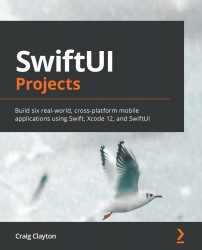
SwiftUI Projects

SwiftUI Projects

By : Craig Clayton
3 (11)
close
close
SwiftUI Projects

SwiftUI Projects

3 (11)
By: Craig Clayton

Overview of this book

Released by Apple during WWDC 2019, SwiftUI provides an innovative and exceptionally simple way to build user interfaces for all Apple platforms with the power of Swift. This practical guide involves six real-world projects built from scratch, with two projects each for iPhone, iPad, and watchOS, built using Swift programming and Xcode. Starting with the basics of SwiftUI, you’ll gradually delve into building these projects. You’ll learn the fundamental concepts of SwiftUI by working with views, layouts, and dynamic types. This SwiftUI book will also help you get hands-on with declarative programming for building apps that can run on multiple platforms. Throughout the book, you’ll work on a chart app (watchOS), NBA draft app (watchOS), financial app (iPhone), Tesla form app (iPhone), sports news app (iPad), and shoe point-of-sale system (iPad), which will enable you to understand the core elements of a SwiftUI project. By the end of the book, you’ll have built fully functional projects for multiple platforms and gained the knowledge required to become a professional SwiftUI developer.
Table of Contents (13 chapters)
close
close

Creating our first CloudKit record

Before we dig into all the details, let's first just take the time to see how we can create a record. For now, think of a record as a type. We will go into this in more depth a bit later in this chapter. Let's say we want to create a shoe record. Let's see how we can accomplish that now.

Open ShoePOSApp.swift and, under import SwiftUI, add import CloudKit. Now, above the body variable, add the following:

init() {
	// Add next step here
}

Next, replace // Add next step here with the following:

let container = CKContainer(identifier: “//add your container 
  name here”) // (1)
let db = container.publicCloudDatabase // (2)
let recordID = CKRecord.ID(recordName: “shoe-pos-test”) // (3)

Alright, let's break down each bit of code we added line by line.

Earlier, you created a container name and added it to your project for iCloud. If you do not add the “iCloud” in front...

Visually different images
CONTINUE READING
83
Tech Concepts
36
Programming languages
73
Tech Tools
Icon Unlimited access to the largest independent learning library in tech of over 8,000 expert-authored tech books and videos.
Icon Innovative learning tools, including AI book assistants, code context explainers, and text-to-speech.
Icon 50+ new titles added per month and exclusive early access to books as they are being written.
SwiftUI Projects
notes
bookmark Notes and Bookmarks search Search in title playlist Add to playlist download Download options font-size Font size

Change the font size

margin-width Margin width

Change margin width

day-mode Day/Sepia/Night Modes

Change background colour

Close icon Search
Country selected

Close icon Your notes and bookmarks

Confirmation

Modal Close icon
claim successful

Buy this book with your credits?

Modal Close icon
Are you sure you want to buy this book with one of your credits?
Close
YES, BUY

Submit Your Feedback

Modal Close icon
Modal Close icon
Modal Close icon