Sign In Start Free Trial
Account

Add to playlist

Create a Playlist

Modal Close icon
You need to login to use this feature.
  • Book Overview & Buying The Microsoft Outlook Ideas Book
  • Table Of Contents Toc
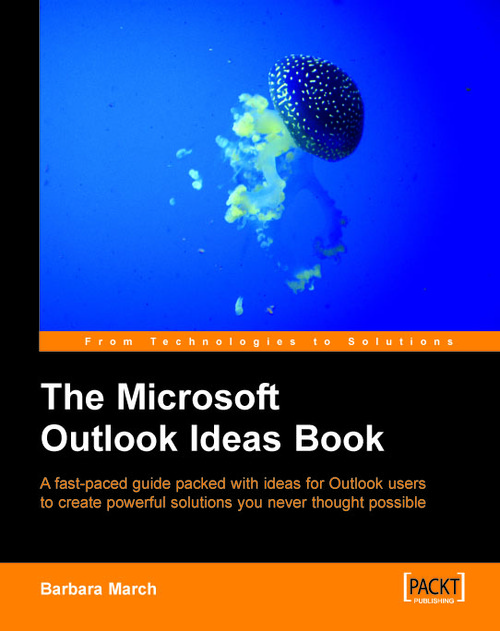
The Microsoft Outlook Ideas Book

The Microsoft Outlook Ideas Book

By : Barbara March
close
close
The Microsoft Outlook Ideas Book

The Microsoft Outlook Ideas Book

By: Barbara March

Overview of this book

Microsoft Outlook, in tandem with Microsoft Exchange Server, provides a powerful environment for sharing information. This book will show you how to take advantage of that to construct solutions for your business or organization from the features of Outlook. This book is a collection of scenarios that incorporate and link many Outlook components to produce surprisingly powerful functionality. Without the need for code or specially-written applications, you will be extracting information from your Outlook Calendar, Contacts and Tasks folders to create solutions like these: Monitoring staff leave and printing schedules Managing meeting rooms and printing invoices Managing fleet vehicles, their records, and servicing Managing a school class calendar, student records, attendance, assignments, and reports
Table of Contents (8 chapters)
close
close

Chapter 2. The Contacts Folder

The conventional use of the Contacts folder is to store the details of people with whom you communicate. However, with a little imagination, Contacts folders can be used to store and manipulate the details of almost anything.

In this chapter, we will look at the following examples of useful, unusual, and practical customizations of conventional Outlook contact data:

  • A table of Distribution Lists that displays the dates on which they were created

  • A Business Directory of Suppliers

  • A Staff Contacts folder that calculates length of service and leave entitlement

  • A Contacts folder for Company Vehicles

A Distribution Lists View

Distribution Lists are created to make it easy to send one email to several recipients. These recipients would all have a common interest in the email that you are sending and are often therefore members of specific groups, regular meetings, committees, etc. But these groups can have finite life spans and you can find that you accumulate Distribution...

Visually different images
CONTINUE READING
83
Tech Concepts
36
Programming languages
73
Tech Tools
Icon Unlimited access to the largest independent learning library in tech of over 8,000 expert-authored tech books and videos.
Icon Innovative learning tools, including AI book assistants, code context explainers, and text-to-speech.
Icon 50+ new titles added per month and exclusive early access to books as they are being written.
The Microsoft Outlook Ideas Book
notes
bookmark Notes and Bookmarks search Search in title playlist Add to playlist font-size Font size

Change the font size

margin-width Margin width

Change margin width

day-mode Day/Sepia/Night Modes

Change background colour

Close icon Search
Country selected

Close icon Your notes and bookmarks

Confirmation

Modal Close icon
claim successful

Buy this book with your credits?

Modal Close icon
Are you sure you want to buy this book with one of your credits?
Close
YES, BUY

Submit Your Feedback

Modal Close icon
Modal Close icon
Modal Close icon