Sign In Start Free Trial
Account

Add to playlist

Create a Playlist

Modal Close icon
You need to login to use this feature.
  • Book Overview & Buying Mastering Veeam Backup & Replication
  • Table Of Contents Toc
Mastering Veeam Backup & Replication

Mastering Veeam Backup & Replication - Second Edition

By : Chris Childerhose
5 (5)
close
close
Mastering Veeam Backup & Replication

Mastering Veeam Backup & Replication

5 (5)
By: Chris Childerhose

Overview of this book

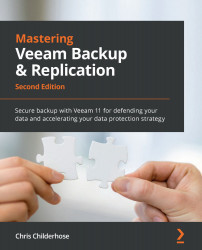
Veeam is one of the leading modern data protection solutions, making it a necessary skill for anyone responsible for securing virtual environments. This revised second edition of Mastering Veeam Backup & Replication is updated to cover Veeam version 11. The book guides you through implementing modern data protection solutions for your cloud and virtual infrastructure with Veeam, all while helping you master advanced concepts such as Continuous Data Protection (CDP), extended object storage support, Veeam ONE enhancements, and Orchestrator. Starting with Veeam essentials, including installation, best practices, and optimizations for Veeam Backup & Replication, you'll get to grips with the 3-2-1-1-0 rule to safeguard data. You'll understand how to set up a backup server, proxies, repositories, and more and then advance to cover a powerful feature of Veeam 11 – CDP. As you progress, you'll learn about immutability (also known as hardened repositories) and discover the best practices for creating them. Finally, you'll explore the new proxy option available in Linux and become well-versed with advanced topics such as extended object storage support, Veeam ONE enhancements, and Orchestrator. By the end of this Veeam book, you'll be able to implement Veeam Backup & Replication for securing your environment and enabling disaster recovery.
Table of Contents (15 chapters)
close
close
1
Section 1: Installation – Best Practices and Optimizations
4
Section 2: CDP and Immutability – Hardened Repositories, Backups, and Object Storage
9
Section 3: Linux Proxy Enhancements, Instant Recovery, Veeam ONE, and Orchestrator

Discovering other enhancements, including explorers

Further to the changes and enhancements already covered in the previous sections, there are a few more noteworthy changes in v11a:

  • Improved health check performance: The storage-level corruption guard will now use the advanced data fetcher technology, which will improve performance significantly on enterprise-grade storage hardware.
  • Restore directly from the capacity tier: When a user initiates a restore from backups stored in the capacity tier, Veeam will not now read the matching data blocks located on the performance tier and use the data blocks only from the capacity tier. This is a great way to conduct restore tests that are non-disruptive to users.
  • Object storage compatibility: To help object storage devices with limited scalability, you can set jobs to use the 8 MB block size to reduce how many objects get created. To do this, you create a UIShowLegacyBlockSize (DWORD, 1) registry value under the HKLM\SOFTWARE...
CONTINUE READING
83
Tech Concepts
36
Programming languages
73
Tech Tools
Icon Unlimited access to the largest independent learning library in tech of over 8,000 expert-authored tech books and videos.
Icon Innovative learning tools, including AI book assistants, code context explainers, and text-to-speech.
Icon 50+ new titles added per month and exclusive early access to books as they are being written.
Mastering Veeam Backup & Replication
notes
bookmark Notes and Bookmarks search Search in title playlist Add to playlist font-size Font size

Change the font size

margin-width Margin width

Change margin width

day-mode Day/Sepia/Night Modes

Change background colour

Close icon Search
Country selected

Close icon Your notes and bookmarks

Confirmation

Modal Close icon
claim successful

Buy this book with your credits?

Modal Close icon
Are you sure you want to buy this book with one of your credits?
Close
YES, BUY

Submit Your Feedback

Modal Close icon
Modal Close icon
Modal Close icon