Sign In Start Free Trial
Account

Add to playlist

Create a Playlist

Modal Close icon
You need to login to use this feature.
  • Book Overview & Buying Building Python Web APIs with FastAPI
  • Table Of Contents Toc
  • Feedback & Rating feedback
Building Python Web APIs with FastAPI

Building Python Web APIs with FastAPI

By : Abdulazeez
4.7 (9)
close
close
Building Python Web APIs with FastAPI

Building Python Web APIs with FastAPI

4.7 (9)
By: Abdulazeez

Overview of this book

RESTful web services are commonly used to create APIs for web-based applications owing to their light weight and high scalability. This book will show you how FastAPI, a high-performance web framework for building RESTful APIs in Python, allows you to build robust web APIs that are simple and intuitive and makes it easy to build quickly with very little boilerplate code. This book will help you set up a FastAPI application in no time and show you how to use FastAPI to build a REST API that receives and responds to user requests. You’ll go on to learn how to handle routing and authentication while working with databases in a FastAPI application. The book walks you through the four key areas: building and using routes for create, read, update, and delete (CRUD) operations; connecting the application to SQL and NoSQL databases; securing the application built; and deploying your application locally or to a cloud environment. By the end of this book, you’ll have developed a solid understanding of the FastAPI framework and be able to build and deploy robust REST APIs.
Table of Contents (14 chapters)
close
close
1
Part 1: An Introduction to FastAPI
6
Part 2: Building and Securing FastAPI Applications
10
Part 3: Testing And Deploying FastAPI Applications

Creating isolated development environments with Virtualenv

The traditional approach to developing applications in Python is to isolate these applications in a virtual environment. This is done to avoid installing packages globally and reduce conflicts during application development.

A virtual environment is an isolated environment where application dependencies installed can only be accessed within it. As a result, the application can only access packages and interact only within this environment.

Creating a virtual environment

By default, the venv module from the standard library is installed in Python3. The venv module is responsible for creating a virtual environment. Let’s create a todos folder and create a virtual environment in it by running the following commands:

$ mkdir todos && cd todos
$ python3 -m venv venv

The venv module takes an argument, which is the name of the folder where the virtual environment should be installed into. In our newly created virtual environment, a copy of the Python interpreter is installed in the lib folder, and the files enabling interactions within the virtual environment are stored in the bin folder.

Activating and deactivating the virtual environment

To activate a virtual environment, we run the following command:

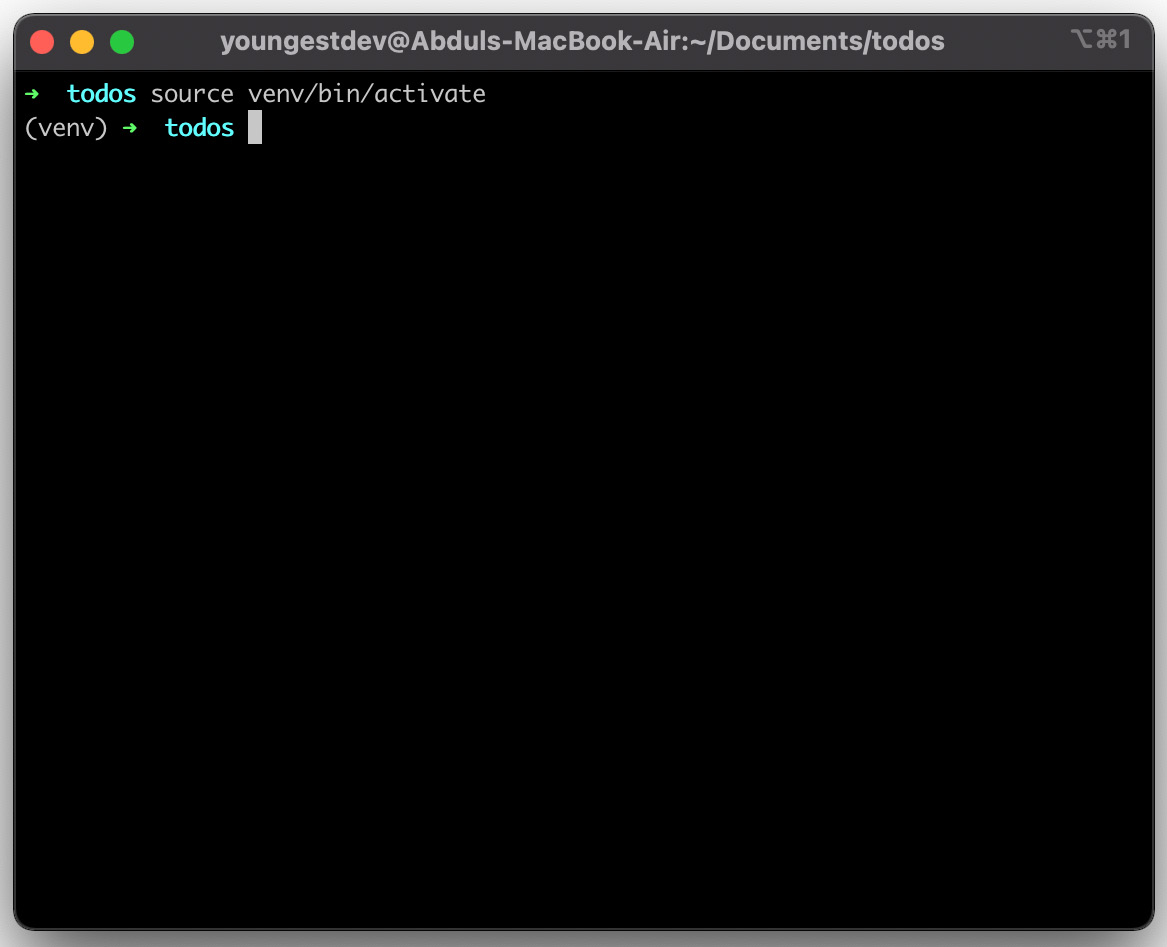
$ source venv/bin/activate

The preceding command instructs your shell to use the virtual environment’s interpreter and packages by default. Upon activating the virtual environment, a prefix of the venv virtual environment folder is added before the prompt as follows:

Figure 1.3 – Prefixed prompt

Figure 1.3 – Prefixed prompt

To deactivate a virtual environment, the deactivate command is run in the prompt. Running the command immediately exits the isolated environment and the prefix is removed as follows:

Figure 1.4 – Deactivating a virtual environment

Figure 1.4 – Deactivating a virtual environment

Important Note

You can also create a virtual environment and manage application dependencies using Pipenv and Poetry.

Now that we have created the virtual environment, we can now proceed to understand how package management with pip works.

Visually different images
CONTINUE READING
83
Tech Concepts
36
Programming languages
73
Tech Tools
Icon Unlimited access to the largest independent learning library in tech of over 8,000 expert-authored tech books and videos.
Icon Innovative learning tools, including AI book assistants, code context explainers, and text-to-speech.
Icon 50+ new titles added per month and exclusive early access to books as they are being written.
Building Python Web APIs with FastAPI
notes
bookmark Notes and Bookmarks search Search in title playlist Add to playlist download Download options font-size Font size

Change the font size

margin-width Margin width

Change margin width

day-mode Day/Sepia/Night Modes

Change background colour

Close icon Search
Country selected

Close icon Your notes and bookmarks

Confirmation

Modal Close icon
claim successful

Buy this book with your credits?

Modal Close icon
Are you sure you want to buy this book with one of your credits?
Close
YES, BUY

Submit Your Feedback

Modal Close icon
Modal Close icon
Modal Close icon