Sign In Start Free Trial
Account

Add to playlist

Create a Playlist

Modal Close icon
You need to login to use this feature.
  • Book Overview & Buying Python Web Development with Sanic
  • Table Of Contents Toc
  • Feedback & Rating feedback
Python Web Development with Sanic

Python Web Development with Sanic

By : Stephen Sadowski, Adam Hopkins
4.2 (6)
close
close
Python Web Development with Sanic

Python Web Development with Sanic

4.2 (6)
By: Stephen Sadowski, Adam Hopkins

Overview of this book

Today’s developers need something more powerful and customizable when it comes to web app development. They require effective tools to build something unique to meet their specific needs, and not simply glue a bunch of things together built by others. This is where Sanic comes into the picture. Built to be unopinionated and scalable, Sanic is a next-generation Python framework and server tuned for high performance. This Sanic guide starts by helping you understand Sanic’s purpose, significance, and use cases. You’ll learn how to spot different issues when building web applications, and how to choose, create, and adapt the right solution to meet your requirements. As you progress, you’ll understand how to use listeners, middleware, and background tasks to customize your application. The book will also take you through real-world examples, so you will walk away with practical knowledge and not just code snippets. By the end of this web development book, you’ll have gained the knowledge you need to design, build, and deploy high-performance, scalable, and maintainable web applications with the Sanic framework.
Table of Contents (21 chapters)
close
close

Accessing a Cisco IOS Device

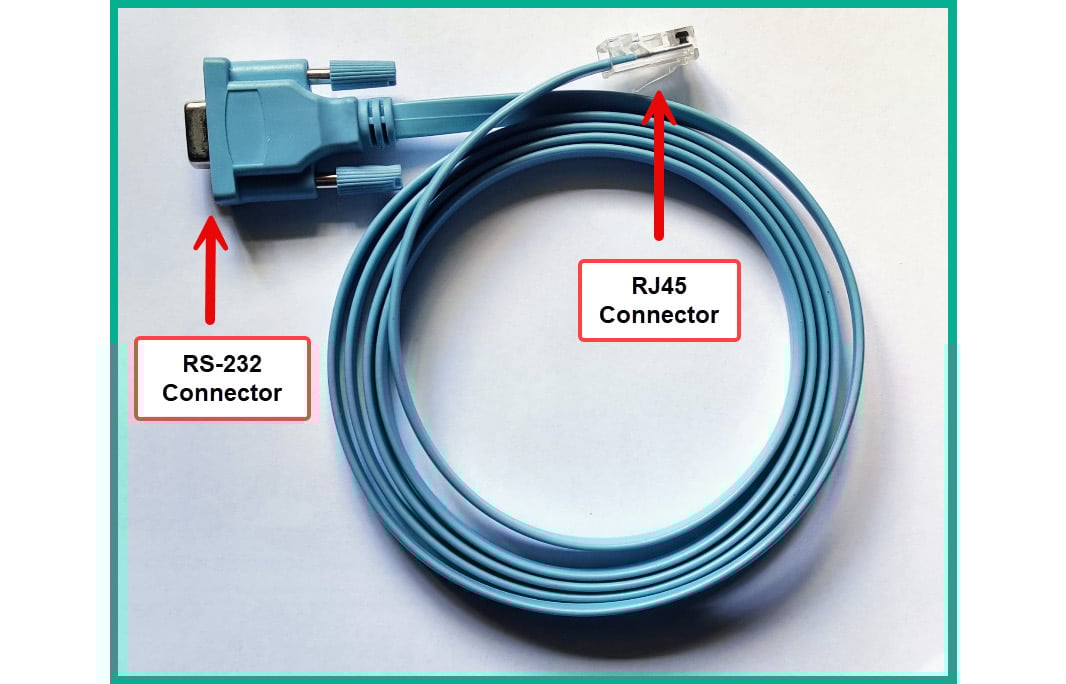
Unlike computers and smartphones, networking devices do not support video output, which makes it necessary for network professionals to use alternative methods, such as remote access, to interact with Cisco IOS for administration and troubleshooting. Whenever you purchase a new Cisco IOS device, you will find a special blue cable within the box, known as a console cable. The console cable enables network professionals to gain initial access to Cisco IOS from a computer using a terminal emulator application.

Figure 2.3 shows a Cisco console cable:

Figure 2.3: Cisco console cable

Figure 2.3: Cisco console cable

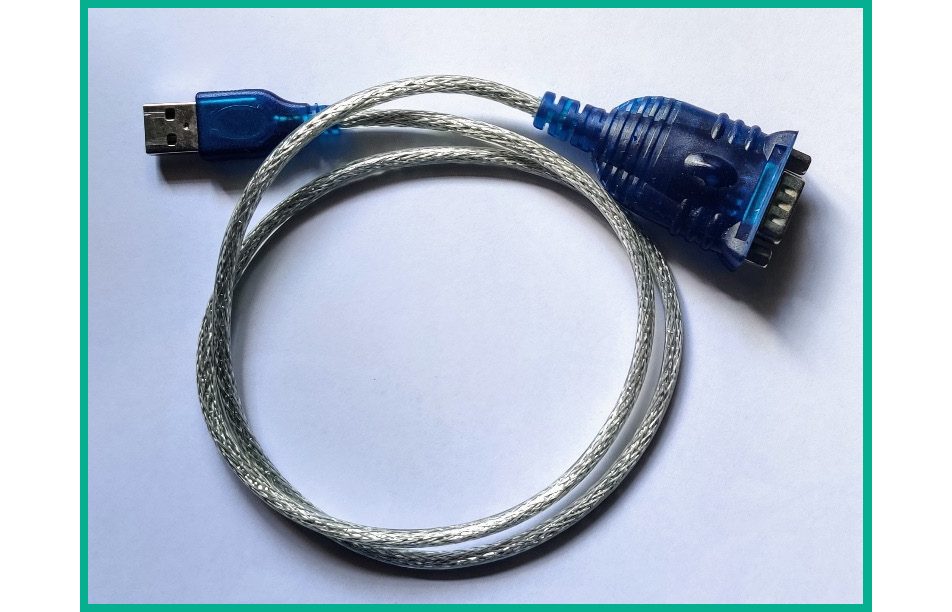
As shown in the preceding figure, there’s an RS-232 connector that connects to a serial interface (DB-9) on a computer. However, modern computers and laptops no longer have a DB-9 interface to support the RS-232 connector. Therefore, network professionals may need to acquire an RS-232-to-USB converter cable to bridge the connection.

Figure 2.4 shows an RS-232-to-USB converter cable:

Figure 2.4: RS-232 converter cable

Figure 2.4: RS-232 converter cable

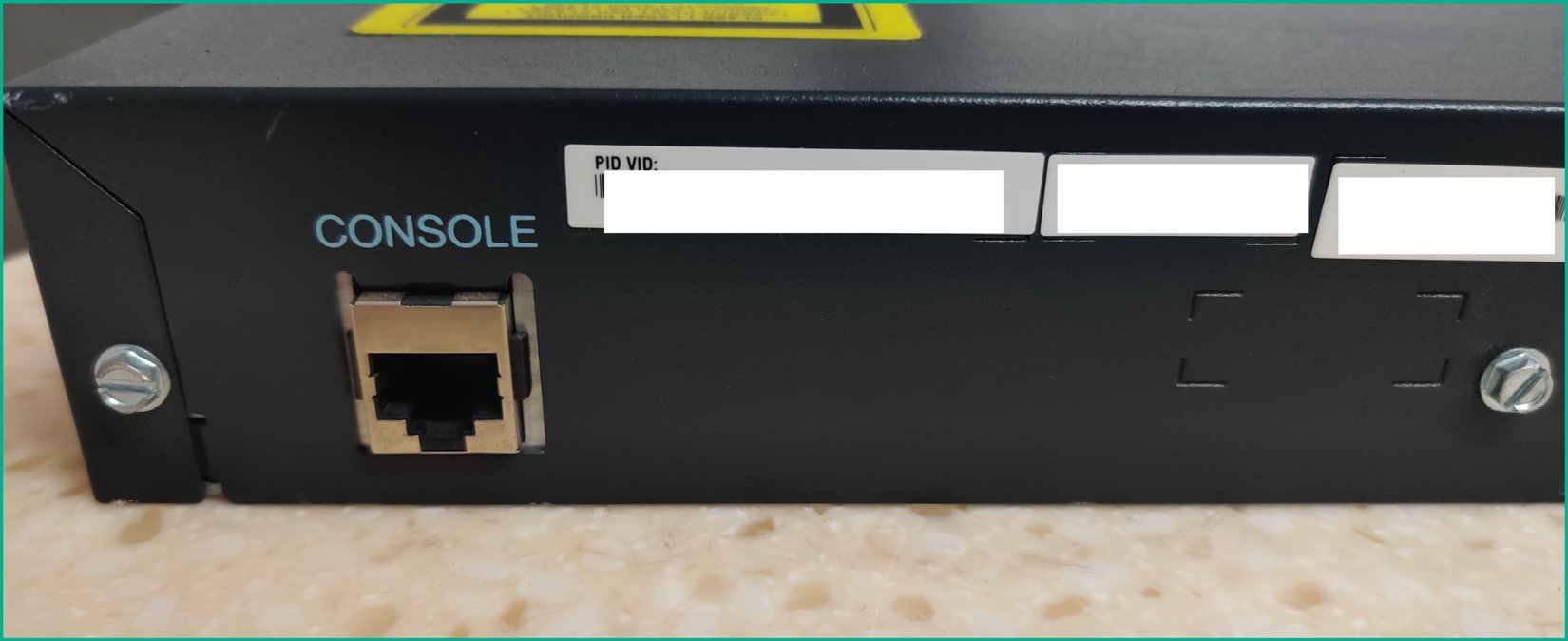
Additionally, the RJ45 connector on the console cable connects to the console port of a Cisco IOS device, as shown:

Figure 2.5: Console port

Figure 2.5: Console port

The console port of a Cisco IOS device will always be labeled to help network professionals easily identify the interface.

Note

Keep in mind that you will need to use a console cable to gain initial access to a device that has not been configured for remote access and management.

Upon making the connection between the PC and the Cisco IOS device using the console cable, a serial connection is created between the PC and the device via the RS-232-to-USB cable. To access the CLI of Cisco IOS, a terminal emulation application is required.

The following are some common terminal emulation applications:

To access the CLI, please take the following steps:

  1. Connect the console cable to your laptop and the Cisco IOS device.
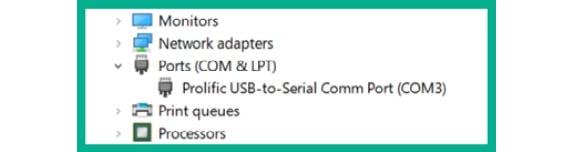
  2. If you’re using Microsoft Windows, open Control Panel and click on Device Manager.
  3. Expand the Port (COM & LPT) category to view which COM interface is assigned to the cable.
  4. Figure 2.6 shows COM3 is being utilized on the computer:
Figure 2.6: Device Manager on Windows

Figure 2.6: Device Manager on Windows

Note

If the serial connection does not appear, ensure the latest drivers are installed for the cable on your computer. Additionally, the COM port number may be different when the cable is connected to your computer.

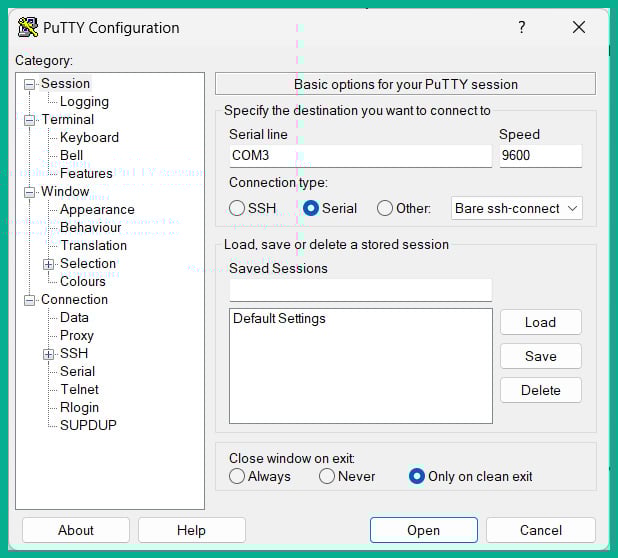
  1. Next, download PuTTY on your computer and launch the application. Once PuTTY opens, use the following settings:
    • Connection type: Serial
    • Serial line: COM3 (change this accordingly)
    • Speed: 9600
    • Data bits: 8
    • Parity: None
    • Stop bit: 1
    • Flow control: None

Note

PuTTY can be downloaded via the Microsoft Store application on Microsoft Windows operating systems.

  1. Figure 2.7 shows the PuTTY Configuration window:
Figure 2.7: PuTTY on Windows

Figure 2.7: PuTTY on Windows

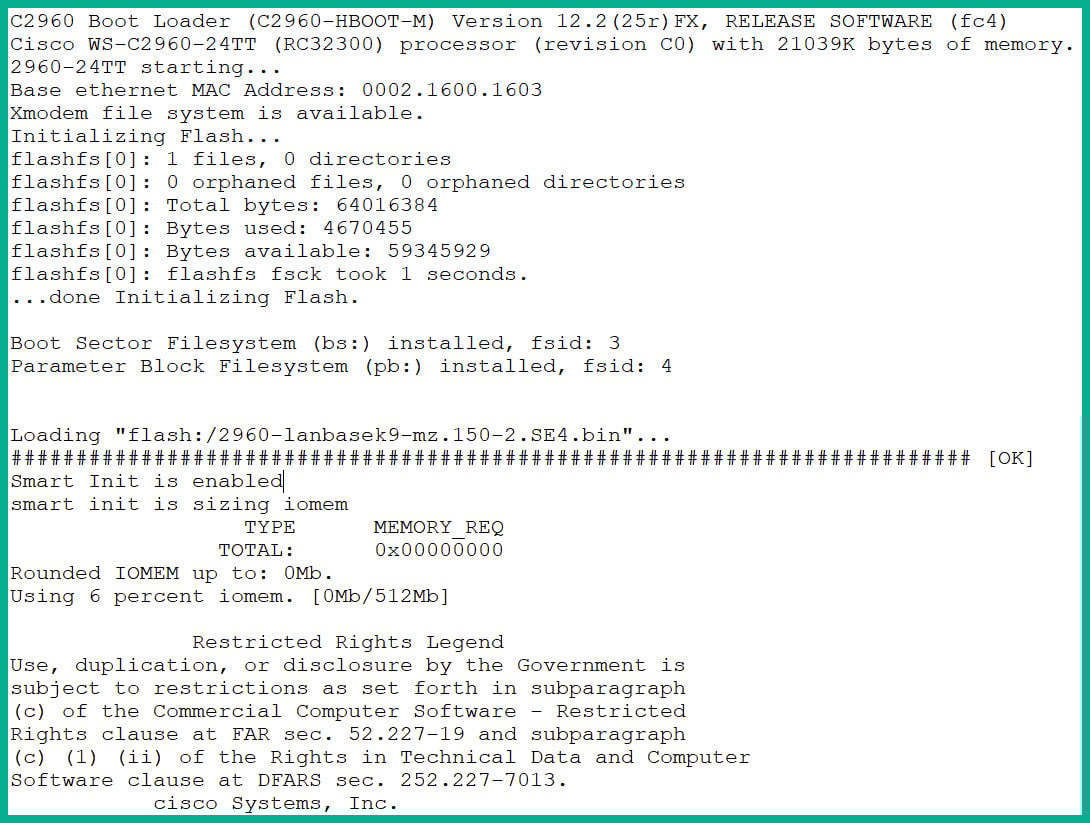
  1. Next, click on Open to establish the serial connection from PuTTY through the console cable to Cisco IOS.
  2. Figure 2.8 shows the typical welcome screen when connecting to Cisco IOS:
Figure 2.8: CLI of a Cisco IOS router

Figure 2.8: CLI of a Cisco IOS router

Now that you have learned how to access a Cisco IOS device using the console cable, take a look at acquiring the Cisco Packet Tracer application, a network simulator built by Cisco for learning for the Cisco Certified Network Associate (CCNA) certification.

Visually different images
CONTINUE READING
83
Tech Concepts
36
Programming languages
73
Tech Tools
Icon Unlimited access to the largest independent learning library in tech of over 8,000 expert-authored tech books and videos.
Icon Innovative learning tools, including AI book assistants, code context explainers, and text-to-speech.
Icon 50+ new titles added per month and exclusive early access to books as they are being written.
Python Web Development with Sanic
notes
bookmark Notes and Bookmarks search Search in title playlist Add to playlist download Download options font-size Font size

Change the font size

margin-width Margin width

Change margin width

day-mode Day/Sepia/Night Modes

Change background colour

Close icon Search
Country selected

Close icon Your notes and bookmarks

Confirmation

Modal Close icon
claim successful

Buy this book with your credits?

Modal Close icon
Are you sure you want to buy this book with one of your credits?
Close
YES, BUY

Submit Your Feedback

Modal Close icon
Modal Close icon
Modal Close icon