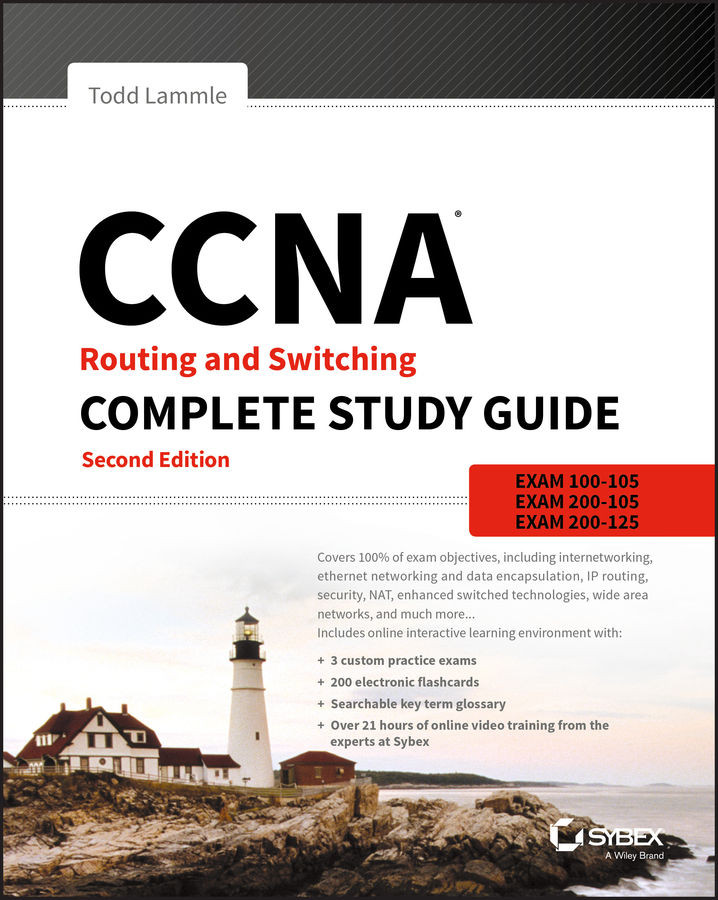
CCNA Routing and Switching Complete Study Guide: Exam 100-105, Exam 200-105, Exam 200-125
- Second Edition
By :
Todd Lammle
CCNA Routing and Switching Complete Study Guide: Exam 100-105, Exam 200-105, Exam 200-125
By: Todd Lammle
Overview of this book
CCNA Routing and Switching Complete Study Guide, 2nd?Edition?is your comprehensive review for the CCNA exams. Written by the leading authority on networking technology, this guide covers 100% of all objectives for the latest ICND1, ICND2, and CCNA Composite exams. Hands-on labs help you gain experience in critical procedures and practices. The CCNA certification is essential to a career in networking, and the exam can be taken in two parts or as a composite. Whichever you choose, this book is your essential guide for complete review.
Full coverage and expert insight make?CCNA Routing and Switching Complete Study Guide?your ultimate companion for CCNA prep.
Welcome to the exciting world of Cisco certification! If you've picked up this book because you want to improve yourself and your life with a better, more satisfying, and secure job, you've done the right thing. Whether you're striving to enter the thriving, dynamic IT sector or seeking to enhance your skill set and advance your position within it, being Cisco certified can seriously stack the odds in your favor to help you attain your goals!
Cisco certifications are powerful instruments of success that also markedly improve your grasp of all things internetworking. As you progress through this book, you'll gain a complete understanding of networking that reaches far beyond Cisco devices. By the end of this book, you'll comprehensively know how disparate network topologies and technologies work together to form the fully operational networks that are vital to today's very way of life in the developed world. The knowledge and expertise you'll gain here is essential for and relevant to every networking job and is why Cisco certifications are in such high demand—even at companies with few Cisco devices!
Although it's now common knowledge that Cisco rules routing and switching, the fact that it also rocks the security, collaboration, data center, wireless and service provider worlds is also well recognized. And Cisco certifications reach way beyond the popular but less extensive certifications like those offered by CompTIA and Microsoft to equip you with indispensable insight into today's vastly complex networking realm. Essentially, by deciding to become Cisco certified, you're proudly announcing that you want to become an unrivaled networking expert—a goal that this book will get you well on your way to achieving. Congratulations in advance on the beginning of your brilliant future!
Cisco's Network Certifications
It used to be that to secure the holy grail of Cisco certifications—the CCIE—you passed only one written test before being faced with a grueling, formidable hands-on lab. This intensely daunting, all-or-nothing approach made it nearly impossible to succeed and predictably didn't work out too well for most people. Cisco responded to this issue by creating a series of new certifications, which not only made it easier to eventually win the highly coveted CCIE prize, it gave employers a way to accurately rate and measure the skill levels of prospective and current employees. This exciting paradigm shift in Cisco's certification path truly opened doors that few were allowed through before!
Beginning in 1998, obtaining the Cisco Certified Network Associate (CCNA) certification was the first milestone in the Cisco certification climb, as well as the official prerequisite to each of the more advanced levels. But that changed in 2007, when Cisco announced the Cisco Certified Entry Network Technician (CCENT) certification. And then in May 2016, Cisco once again proclaimed updates to the CCENT and CCNA Routing and Switching (R/S) tests. Now the Cisco certification process looks like Figure I.1.
The Cisco R/S path is by far the most popular and could very well remain so, but soon you'll see the Data Center path become more and more of a focus as companies migrate to data center technologies. The Security and Collaboration tracks also actually does provide a good job opportunity, and an even newer one that is becoming more popular is the Industrial CCNA. Still, understanding the foundation of R/S before attempting any other certification track is something I highly recommend.
Even so, and as the figure shows, you only need your CCENT certification to get underway for most of the tracks. Also, note that there are a few other certification tracks you can go down that are not shown in the figure, although they're not as popular as the ones shown.
Cisco Certified Entry Network Technician (CCENT)
Don't be fooled by the oh-so-misleading name of this first certification because it absolutely isn't entry level! Okay—maybe entry level for Cisco's certification path, but definitely not for someone without experience trying to break into the highly lucrative yet challenging IT job market! For the uninitiated, the CompTIA A+ and Network+ certifications aren't official prerequisites, but know that Cisco does expect you to have that type and level of experience before embarking on your Cisco certification journey.
All of this gets us to 2016, when the climb to Cisco supremacy just got much harder again. The innocuous-sounding siren's call of the CCENT can lure you to some serious trouble if you're not prepared, because it's actually much harder than the old CCNA ever was. This will rapidly become apparent once you start studying, but be encouraged! The fact that the certification process is getting harder really works better for you in the long run, because that which is harder to obtain only becomes that much more valuable when you finally do, right? Yes, indeed!
Another important factor to keep in mind is that the Interconnection Cisco Network Devices Part 1 (ICND1) exam, which is the required exam for the CCENT certification, costs $150 per attempt and it's anything but easy to pass! The good news is that Part 1 of this book (Chapters 1-14) will guide you step-by-step in building a strong foundation in routing and switching technologies. You really need to build on a strong technical foundation and stay away from exam cram type books, suspicious online material, and the like. They can help somewhat, but understand that you'll pass the Cisco certification exams only if you have a strong foundation and that you'll get that solid foundation only by reading as much as you can, performing the written labs and review questions in this book, and practicing lots and lots of hands-on labs. Additional practice exam questions, videos, and labs are offered on my website, and what seems like a million other sites offer additional material that can help you study.
However, there is one way to skip the CCENT exam and still meet the prerequisite before moving on to any other certification track, and that path is through the CCNA R/S Composite exam. First, I'll discuss the Interconnecting Cisco Network Devices Part 2 (ICND2) exam, and then I'll tell you about the CCNA Composite exam, which will provide you, when successful, with both the CCENT and the CCNA R/S certification.
Cisco Certified Network Associate Routing and Switching (CCNA R/S)
Once you have achieved your CCENT certification, you can take the ICND2 (200-105) exam in order to achieve your CCNA R/S certification, which is the most popular certification Cisco has by far because it's the most sought-after certification of all employers.
As with the CCENT, the ICND2 exam is also $150 per attempt—although thinking you can just skim a book and pass any of these exams would probably be a really expensive mistake! The CCENT/CCNA exams are extremely hard and cover a lot of material, so you have to really know your stuff. Taking a Cisco class or spending months with hands-on experience is definitely a requirement to succeed when faced with this monster!
And once you have your CCNA, you don't have to stop there—you can choose to continue and achieve an even higher certification, called the Cisco Certified Network Professional (CCNP). There are various ones, as shown in Figure NaN.1. The CCNP R/S is still the most popular, with Voice certifications coming in at a close second. And I've got to tell you that the Data Center certification will be catching up fast. Also good to know is that anyone with a CCNP R/S has all the skills and knowledge needed to attempt the notoriously dreaded but coveted CCIE R/S lab. But just becoming a CCNA R/S can land you that job you've dreamed about and that's what this book is all about: helping you to get and keep a great job!
Still, why take two exams to get your CCNA if you don't have to? Cisco still has the CCNA Composite (200-125) exam that, if passed, will land you with your CCENT and your CCNA R/S via only one test priced at only $250. Some people like the one-test approach, and some people like the two-test approach. Part 2 of this book (Chapters 15-22) covers the ICND2 exam topics.
Why Become a CCENT and CCNA R/S?
Cisco, like Microsoft and other vendors that provide certification, has created the certification process to give administrators a set of skills and to equip prospective employers with a way to measure those skills or match certain criteria. And as you probably know, becoming a CCNA R/S is certainly the initial, key step on a successful journey toward a new, highly rewarding, and sustainable networking career.
The CCNA program was created to provide a solid introduction not only to the Cisco Internetwork Operating System (IOS) and Cisco hardware but also to internetworking in general, making it helpful to you in areas that are not exclusively Cisco's. And regarding today's certification process, it's not unrealistic that network managers—even those without Cisco equipment—require Cisco certifications for their job applicants.
Rest assured that if you make it through the CCNA and are still interested in Cisco and internetworking, you're headed down a path to certain success!
What Skills Do You Need to Become a CCNA R/S?
This ICND1 exam (100-105) tests a candidate for the knowledge and skills required to successfully install, operate, and troubleshoot a small branch office network. The exam includes questions on the operation of IP data networks, LAN switching technologies, IPv6, IP routing technologies, IP services, network device security, and basic troubleshooting. The ICND2 exam (exam 200-105) tests a candidate for the knowledge and skills required to successfully install, operate, and troubleshoot a small- to medium-size enterprise branch network. The exam includes questions on LAN switching technologies, IP routing technologies, security, troubleshooting, and WAN technologies.
How Do You Become a CCNA R/S
If you want to go straight for our CCNA R/S and take only one exam, all you have to do is pass the CCNA Composite exam (200-125). Oh, but don't you wish it were that easy? True, it's just one test, but it's a whopper, and to pass it you must possess enough knowledge to understand what the test writers are saying, and you need to know everything I mentioned previously, in the sections on the ICND1 and ICND2 exams! Hey, it's hard, but it can be done!
What does the CCNA Composite exam (200-125) cover? Pretty much the same topics covered in the ICND1 and ICND2 exams. Candidates can prepare for this exam by taking the Todd Lammle authorized Cisco boot camps. 200-125 tests a candidate's knowledge and skills required to install, operate, and troubleshoot a small- to medium-size enterprise branch network.
While you can take the Composite exam to get your CCNA, it's good to know that Cisco offers the two-step process I discussed earlier in this Introduction. And this book covers both those exams too! It may be easier than taking that one ginormous exam for you, but don't think the two-test method is easy. It takes work! However, it can be done; you just need to stick with your studies.
The two-test method involves passing the following:
Exam 100-105: Interconnecting Cisco Networking Devices Part 1 (ICND1)
Exam 200-105: Interconnecting Cisco Networking Devices Part 2 (ICND2)
I can't stress this point enough: It's critical that you have some hands-on experience with Cisco routers. If you can get a hold of some basic routers and switches, you're set, but if you can't, I've worked hard to provide hundreds of configuration examples throughout this book to help network administrators, or people who want to become network administrators, learn the skills they need to pass the CCENT and CCNA R/S exams.
What Does This Book Cover?
This book covers everything you need to know to pass the ICND1 (100-105) and ICND2 (200-105) exams, as well as the CCNA Composite (200-125) exam. But regardless of which path you choose, as I've said, taking plenty of time to study and practice with routers or a router simulator is the real key to success.
You will learn the following information in this book:
Chapter 1: Internetworking Chapters 1.14 map to the ICND1 exam. In Chapter 1, you will learn the basics of the Open Systems Interconnection (OSI) model the way Cisco wants you to learn it. There are written labs and plenty of review questions to help you. Do not even think of skipping the fundamental written labs in this chapter!
Chapter 2: Ethernet Networking and Data Encapsulation This chapter will provide you with the Ethernet foundation you need in order to pass both the CCENT and CCNA exams. Data encapsulation is discussed in detail in this chapter as well. And as with the other chapters, this chapter includes written labs and review questions to help you.
Chapter 3: Introduction to TCP/IP This chapter provides you with the background necessary for success on the exam, as well as in the real world with a thorough presentation of TCP/IP. This in-depth chapter covers the very beginnings of the Internet Protocol stack and goes all the way to IP addressing and understanding the difference between a network address and a broadcast address before finally ending with network troubleshooting.
Chapter 4: Easy Subnetting You'll actually be able to subnet a network in your head after reading this chapter if you really want to! And you'll find plenty of help in this chapter as long as you don't skip the written labs and review questions at the end.
Chapter 5: VLSMs, Summarization, and Troubleshooting TCP/IP Here, you'll find out all about variable length subnet masks (VLSMs) and how to design a network using VLSMs. This chapter will finish with summarization techniques and configurations. As with Chapter 4, plenty of help is there for you if you don't skip the written lab and review questions.
Chapter 6: Cisco's Internetworking Operating System (IOS) This chapter introduces you to the Cisco Internetworking Operating System (IOS) and command-line interface (CLI). In this chapter you'll learn how to turn on a router and configure the basics of the IOS, including setting passwords, banners, and more. Hands-on labs will help you gain a firm grasp of the concepts taught in the chapter. Before you go through the hands-on labs, be sure to complete the written lab and review questions.
Chapter 7: Managing a Cisco Internetwork This chapter provides you with the management skills needed to run a Cisco IOS network. Backing up and restoring the IOS, as well as router configuration, are covered, as are the troubleshooting tools necessary to keep a network up and running. As always, before tackling the hands-on labs in this chapter, complete the written labs and review questions.
Chapter 8: Managing Cisco Devices This chapter describes the boot process of Cisco routers, the configuration register, and how to manage Cisco IOS files. The chapter finishes with a section on Cisco's new licensing strategy for IOS. Hands-on and written labs, along with review questions, will help you build a strong foundation for the objectives covered in this chapter.
Chapter 9: IP Routing This is a fun chapter because we will begin to build our network, add IP addresses, and route data between routers. You will also learn about static, default, and dynamic routing using RIP and RIPv2. Hands-on labs, a written lab, and the review questions will help you fully nail down IP routing.
Chapter 10: Layer 2 Switching This chapter sets you up with the solid background you need on layer 2 switching, how switches perform address learning and make forwarding and filtering decisions. In addition, switch port security with MAC addresses is covered in detail. As always, go through the hands-on labs, written lab, and review questions to make sure you've really got layer 2 switching down!
Chapter 11: VLANs and Inter-VLAN Routing Here I cover virtual VLANs and how to use them in your internetwork. This chapter covers the nitty-gritty of VLANs and the different concepts and protocols used with VLANs. I'll also guide you through troubleshooting techniques in this all-important chapter. The hands-on labs, written lab, and review questions are there to reinforce the VLAN material.
Chapter 12: Security This chapter covers security and access lists, which are created on routers to filter the network. IP standard, extended, and named access lists are covered in detail. Written and hands-on labs, along with review questions, will help you study for the security and access-list portion of the Cisco exams.
Chapter 13: Network Address Translation (NAT) New information, commands, troubleshooting, and detailed hands-on labs will help you nail the NAT CCENT objectives.
Chapter 14: Internet Protocol Version 6 (IPv6) This is a fun chapter chock-full of some great information. IPv6 is not the big, bad scary creature that most people think it is, and it's a really important objective on the latest exam, so study this chapter carefully—don't just skim it. And make sure you hit those hands-on labs hard!
Chapter 15: Enhanced Switched Technologies Chapter 15 is the first chapter of Part 2 of this book, which maps to the ICND2 exam. This chapter will start off with STP protocols and dive into the fundamentals, covering the modes, as well as the various flavors of STP. VLANs, trunks, and troubleshooting are covered as well. EtherChannel technologies, configuration, and verification are also covered. There are hands-on labs, a written lab, and plenty of review questions to help you. Do not even think of skipping the fundamental written and hands-on labs in this chapter!
Chapter 16: Network Device Management and Security Managing Cisco Devices This chapter describes the boot process of Cisco routers, the configuration register, and how to manage Cisco IOS files. The chapter finishes with a section on Cisco's new licensing strategy for its IOS. Hands-on and written labs, along with review questions, will help you build a strong foundation for the objectives covered in this chapterhow to mitigate threats at the access layer using various security techniques. AAA with RADIUIS and TACACS+, SNMP and HSRP are also covered in this chapter. Don't skip the hands-on labs that are included, as well as a written lab and review questions at the end of the chapter.
Chapter 17: Enhanced IGRP EIGRP was not covered in the ICND1 (CCENT) chapters, so this is a full chapter on nothing but EIGRP and EIGRPv6. There are lots of examples, including configuration, verification, and troubleshooting labs, with both IP and with IPv6. Great hands-on labs are included, as well as a written lab and review questions.
Chapter 18: Open Shortest Path First (OSPF) Chapter 9 dives into more complex dynamic routing by covering OSPF routing. The written lab, hands-on labs, and review questions will help you master this vital routing protocol.
Chapter 19: Multi-Area OSPF The ICND1 (CCENT) portion of this book had a large chapter on OSPF, so before reading this chapter, be sure you have the CCENT objectives down pat with a strong OSPF foundation. This chapter will take off where that ICND1 chapter left off and add multi-area networks along with advanced configurations and then finish with OSPv3. Hands-on labs, a written lab, and challenging review questions await you at the end of the chapter.
Chapter 20: Troubleshooting IP, IPv6, and VLANs I want to say this is the most important chapter in the book, but that's hard to say. You can decide that yourself when you take the exam! Be sure to go through all the troubleshooting steps for IP, IPv6, and VLANs. The hands-on labs for this chapter will be included in the free bonus material and dynamic labs that I'll write and change as needed. Don't skip the written lab and review questions.
Chapter 21: Wide Area Networks This is the longest, and last, chapter in the book. It covers multiple protocols in depth, especially HDLC, PPP, and Frame Relay, along with a discussion on many other technologies. Good troubleshooting examples are provided in the PPP and Frame Relay configuration sections, and these cannot be skipped! Hands-on labs meant to focus squarely on the objectives are included at the end of the chapter, as well as a written lab and challenging review questions.
Chapter 22: Evolution of Intelligent Networks I saved the hardest chapter for last. What makes this chapter challenging is that there is no configuration section to you really need to dive deep into the cloud, APIC-EM and QoS sections with an open and ready mind. I stuck as close to the objectives as possible in order to help you ace the exam. The written lab and review questions are spot on for the objectives.
Appendix A: Answers to Written Labs This appendix contains the answers to the book's written labs.
Appendix B: Answers to Chapter Review Questions This appendix provides the answers to the end-of-chapter review questions.
Appendix C: Disabling and Configuring Network Services Appendix C takes a look at the basic services you should disable on your routers to make your network less of a target for denial of service (DoS) attacks and break-in attempts.
What's Available Online?
I have worked hard to provide some really great tools to help you with your certification process. All of the following tools, most of them available at www.wiley.com/go/sybextestprep, should be loaded on your workstation when you're studying for the test. As a fantastic bonus, I was able to add to the download link a preview section from my CCNA video series! Please understand that these are not the full versions, but they're still a great value for you included free with this book.
Test Preparation Software The test preparation software prepares you to pass the ICND1 and ICND2 exams and the CCNA R/S Composite exam. You'll find all the review and assessment questions from the book plus additional practice exam questions that appear exclusively from the downloadable study tools.
Electronic Flashcards The companion study tools include over 200 flashcards specifically written to hit you hard, so don't get discouraged if you don't ace your way through them at first! They're there to ensure that you're really ready for the exam. And no worries—armed with the review questions, practice exams, and flashcards, you'll be more than prepared when exam day comes!
Glossary A complete glossary of CCENT, ICND2, CCNA R/S and Cisco routing terms is available at www.wiley.com/go/sybextestprep.
Todd Lammle Bonus Material and Labs Be sure to check the announcement section of my forum at www.lammle.com/ccna for directions on how to download all the latest bonus material created specifically to help you study for your ICND1, ICND2, and CCNA R/S exams.
Todd Lammle Videos I have created a full CCNA series of videos that can be purchased at www.lammle.com/ccna
How to Use This Book
If you want a solid foundation for the serious effort of preparing for the Interconnecting Cisco Network Devices Part 1 and 2 exams, or the CCNA R/S Composite exam, then look no further. I've spent hundreds of hours putting together this book with the sole intention of helping you to pass the Cisco exams, as well as really learn how to correctly configure Cisco routers and switches!
This book is loaded with valuable information, and you will get the most out of your study time if you understand why the book is organized the way it is.
So to maximize your benefit from this book, I recommend the following study method:
Take the assessment test that's provided at the end of this introduction. (The answers are at the end of the test.) It's okay if you don't know any of the answers; that's why you bought this book! Carefully read over the explanations for any questions you get wrong and note the chapters in which the material relevant to them is covered. This information should help you plan your study strategy.
Study each chapter carefully, making sure you fully understand the information and the test objectives listed at the beginning of each one. Pay extra-close attention to any chapter that includes material covered in questions you missed.
Complete the written labs at the end of each chapter. (Answers to these appear in Appendix A.) Do not skip these written exercises because they directly relate to the Cisco exams and what you must glean from the chapters in which they appear. Do not just skim these labs! Make sure you completely understand the reason for each correct answer.
Complete all hands-on labs in each chapter, referring to the text of the chapter so that you understand the reason for each step you take. Try to get your hands on some real equipment, but if you don't have Cisco equipment available, try the LammleSim IOS version, which you can use for the hands-on labs found only in this book. These labs will equip you with everything you need for all your Cisco certification goals.
Answer all of the review questions related to each chapter. (The answers appear in Appendix B.) Note the questions that confuse you, and study the topics they cover again until the concepts are crystal clear. And again—do not just skim these questions! Make sure you fully comprehend the reason for each correct answer. Remember that these will not be the exact questions you will find on the exam, but they're written to help you understand the chapter material and ultimately pass the exam!
Try your hand at the practice questions that are exclusive to this book. The questions can be found only at www.wiley.com/go/sybextestprep. And be sure to check out www.lammle.com/ccna for the most up-to-date Cisco exam prep questions, videos, Todd Lammle boot camps, and more.
Test yourself using all the flashcards, which are also found on the download link. These are brand-new and updated flashcards to help you prepare for the CCNA R/S exam and a wonderful study tool!
To learn every bit of the material covered in this book, you'll have to apply yourself regularly, and with discipline. Try to set aside the same time period every day to study, and select a comfortable and quiet place to do so. I'm confident that if you work hard, you'll be surprised at how quickly you learn this material!
If you follow these steps and really study—doing hands-on labs every single day in addition to using the review questions, the practice exams, the Todd Lammle video sections, and the electronic flashcards, as well as all the written labs—it would actually be hard to fail the Cisco exams. But understand that studying for the Cisco exams is a lot like getting in shape—if you do not go to the gym every day, it's not going to happen!
Where Do You Take the Exams?
You may take the ICND1, ICND2, or CCNA R/S Composite or any Cisco exam at any of the Pearson VUE authorized testing centers. For information, check www.vue.com or call 877-404-EXAM (3926).
To register for a Cisco exam, follow these steps:
Determine the number of the exam you want to take. (The ICND1 exam number is 100-105, ICND2 is 100-205, and CCNA R/S Composite is 200-125.)
Register with the nearest Pearson VUE testing center. At this point, you will be asked to pay in advance for the exam. At the time of this writing, the ICND1 and ICND2 exams are $150, and the CCNA R/S Composite exam is $250. The exams must be taken within one year of payment. You can schedule exams up to six weeks in advance or as late as the day you want to take it—but if you fail a Cisco exam, you must wait five days before you will be allowed to retake it. If something comes up and you need to cancel or reschedule your exam appointment, contact Pearson VUE at least 24 hours in advance.
When you schedule the exam, you'll get instructions regarding all appointment and cancellation procedures, the ID requirements, and information about the testing-center location.
Tips for Taking Your Cisco Exams
The Cisco exams contain about 40-50 questions and must be completed in about 90 minutes or less. This information can change per exam. You must get a score of about 85 percent to pass this exam, but again, each exam can be different.
Many questions on the exam have answer choices that at first glance look identical—especially the syntax questions! So remember to read through the choices carefully because close just doesn't cut it. If you get commands in the wrong order or forget one measly character, you'll get the question wrong. So, to practice, do the hands-on exercises at the end of this book's chapters over and over again until they feel natural to you.
Also, never forget that the right answer is the Cisco answer. In many cases, more than one appropriate answer is presented, but the correct answer is the one that Cisco recommends. On the exam, you will always be told to pick one, two, or three options, never "choose all that apply." The Cisco exam may include the following test formats:
Multiple-choice single answer
Multiple-choice multiple answer
Drag-and-drop
Router simulations
Cisco proctored exams will not show the steps to follow in completing a router interface configuration, but they do allow partial command responses. For example, show run, sho running, or sh running-config would be acceptable.
Here are some general tips for exam success:
Arrive early at the exam center so you can relax and review your study materials.
Read the questions carefully. Don't jump to conclusions. Make sure you're clear about exactly what each question asks. "Read twice, answer once," is what I always tell my students.
When answering multiple-choice questions that you're not sure about, use the process of elimination to get rid of the obviously incorrect answers first. Doing this greatly improves your odds if you need to make an educated guess.
You can no longer move forward and backward through the Cisco exams, so doublecheck your answer before clicking Next since you can't change your mind.
After you complete an exam, you'll get immediate, online notification of your pass or fail status, a printed examination score report that indicates your pass or fail status, and your exam results by section. (The test administrator will give you the printed score report.) Test scores are automatically forwarded to Cisco within five working days after you take the test, so you don't need to send your score to them. If you pass the exam, you'll receive confirmation from Cisco, typically within two to four weeks, sometimes a bit longer.
Objective Map for CCNA Routing and Switching Certification Exam
We've provided this objective map to help you locate where objectives for the CCNA Routing and Switching certification exams are covered in each chapter. Please refer to it when you want to find an objective quickly.
ICND1 Exam Objectives
Exam objectives are subject to change at any time without prior notice and at Cisco's sole discretion. Please visit Cisco's certification website (www.cisco.com/web/learning) for the latest information on the ICND1 Exam 100-105.
Exam objectives are subject to change at any time without prior notice and at Cisco's sole discretion. Please visit Cisco's certification website (www.cisco.com/web/learning) for the latest information on the ICND2 Exam 200-105.
2.4 Configure, verify, and troubleshoot single area and multiarea OSPFv2 for IPv4 (excluding authentication, filtering, manual summarization, redistribution, stub, virtual-link, and LSAs)
2.5 Configure, verify, and troubleshoot single area and multiarea OSPFv3 for IPv6 (excluding authentication, filtering, manual summarization, redistribution, stub, virtual-link, and LSAs)
Exam objectives are subject to change at any time without prior notice and at Cisco's sole discretion. Please visit Cisco's certification website (www.cisco.com/web/learning) for the latest information on the CCNA Exam 200-125.
3.9 Configure, verify, and troubleshoot single area and multi-area OSPFv2 for IPv4 (excluding authentication, filtering, manual summarization, redistribution, stub, virtual-link, and LSAs)
3.10 Configure, verify, and troubleshoot single area and multi-area OSPFv3 for IPv6 (excluding authentication, filtering, manual summarization, redistribution, stub, virtual-link, and LSAs)
It is a 4-bit field inserted into an Ethernet frame to define trunking information between switches.
It is a 12-bit field inserted into an Ethernet frame to define VLANs in an STP instance.
It is a 4-bit field inserted into an non-Ethernet frame to define EtherChannel options.
It is a 12-bit field inserted into an Ethernet frame to define STP root bridges.
You have four RSTP PVST+ links between switches and want to aggregate the bandwidth. What solution will you use?
EtherChannel
PortFast
BPDU Channel
VLANs
EtherBundle
What configuration parameters must be configured the same between switches for LACP to form a channel? (Choose three.)
Virtual MAC address
Port speeds
Duplex
PortFast enabled
Allowed VLAN information
You reload a router with a configuration register setting of 0x2101. What will the router do when it reloads?
The router enters setup mode.
The router enters ROM monitor mode.
The router boots the mini-IOS in ROM.
The router expands the first IOS in flash memory into RAM.
Which of the following commands provides the product ID and serial number of a router?
show license
show license feature
show version
show license udi
Which command allows you to view the technology options and licenses that are supported on your router along with several status variables?
show license
show license feature
show license udi
show version
Which three layers are part of the Cisco SDN architecture? (Choose three.)
Network
Data Link
Control
Data
Transport
Application
You want to send a console message to a syslog server, but you only want to send status messages of 3 and lower. Which of the following commands will you use?
logging trap emergencies
logging trap errors
logging trap debugging
logging trap notifications
logging trap critical
logging trap warnings
logging trap alerts
When stacking switches, which is true? (Choose 2)
The stack is managed as multiple objects, and has a single management IP address
The stack is managed as a single object, and has a single management IP address
The master switch is chosen when you configure the first switches master algorithm to on
The master switch is elected form one of the stack member switches
You need to connect to a remote IPv6 server in your virtual server farm. You can connect to the IPv4 servers, but not the critical IPv6 server you desperately need. Based on the following output, what could your problem be?
The IPv6 default gateway has not been configured or received from the router.
The link-local address has not been resolved so the host cannot communicate to the router.
There are two IPv6 global addresses configured. One must be removed from the configuration.
What command is used to view the IPv6-to-MAC-address resolution table on a Cisco router?
show ip arp
show ipv6 arp
show ip neighbors
show ipv6 neighbors
show arp
An IPv6 ARP entry is listed as with a status of REACH. What can you conclude about the IPv6-to-MAC-address mapping?
The interface has communicated with the neighbor address and the mapping is current.
The interface has not communicated within the neighbor reachable time frame.
The ARP entry has timed out.
IPv6 can reach the neighbor address but the addresses has not yet been resolved.
Serial0/1 goes down. How will EIGRP send packets to the 10.1.1.0 network?
Corp#show ip eigrp topology
[output cut]
P 10.1.1.0/24, 2 successors, FD is 2681842
	via 10.1.2.2 (2681842/2169856), Serial0/0
	via 10.1.3.1 (2973467/2579243), Serial0/2
	via 10.1.3.3 (2681842/2169856), Serial0/1
EIGRP will put the 10.1.1.0 network into active mode.
EIGRP will drop all packets destined for 10.1.1.0.
EIGRP will just keep sending packets out s0/0.
EIGRP will use s0/2 as the successor and keep routing to 10.1.1.0.
What command produced the following output?
via FE80::201:C9FF:FED0:3301 (29110112/33316), Serial0/0/0
via FE80::209:7CFF:FE51:B401 (4470112/42216), Serial0/0/1
via FE80::209:7CFF:FE51:B401 (2170112/2816), Serial0/0/2
show ip protocols
show ipv6 protocols
show ip eigrp neighbors
show ipv6 eigrp neighbors
show ip eigrp topology
show ipv6 eigrp topology
You need to troubleshoot an adjacency between two EIGRP configured routers? What should you look for? (Choose four.)
Verify the AS numbers.
Verify that you have the proper interfaces enabled for EIGRP.
Make sure there are no mismatched K-values.
Check your passive interface settings.
Make sure your remote routers are not connected to the Internet.
If authentication is configured, make sure all routers use different passwords.
You have two OSPF directly configured routers that are not forming an adjacency. What should you check? (Choose three.)
Process ID
Hello and dead timers
Link cost
Area
IP address/subnet mask
When do two adjacent routers-enter the 2WAY state?
After both routers have received Hello information
After they have exchanged topology databases
When they connect only to a DR or BDR
When they need to exchange RID information
Which type of LSAs are generated by ABRs and referred to summary link advertisements (SLAs)?
Type 1
Type 2
Type 3
Type 4
Type 5
Which of the following is not provided by the AH portion of IPsec?
Integrity
Confidentiality
Authenticity
Anti-reply
Which statement about GRE is not true?
GRE is stateless and has no flow control.
GRE has security.
GRE has additional overhead for tunneled packets, at least 24 bytes.
GRE uses a protocol-type field in the GRE header so any layer 3 protocol can be used through the tunnel.
Which QoS mechanism will drop traffic if a session uses more than the allotted bandwidth?
Congestion management
Shaping
Policing
Marking
IPv6 unicast routing is running on the Corp router. Which of the following addresses would show up with the show ipv6 int brief command?
Corp#sh int f0/0
FastEthernet0/0 is up, line protocol is up
	Hardware is AmdFE, address is 000d.bd3b.0d80 (bia 000d.bd3b.0d80)
[output cut]
FF02::3c3d:0d:bdff:fe3b:0d80
FE80::3c3d:2d:bdff:fe3b:0d80
FE80::3c3d:0d:bdff:fe3b:0d80
FE80::3c3d:2d:ffbd:3bfe:0d80
A host sends a type of NDP message providing the MAC address that was requested. Which type of NDP was sent?
NA
RS
RA
NS
Each field in an IPv6 address is how many bits long?
4
16
32
128
To enable OSPFv3, which of the following would you use?
Router(config-if)#ipv6 ospf 10 area 0.0.0.0
Router(config-if)#ipv6 router rip 1
Router(config)#ipv6 router eigrp 10
Router(config-rtr)#no shutdown
Router(config-if)#ospf ipv6 10 area 0
What does the command routerA(config)#line cons 0 allow you to perform next?
Set the Telnet password.
Shut down the router.
Set your console password.
Disable console connections.
Which two statements describe the IP address 10.16.3.65/23? (Choose two.)
The subnet address is 10.16.3.0 255.255.254.0.
The lowest host address in the subnet is 10.16.2.1 255.255.254.0.
The last valid host address in the subnet is 10.16.2.254 255.255.254.0.
The broadcast address of the subnet is 10.16.3.255 255.255.254.0.
The network is not subnetted.
On which interface do you configure an IP address for a switch?
int fa0/0
int vty 0 15
int vlan 1
int s/0/0
Which of the following is the valid host range for the subnet on which the IP address 192.168.168.188 255.255.255.192 resides?
192.168.168.129–190
192.168.168.129–191
192.168.168.128–190
192.168.168.128–192
Which of the following is considered to be the inside host's address after translation?
Inside local
Outside local
Inside global
Outside global
Your inside locals are not being translated to the inside global addresses. Which of the following commands will show you if your inside globals are allowed to use the NAT pool?
ip nat pool Corp 198.18.41.129 198.18.41.134 netmask 255.255.255.248
ip nat inside source list 100 int pool Corp overload
debug ip nat
show access-list
show ip nat translation
show ip nat statistics
How many collision domains are created when you segment a network with a 12-port switch?
1
2
5
12
Which of the following commands will allow you to set your Telnet password on a Cisco router?
line telnet 0 4
line aux 0 4
line vty 0 4
line con 0
Which router command allows you to view the entire contents of all access lists?
show all access-lists
show access-lists
show ip interface
show interface
What does a VLAN do?
Acts as the fastest port to all servers
Provides multiple collision domains on one switch port
Breaks up broadcast domains in a layer 2 switch internetwork
Provides multiple broadcast domains within a single collision domain
If you wanted to delete the configuration stored in NVRAM, choose the best answer for the Cisco objectives.
erase startup
delete running
erase flash
erase running
Which protocol is used to send a destination network unknown message back to originating hosts?
TCP
ARP
ICMP
BootP
Which class of IP address provides 15 bits for subnetting?
A
B
C
D
There are three possible routes for a router to reach a destination network. The first route is from OSPF with a metric of 782. The second route is from RIPv2 with a metric of 4. The third is from EIGRP with a composite metric of 20514560. Which route will be installed by the router in its routing table?
RIPv2
EIGRP
OSPF
All three
Which one of the following is true regarding VLANs?
Two VLANs are configured by default on all Cisco switches.
VLANs only work if you have a complete Cisco switched internetwork. No off-brand switches are allowed.
You should not have more than 10 switches in the same VTP domain.
You need to have a trunk link configured between switches in order to send information about more than one VLAN down the link.
Which two of the following commands will place network 10.2.3.0/24 into area 0? (Choose two.)
router eigrp 10
router ospf 10
router rip
network 10.0.0.0
network 10.2.3.0 255.255.255.0 area 0
network 10.2.3.0 0.0.0.255 area0
network 10.2.3.0 0.0.0.255 area 0
How many broadcast domains are created when you segment a network with a 12-port switch?
1
2
5
12
If routers in a single area are configured with the same priority value, what value does a router use for the OSPF router ID in the absence of a loopback interface?
The lowest IP address of any physical interface
The highest IP address of any physical interface
The lowest IP address of any logical interface
The highest IP address of any logical interface
What protocols are used to configure trunking on a switch? (Choose two.)
VLAN Trunking Protocol
VLAN
802.1q
ISL
What is a stub network?
A network with more than one exit point
A network with more than one exit and entry point
A network with only one entry and no exit point
A network that has only one entry and exit point
Where is a hub specified in the OSI model?
Session layer
Physical layer
Data Link layer
Application layer
What are the two main types of access control lists (ACLs)? (Choose two.)
Standard
IEEE
Extended
Specialized
Which of the following is the best summarization of the following networks: 192.168.128.0 through 192.168.159.0?
192.168.0.0/24
192.168.128.0/16
192.168.128.0/19
192.168.128.0/20
What command is used to create a backup configuration?
copy running backup
copy running-config startup-config
config mem
wr net
1000Base-T is which IEEE standard?
802.3f
802.3z
802.3ab
802.3ae
Which protocol does DHCP use at the Transport layer?
IP
TCP
UDP
ARP
If your router is facilitating a CSU/DSU, which of the following commands do you need to use to provide the router with a 64000 bps serial link?
RouterA(config)#bandwidth 64
RouterA(config-if)#bandwidth 64000
RouterA(config)#clockrate 64000
RouterA(config-if)#clock rate 64
RouterA(config-if)#clock rate 64000
Which command is used to determine if an access list is enabled on a particular interface?
show access-lists
show interface
show ip interface
show interface access-lists
Which of the following statements is true with regard to ISL and 802.1q?
802.1q encapsulates the frame with control information; ISL inserts an ISL field along with tag control information.
802.1q is Cisco proprietary.
ISL encapsulates the frame with control information; 802.1q inserts an 802.1q field along with tag control information.
ISL is a standard.
The protocol data unit (PDU) encapsulation is completed in which order?
Bits, frames, packets, segments, data
Data, bits, segments, frames, packets
Data, segments, packets, frames, bits
Packets, frames, bits, segments, data
Based on the configuration shown below, what statement is true?
B. To allow for the PVST+ to operate, there's a field inserted into the BPDU to accommodate the extended system ID so that PVST+ can have a root bridge configured on a per-STP instance. The extended system ID (VLAN ID) is a 12-bit field, and we can even see what this field is carrying via show spanning-tree command output. See Chapter 15 for more information.
A. Cisco's EtherChannel can bundle up to eight ports between switches to provide resiliency and more bandwidth between switches. See Chapter 15 for more information.
B, C, E. All the ports on both sides of every link must be configured exactly the same between switches or it will not work. Speed, duplex, and allowed VLANs must match. See Chapter 15 for more information.
C. 2100 boots the router into ROM monitor mode, 2101 loads the mini-IOS from ROM, and 2102 is the default and loads the IOS from flash. See Chapter 8 for more information.
D. The show license udi command displays the unique device identifier (UDI) of the router, which comprises the product ID (PID) and serial number of the router. See Chapter 8 for more information.
B. The show license feature command allows you to view the technology package licenses and feature licenses that are supported on your router along with several status variables related to software activation and licensing, both licensed and unlicensed features. See Chapter 8 for more information.
C, D, F. The SDN architecture slightly differs from the architecture of traditional networks. It comprises three stacked layers: Data, Control and Application. See Chapter 8 for more information.
B. There are eight different trap levels. If you choose, for example level 3, level 0 through level 3 messages will be displayed. See Chapter 8 for more information.
B, D. Each stack of switches has a single IP address and is managed as a single object. This single IP management applies to activities such as fault detection, VLAN creation and modification, security, and QoS controls. Each stack has only one configuration file, which is distributed to each member in the stack. When you add a new switch to the stack, the master switch automatically configures the unit with the currently running IOS image and the configuration of the stack. You do not have to do anything to bring up the switch before it is ready to operate. See chapter 22 for more information.
B. There is no IPv6 default gateway listed in the output, which will be the link-local address of the router interface, sent to the host as a router advertisement. Until this host receives the router address, the host will communicate with IPv6 only on the local subnet. See Chapter 20 for more information.
D. The command show ipv6 neighbors provides the ARP cache for on a router. See Chapter 20 for more information.
A. If the state is STALE when the interface has not communicated within the neighbor reachable time frame. The next time the neighbor communicates, the state will be REACH. See Chapter 20 for more information.
C. There are two successor routes, so by default, EIGRP was load-balancing out s0/0 and s0/1. When s0/1 goes down, EIGRP will just keep forwarding traffic out the second link s0/0. s0/1 will be removed from the routing table. See Chapter 17 for more information.
F. There isn't a lot to go on from with the output, but the only commands that provide the FD and AD are show ip eigrp topology and show ipv6 eigrp topology. The addresses in the output are link-local IPv6 addresses, so our answer is the latter. See Chapter 17 for more information.
A, B, C, D. Cisco has documented steps, according to the objectives, that you must go through when troubleshooting an adjacency. See Chapter 18 for more information.
B, D, E. In order for two OSPF routers to create an adjacency, the Hello and dead timers must match, and they must both be configured into the same area, as well as being in the same subnet. See Chapter 18 for more information.
A. The process starts by sending out Hello packets. Every listening router will then add the originating router to the neighbor database. The responding routers will reply with all of their Hello information so that the originating router can add them to its own neighbor table. At this point, we will have reached the 2WAY state—only certain routers will advance beyond to this. See Chapter 19 for more information.
C. Referred to as summary link advertisements (SLAs), Type 3 LSAs are generated by area border routers. These ABRs send Type 3 LSAs toward the area external to the one where they were generated. See Chapter 19 for more information.
B. Authentication Header (AH) provides authentication of either all or part of the IP packet through the addition of a header that is calculated based on the values in the packet, but it doesn't offer any encryption services. See Chapter 21 for more information.
B. Generic Routing Encapsulation (GRE) has no built-in security mechanisms. See Chapter 21 for more information.
C. When traffic exceeds the allocated rate, the policer can take one of two actions. It can either drop traffic or re-mark it to another class of service. The new class usually has a higher drop probability. See Chapter 21 for more information.
B. This can be a hard question if you don't remember to invert the 7th bit of the first octet in the MAC address! Always look for the 7th bit when studying for the Cisco R/S, and when using eui-64, invert it. The eui-64 autoconfiguration then inserts an FF:FE in the middle of the 48-bit MAC address to create a unique IPv6 address. See Chapter 14 for more information.
A. The NDP neighbor advertisement (NA) contains the MAC address. A neighbor solicitation (NS) was initially sent asking for the MAC address. See Chapter 14 for more information.
B. Each field in an IPv6 address is 16 bits long. An IPv6 address is a total of 128 bits. See Chapter 14 for more information.
A. To enable OSPFv3, you enable the protocol at the interface level, as with RIPng. The command string is area-id. It's important to understand that area 0 and area 0.0.0.0 both describe area 0. See Chapter 19 for more information.
C. The command line console 0 places you at a prompt where you can then set your console user-mode password. See Chapter 6 for more information.
B, D. The mask 255.255.254.0 (/23) used with a Class A address means that there are 15 subnet bits and 9 host bits. The block size in the third octet is 2 (256–254). So this makes the subnets in the interesting octet 0, 2, 4, 6, etc., all the way to 254. The host 10.16.3.65 is in the 2.0 subnet. The next subnet is 4.0, so the broadcast address for the 2.0 subnet is 3.255. The valid host addresses are 2.1 through 3.254. See Chapter 4 for more information.
C. The IP address is configured under a logical interface, called a management domain or VLAN 1, by default. See Chapter 10 for more information.
A. 256 – 192 = 64, so 64 is our block size. Just count in increments of 64 to find our subnet: 64 + 64 = 128. 128 + 64 = 192. The subnet is 128, the broadcast address is 191, and the valid host range is the numbers in between, or 129–190. See Chapter 4 for more information.
C. An inside global address is considered to be the IP address of the host on the private network after translation. See Chapter 13 for more information.
B. Once you create your pool, the command ip nat inside source must be used to say which inside locals are allowed to use the pool. In this question, we need to see if access list 100 is configured correctly, if at all, so show access-list is the best answer. See Chapter 13 for more information.
D. Layer 2 switching creates individual collision domains per port. See Chapter 1 for more information.
C. The command line vty 0 4 places you in a prompt that will allow you to set or change your Telnet password. See Chapter 6 for more information.
B. To see the contents of all access lists, use the show access-lists command. See Chapter 12 for more information.
C. VLANs break up broadcast domains at layer 2. See Chapter 11 for more information.
A. The command erase startup-config deletes the configuration stored in NVRAM. See Chapter 6 for more information.
C. ICMP is the protocol at the Network layer that is used to send messages back to an originating router. See Chapter 3 for more information.
A. Class A addressing provides 22 bits for host subnetting. Class B provides 16 bits, but only 14 are available for subnetting. Class C provides only 6 bits for subnetting. See Chapter 3 for more information.
B. Only the EIGRP route will be placed in the routing table because EIGRP has the lowest administrative distance (AD), and that is always used before metrics. See Chapter 8 for more information.
D. Switches send information about only one VLAN down a link unless it is configured as a trunk link. See Chapter 11 for more information.
B, G. To enable OSPF, you must first start OSPF using a process ID. The number is irrelevant; just choose a number from 1 to 65,535 and you're good to go. After you start the OSPF process, you must configure interfaces on which to activate OSPF using the network command with wildcards and specification of an area. Option F is wrong because there must be a space after the parameter area and before you list the area number. See Chapter 9 for more information.
A. By default, switches break up collision domains on a per-port basis but are one large broadcast domain. See Chapter 1 for more information.
B. At the moment of OSPF process startup, the highest IP address on any active interface will be the router ID (RID) of the router. If you have a loopback interface configured (logical interface), then that will override the interface IP address and become the RID of the router automatically. See Chapter 18 for more information.
C, D. VLAN Trunking Protocol (VTP) is not right because it has nothing to do with trunking except that it sends VLAN information across a trunk link. 802.1q and ISL encapsulations are used to configure trunking on a port. See Chapter 11 for more information.
D. Stub networks have only one connection to an internetwork. Default routes should be set on a stub network or network loops may occur; however, there are exceptions to this rule. See Chapter 9 for more information.
B. Hubs regenerate electrical signals, which are specified at the Physical layer. See Chapter 1 for more information.
A, C. Standard and extended access control lists (ACLs) are used to configure security on a router. See Chapter 12 for more information.
C. If you start at 192.168.128.0 and go through 192.168.159.0, you can see that this is a block of 32 in the third octet. Since the network address is always the first one in the range, the summary address is 192.168.128.0. What mask provides a block of 32 in the third octet? The answer is 255.255.224.0, or /19. See Chapter 5 for more information.
B. The command to back up the configuration on a router is copy running-config startup-config. See Chapter 7 for more information.
C. IEEE 802.3ab is the standard for 1 Gbps on twisted-pair. See Chapter 2 for more information.
C. User Datagram Protocol is a connection network service at the Transport layer, and DHCP uses this connectionless service. See Chapter 3 for more information
E. The clock rate command is two words, and the speed of the line is in bits per second (bps). See Chapter 6 for more information.
C. The show ip interface command will show you if any interfaces have an outbound or inbound access list set. See Chapter 12 for more information.
C. Unlike ISL, which encapsulates the frame with control information, 802.1q inserts an 802.1q field along with tag control information. See Chapter 11 for more information.
C. The PDU encapsulation method defines how data is encoded as it goes through each layer of the TCP/IP model. Data is segmented at the Transport later, packets created at the Network layer, frames at the Data Link layer, and finally, the Physical layer encodes the 1s and 0s into a digital signal. See Chapter 2 for more information.
A. With a multilayer switch, enable IP routing and create one logical interface for each VLAN using the interface vlan number command and you're now doing inter-VLAN routing on the backplane of the switch! See Chapter 11 for more information.
Read this chapter and the full book FREE of cost - No Credit card required!
Plus access over 8,000 other expert tech books and videos just by signing up - No commitment!
CONTINUE READING
83
Tech Concepts
36
Programming languages
73
Tech Tools
Unlimited access to the largest independent learning library in tech of over 8,000 expert-authored tech books and videos.
Innovative learning tools, including AI book assistants, code context explainers, and text-to-speech.
50+ new titles added per month and exclusive early access to books as they are being written.