Sign In Start Free Trial
Account

Add to playlist

Create a Playlist

Modal Close icon
You need to login to use this feature.
  • Book Overview & Buying Implementing Azure Solutions
  • Table Of Contents Toc
Implementing Azure Solutions

Implementing Azure Solutions

By : Klaffenbach, Michalski, Jan-Henrik Damaschke
1 (3)
close
close
Implementing Azure Solutions

Implementing Azure Solutions

1 (3)
By: Klaffenbach, Michalski, Jan-Henrik Damaschke

Overview of this book

Microsoft Azure has numerous effective solutions that shape the future of any business. However, the major challenge that architects and administrators face are implementing these solutions appropriately. Our book focuses on various implementation scenarios that will help overcome the challenge of implementing Azure’s solutions in a very efficient manner and will also help you to prepare for Microsoft Architect exam. You will not only learn how to secure a newly deployed Azure Active Directory but also get to know how Azure Active Directory Synchronization could be implemented. To maintain an isolated and secure environment so that you can run your virtual machines and applications, you will implement Azure networking services. Also to manage, access, and secure your confidential data, you will implement storage solutions. Toward the end, you will explore tips and tricks to secure your environment. By the end, you will be able to implement Azure solutions such as networking, storage, and cloud effectively.
Table of Contents (11 chapters)
close
close

Deploying a virtual machine in Azure


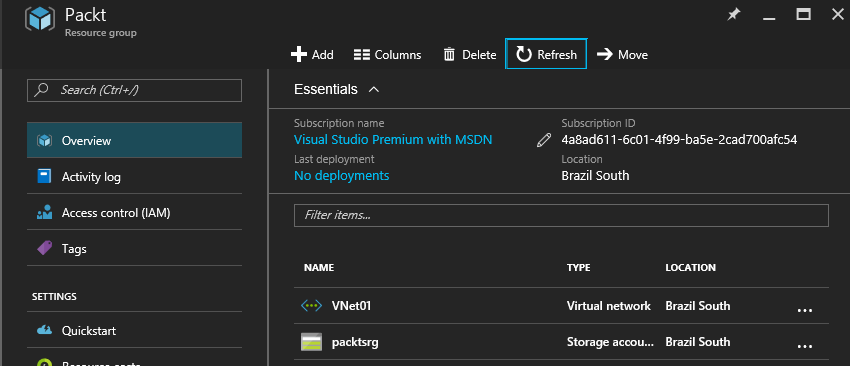
Within this part of the chapter, we will deploy a virtual machine by using the Azure Resource Manager portal. When you followed the guidance in the chapters before, you should have the following things already configured:

  • Resource groups
  • Virtual networks
  • Azure storage

These parts are also the basics for deploying an Azure virtual machine:

If you have a Resource groups, network and storage ready, you can start to deploy a virtual machine.

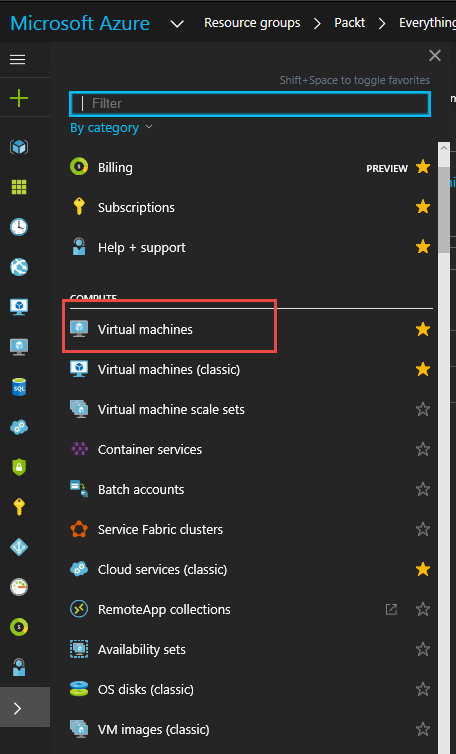
  1. First you open the side bar and select Virtual machines:
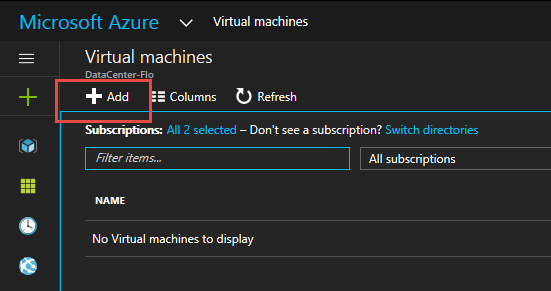
  1. Within the new window, click on the Add button:
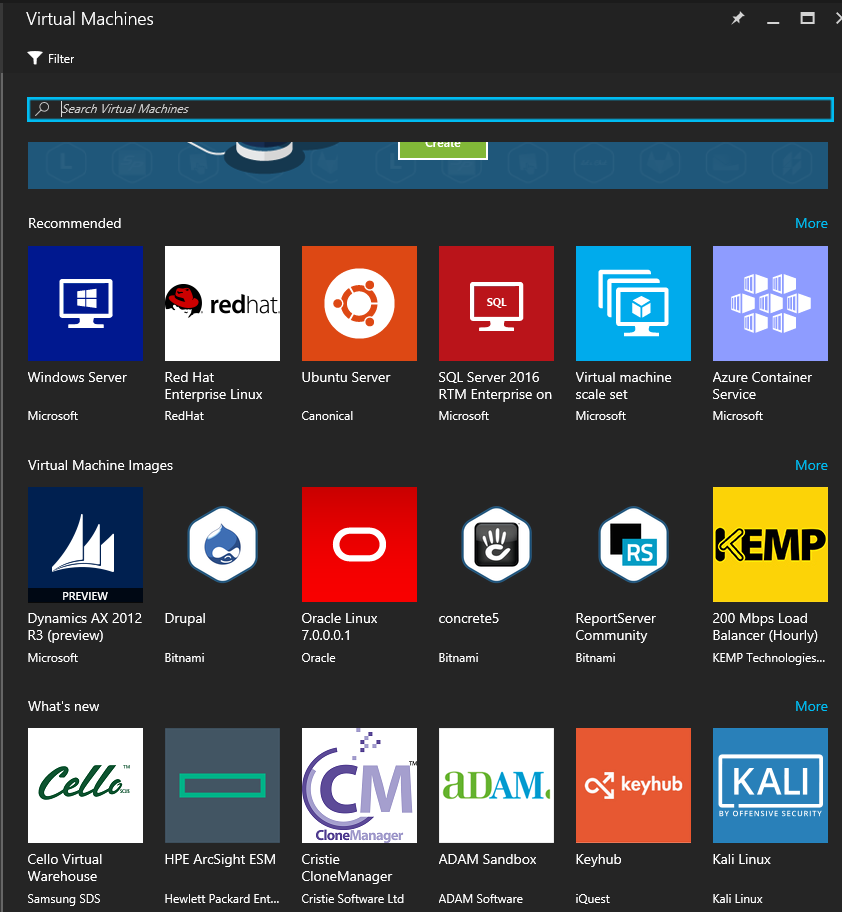
  1. Afterwards, you need to select the image and operating system you want to deploy. In the current scenario, we will select Windows Server:
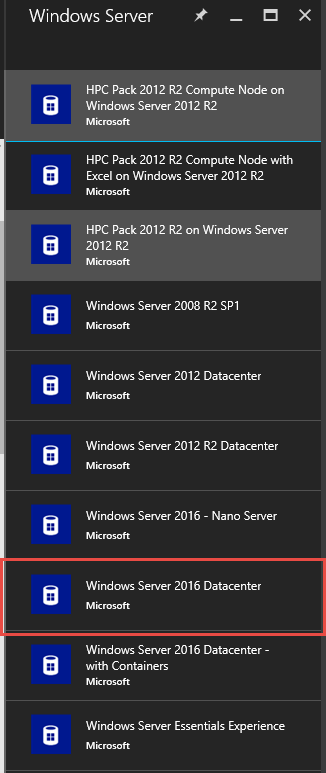
  1. Select the version you want to deploy. In this scenario, we will select Windows Server 2016 Datacenter:
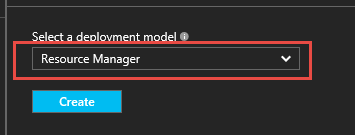
  1. Select the deployment model as Resource Manager from the drop-down menu. It is not recommended to use Classic any more. Click on the Create button to start the VM configuration blade:
  1. Within...
CONTINUE READING
83
Tech Concepts
36
Programming languages
73
Tech Tools
Icon Unlimited access to the largest independent learning library in tech of over 8,000 expert-authored tech books and videos.
Icon Innovative learning tools, including AI book assistants, code context explainers, and text-to-speech.
Icon 50+ new titles added per month and exclusive early access to books as they are being written.
Implementing Azure Solutions
notes
bookmark Notes and Bookmarks search Search in title playlist Add to playlist download Download options font-size Font size

Change the font size

margin-width Margin width

Change margin width

day-mode Day/Sepia/Night Modes

Change background colour

Close icon Search
Country selected

Close icon Your notes and bookmarks

Confirmation

Modal Close icon
claim successful

Buy this book with your credits?

Modal Close icon
Are you sure you want to buy this book with one of your credits?
Close
YES, BUY

Submit Your Feedback

Modal Close icon
Modal Close icon
Modal Close icon