
Sign In Start Free Trial
Account

Add to playlist

Create a Playlist

Modal Close icon
You need to login to use this feature.
  • Book Overview & Buying Building Serverless Applications with Python
  • Table Of Contents Toc
Building Serverless Applications with Python

Building Serverless Applications with Python

1.5 (2)
close
close
Building Serverless Applications with Python

Building Serverless Applications with Python

1.5 (2)

Overview of this book

Serverless architectures allow you to build and run applications and services without having to manage the infrastructure. Many companies have adopted this architecture to save cost and improve scalability. This book will help you design serverless architectures for your applications with AWS and Python. The book is divided into three modules. The first module explains the fundamentals of serverless architecture and how AWS lambda functions work. In the next module, you will learn to build, release, and deploy your application to production. You will also learn to log and test your application. In the third module, we will take you through advanced topics such as building a serverless API for your application. You will also learn to troubleshoot and monitor your app and master AWS lambda programming concepts with API references. Moving on, you will also learn how to scale up serverless applications and handle distributed serverless systems in production. By the end of the book, you will be equipped with the knowledge required to build scalable and cost-efficient Python applications with a serverless framework.
Table of Contents (11 chapters)
close
close

Creating your first Azure Function

In this section, we will learn how to create and deploy an Azure Function. We will go through the process step by step in order to understand how each section of an Azure function works:

  1. When you click on the Functions App in the menu, you will be re-directed to the Function App creation wizard, as shown in the following screenshot:
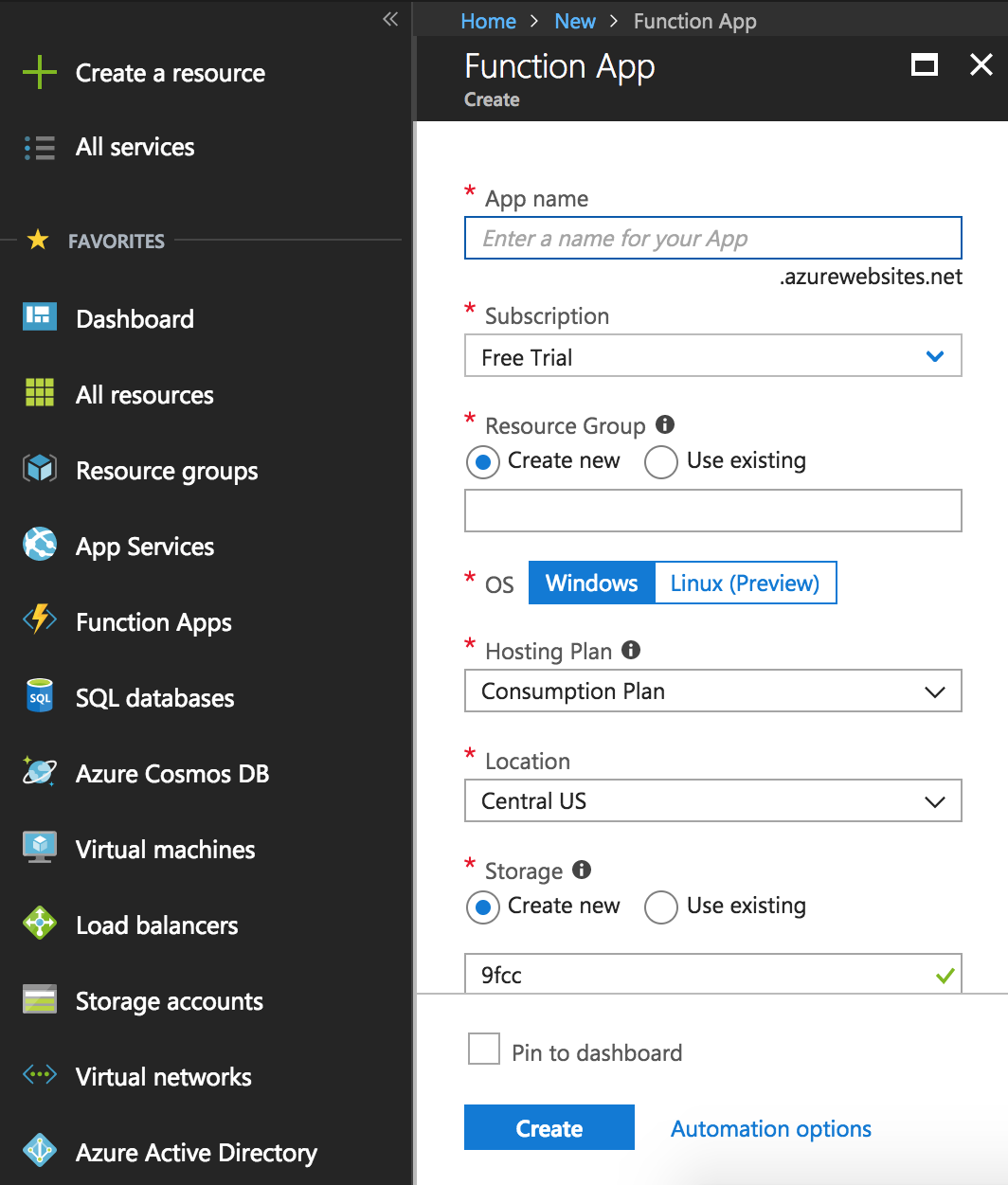
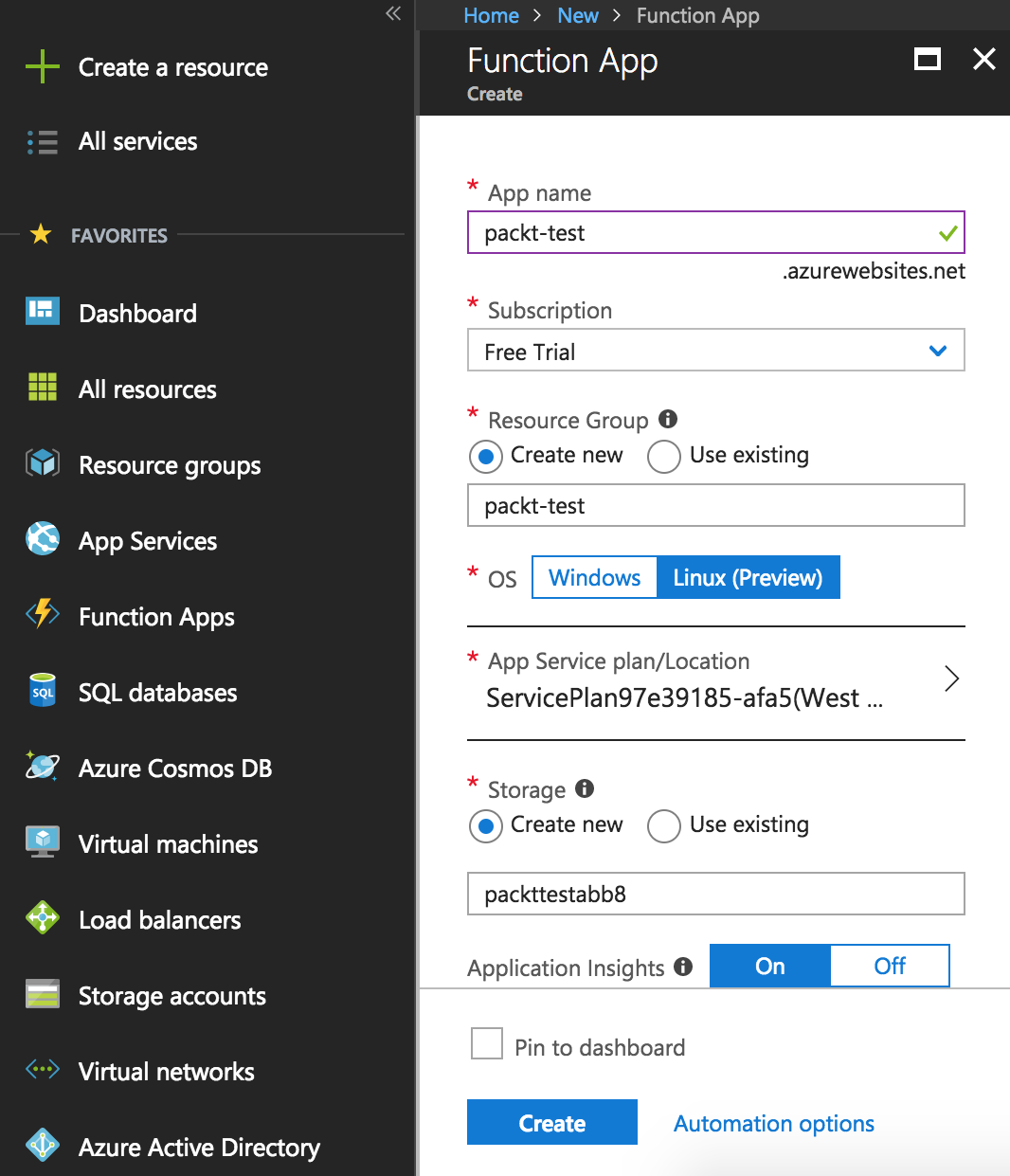
  1. Add the required information in the wizard accordingly. Choose Linux (Preview) as the OS. Then, click on the blue Create button at the bottom of the wizard:
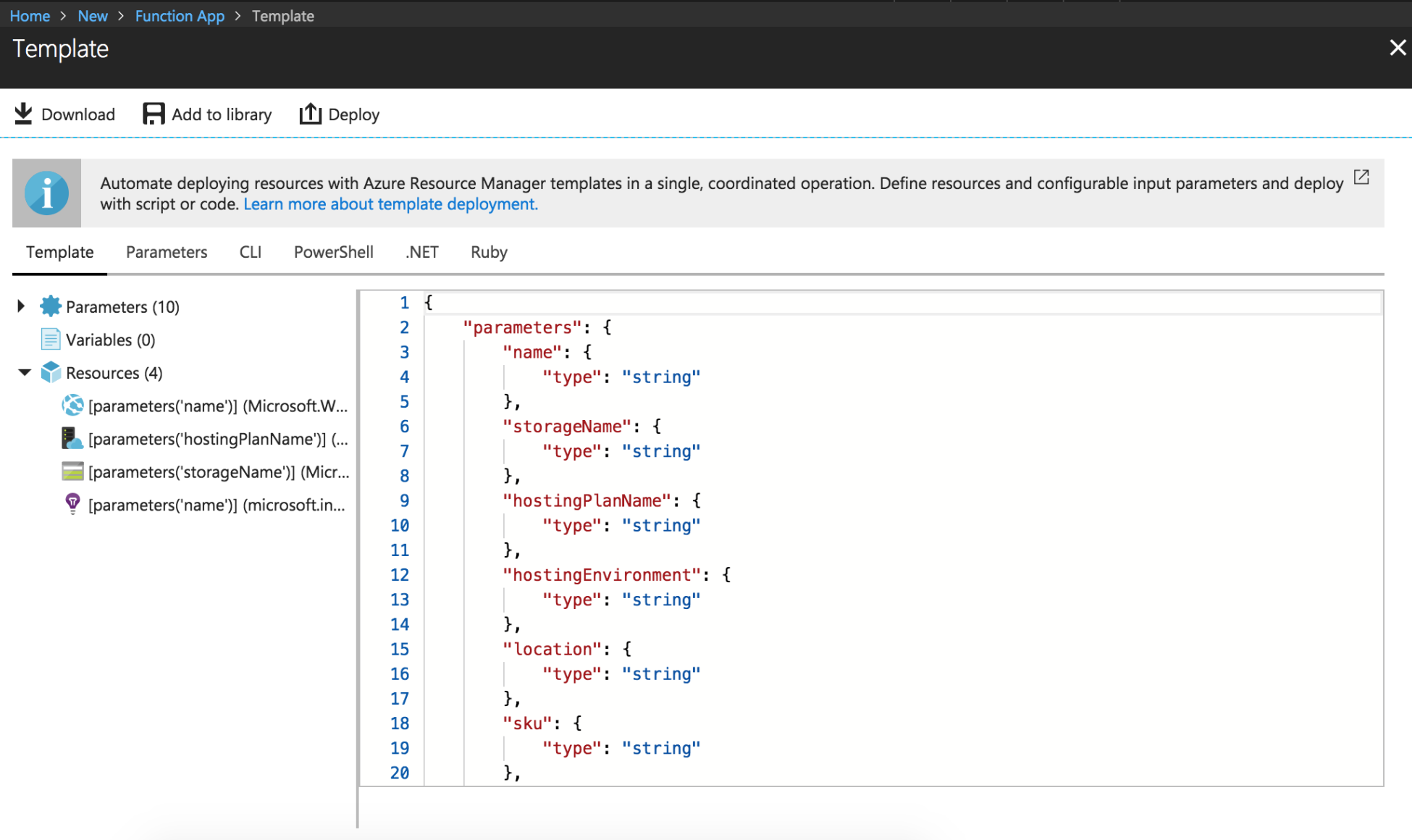
  1. Clicking on the Automation options at the bottom will open up a validation screen for automating Function deployments. This is not needed for this chapter. This will simply validate your Azure Function:
  1. Once you click Create, you will see the deployment in progress under the Notifications menu:
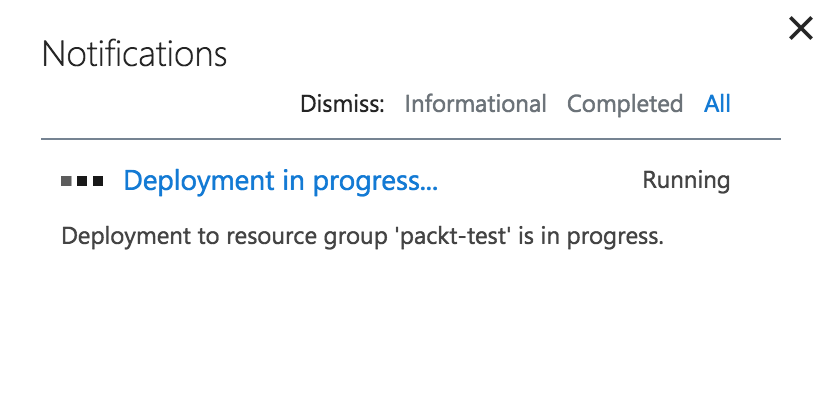
  1. Once it has been successfully created, it will be reflected...
CONTINUE READING
83
Tech Concepts
36
Programming languages
73
Tech Tools
Icon Unlimited access to the largest independent learning library in tech of over 8,000 expert-authored tech books and videos.
Icon Innovative learning tools, including AI book assistants, code context explainers, and text-to-speech.
Icon 50+ new titles added per month and exclusive early access to books as they are being written.
Building Serverless Applications with Python
notes
bookmark Notes and Bookmarks search Search in title playlist Add to playlist font-size Font size

Change the font size

margin-width Margin width

Change margin width

day-mode Day/Sepia/Night Modes

Change background colour

Close icon Search
Country selected

Close icon Your notes and bookmarks

Confirmation

Modal Close icon
claim successful

Buy this book with your credits?

Modal Close icon
Are you sure you want to buy this book with one of your credits?
Close
YES, BUY

Submit Your Feedback

Modal Close icon
Modal Close icon
Modal Close icon