Sign In Start Free Trial
Account

Add to playlist

Create a Playlist

Modal Close icon
You need to login to use this feature.
  • Book Overview & Buying Implementing Splunk (Update)
  • Table Of Contents Toc
Implementing Splunk (Update)

Implementing Splunk (Update)

By : VINCENT BUMGARNER, James D. Miller
4.5 (4)
close
close
Implementing Splunk (Update)

Implementing Splunk (Update)

4.5 (4)
By: VINCENT BUMGARNER, James D. Miller

Overview of this book

If you are a data analyst with basic knowledge of Big Data analysis but no knowledge of Splunk, then this book will help you get started with Splunk. The book assumes that you have access to a copy of Splunk, ideally not in production, and many examples also assume you have administrator rights.
Table of Contents (15 chapters)
close
close
14
Index

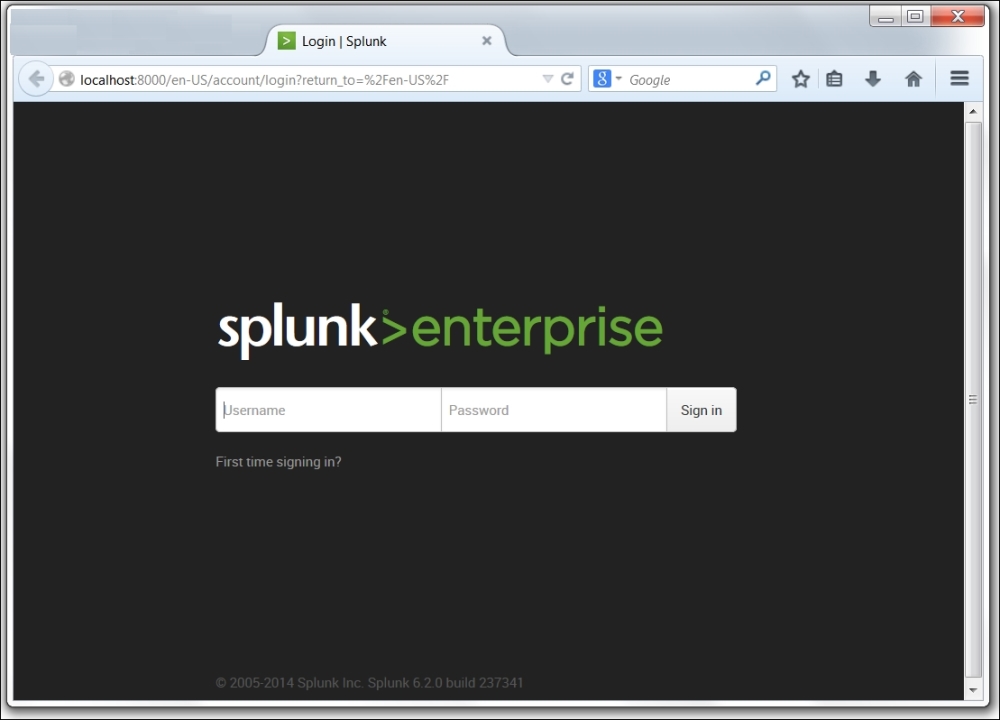
Logging into Splunk

The Splunk GUI interface (Splunk is also accessible through its command-line interface [CLI] and REST API) is web-based, which means that no client needs to be installed. Newer browsers with fast JavaScript engines, such as Chrome, Firefox, and Safari, work better with the interface. As of Splunk Version 6.2.0, no browser extensions are required. Splunk Versions 4.2 and earlier require Flash to render graphs. Flash can still be used by older browsers, or for older apps that reference Flash explicitly. The default port for a Splunk installation is 8000.

The address will look like: http://mysplunkserver:8000 or http://mysplunkserver.mycompany.com:8000.

Logging into Splunk

The Splunk interface

If you have installed Splunk on your local machine, the address can be some variant of http://localhost:8000, http://127.0.0.1:8000, http://machinename:8000, or http://machinename.local:8000.

Once you determine the address, the first page you will see is the login screen. The default username is admin with the password changeme. The first time you log in, you will be prompted to change the password for the admin user. It is a good idea to change this password to prevent unwanted changes to your deployment.

By default, accounts are configured and stored within Splunk. Authentication can be configured to use another system, for instance Lightweight Directory Access Protocol (LDAP). By default, Splunk authenticates locally. If LDAP is set up, the order is as follows: LDAP / Local.

CONTINUE READING
83
Tech Concepts
36
Programming languages
73
Tech Tools
Icon Unlimited access to the largest independent learning library in tech of over 8,000 expert-authored tech books and videos.
Icon Innovative learning tools, including AI book assistants, code context explainers, and text-to-speech.
Icon 50+ new titles added per month and exclusive early access to books as they are being written.
Implementing Splunk (Update)
notes
bookmark Notes and Bookmarks search Search in title playlist Add to playlist font-size Font size

Change the font size

margin-width Margin width

Change margin width

day-mode Day/Sepia/Night Modes

Change background colour

Close icon Search
Country selected

Close icon Your notes and bookmarks

Confirmation

Modal Close icon
claim successful

Buy this book with your credits?

Modal Close icon
Are you sure you want to buy this book with one of your credits?
Close
YES, BUY

Submit Your Feedback

Modal Close icon
Modal Close icon
Modal Close icon