





An embossing filter will take an image and convert it to an embossed image. We basically take each pixel, and replace it with a shadow or a highlight. Let's say we are dealing with a relatively plain region in the image. Here, we need to replace it with a plain gray color because there's not much information there. If there is a lot of contrast in a particular region, we will replace it with a white pixel (highlight), or a dark pixel (shadow), depending on the direction in which we are embossing.
This is what it will look like:
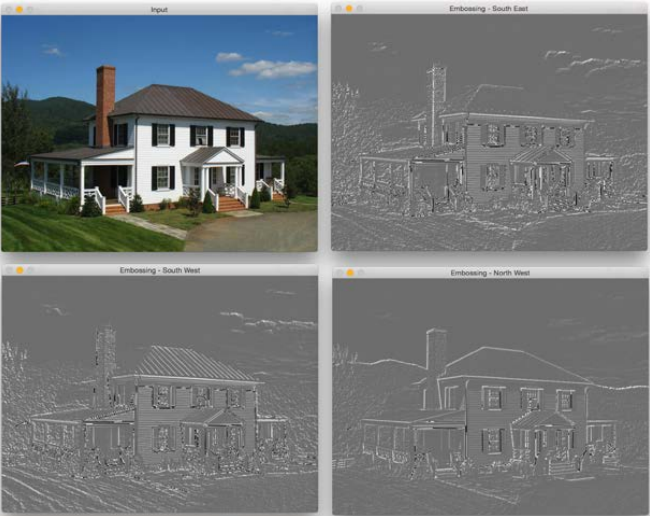
Let's take a look at the code and see how to do this:
import cv2
import numpy as np

img_emboss_input = cv2.imread('images/input.jpg')

# generating the kernels
kernel_emboss_1 = np.array([[0,-1,-1],
                            [1,0,-1],
                            [1,1,0]])
kernel_emboss_2 = np.array([[-1,-1...


