-
Book Overview & Buying
-
Table Of Contents
The Regularization Cookbook
By :
The primary focus of this recipe is to load data from a CSV file. However, this is not the only thing that this recipe covers. Since the data is usually the first step in any ML project, this recipe is also a good opportunity to give a quick recap of the ML workflow, as well as the different types of data.
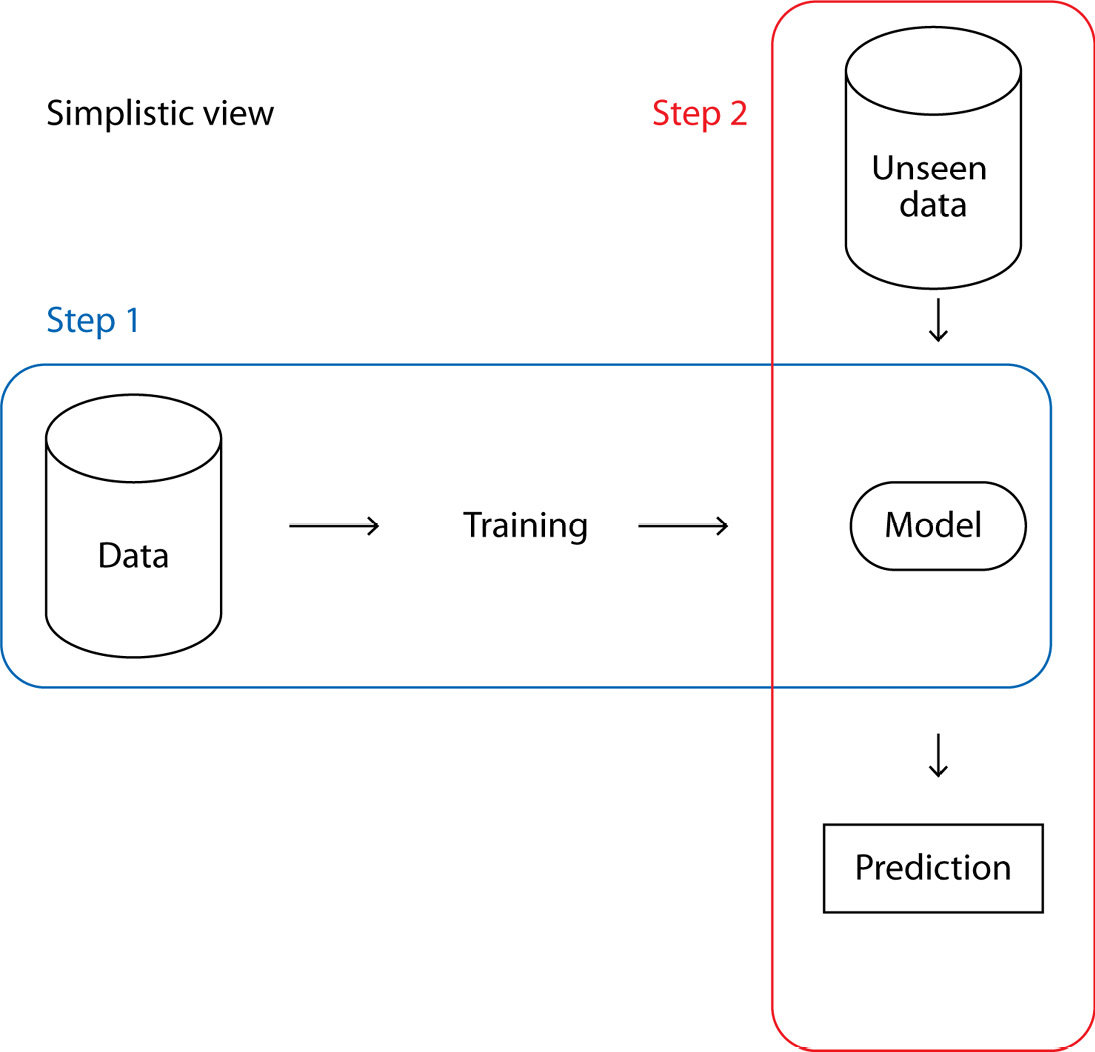
Before loading the data, we should keep in mind that an ML model follows a two-step process:
These two steps are summarized in the following figure:
Figure 2.1 – A simple view of the two-step ML process
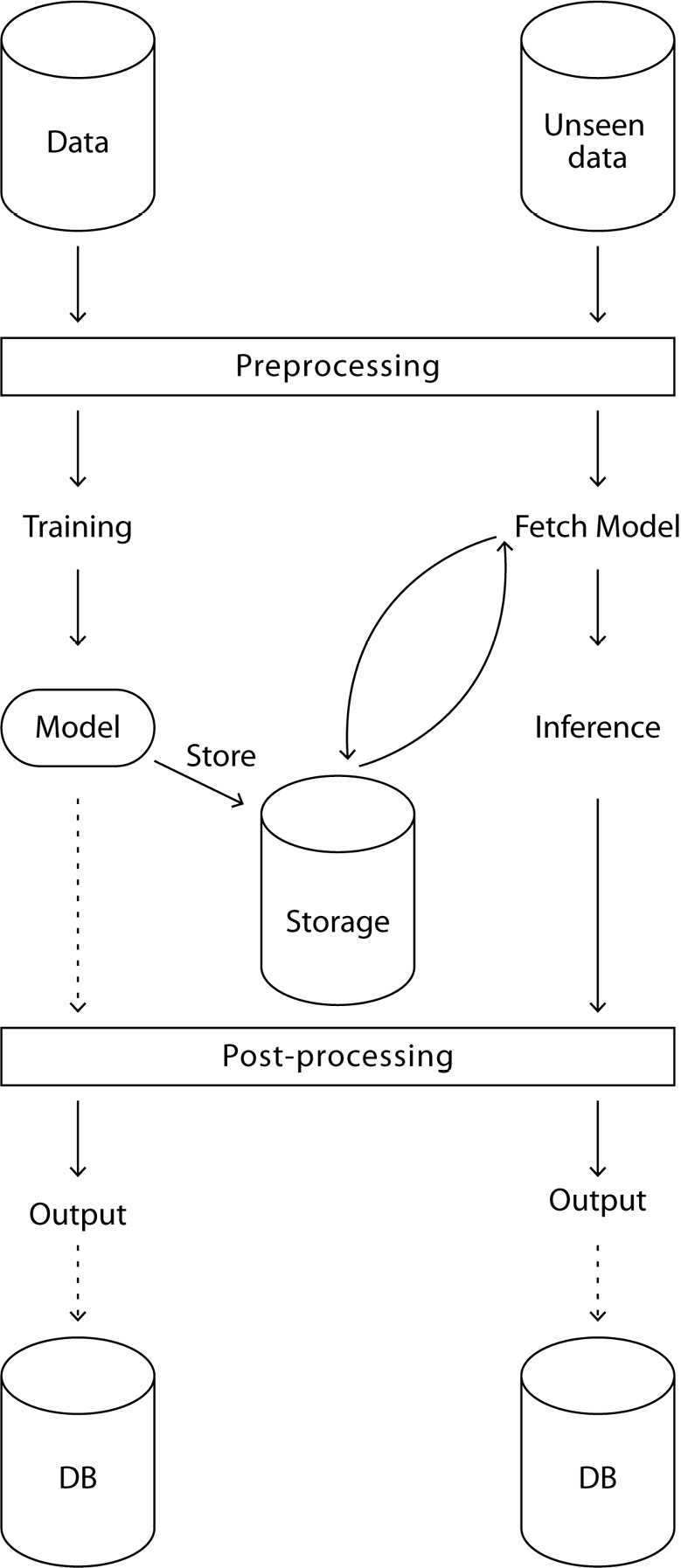
Of course, in most cases, this is a rather simplistic view. A more detailed view can be seen in Figure 2.2:
Figure 2.2 – A more complete view of the ML process
Let’s take a closer look at the training part of the ML process shown in Figure 2.2:
Now, let’s take a look at the inference part of the ML process:
Even in this schema, many steps were not mentioned: splitting data for training purposes, using evaluation metrics, cross-validation, hyperparameter optimization, and others. This chapter will dive into the more training-specific steps and apply them to the very common but practical Titanic dataset, a binary classification problem. But first, we need to load the data.
To do so, you must download the Titanic dataset training set locally. This can be performed with the following command line:
wget https://github.com/PacktPublishing/The-Regularization-Cookbook/blob/main/chapter_02/train.csv
This recipe is about loading a CSV file and displaying a few lines of code so that we can have a first glance at what it is about:
import pandas as pd
read_csv function provided by pandas. The first argument is the path to the file. Assuming the file is named train.csv and located in the current folder, we only have to provide train.csv as an argument:# Load the data as a DataFrame
df = pd.read_csv('train.csv')The returned object is a dataframe object, which provides many useful methods for data processing.
.head() method:# Display the first 5 rows of the dataset
df.head()
This code will output the following:
PassengerId Survived Pclass \ 0 1 0 3 1 2 1 1 2 3 1 3 3 4 1 1 4 5 0 3 Name Sex Age SibSp \ 0 Braund, Mr. Owen Harris male 22.0 1 1 Cumings, Mrs. John Bradley (Florence Briggs Th... female 38.0 1 2 Heikkinen, Miss. Laina female 26.0 0 3 Futrelle, Mrs. Jacques Heath (Lily May Peel) female 35.0 1 4 Allen, Mr. William Henry male 35.0 0 Parch Ticket Fare Cabin Embarked 0 0 A/5 21171 7.2500 NaN S 1 0 PC 17599 71.2833 C85 C 2 0 STON/O2. 3101282 7.9250 NaN S 3 0 113803 53.1000 C123 S 4 0 373450 8.0500 NaN S
Here is a description of the data types in each column:
PassengerId (qualitative): A unique, arbitrary ID for each passenger.Survived (qualitative): 1 for yes, 0 for no. This is our label, so this is a binary classification problem.Pclass (quantitative, discrete): The class, which is arguably quantitative. Is class 1 better than class 2? Most likely yes.Name (unstructured): The name and title of the passenger.Sex (qualitative): The registered sex of the passenger, either male or female.Age (quantitative, discrete): The age of the passenger.SibSp (quantitative, discrete): The number of siblings and spouses on board.Parch (quantitative, discrete): The number of parents and children on board.Ticket (unstructured): The ticket reference.Fare (quantitative, continuous): The ticket price.Cabin (unstructured): The cabin number, which is arguably unstructured. It can be seen as a qualitative feature with high cardinality.Embarked (qualitative): The embarked city, either Southampton (S), Cherbourg (C), or Queenstown (Q).Let’s talk about the different types of data that are available. Data is a very generic word and can describe many things. We are surrounded by data all the time. One way to specify data is using opposites.
Data can be structured or unstructured:
Data can be quantitative or qualitative.
Quantitative data is ordered. Here are some examples:
Qualitative data has no intrinsic order, as shown here:
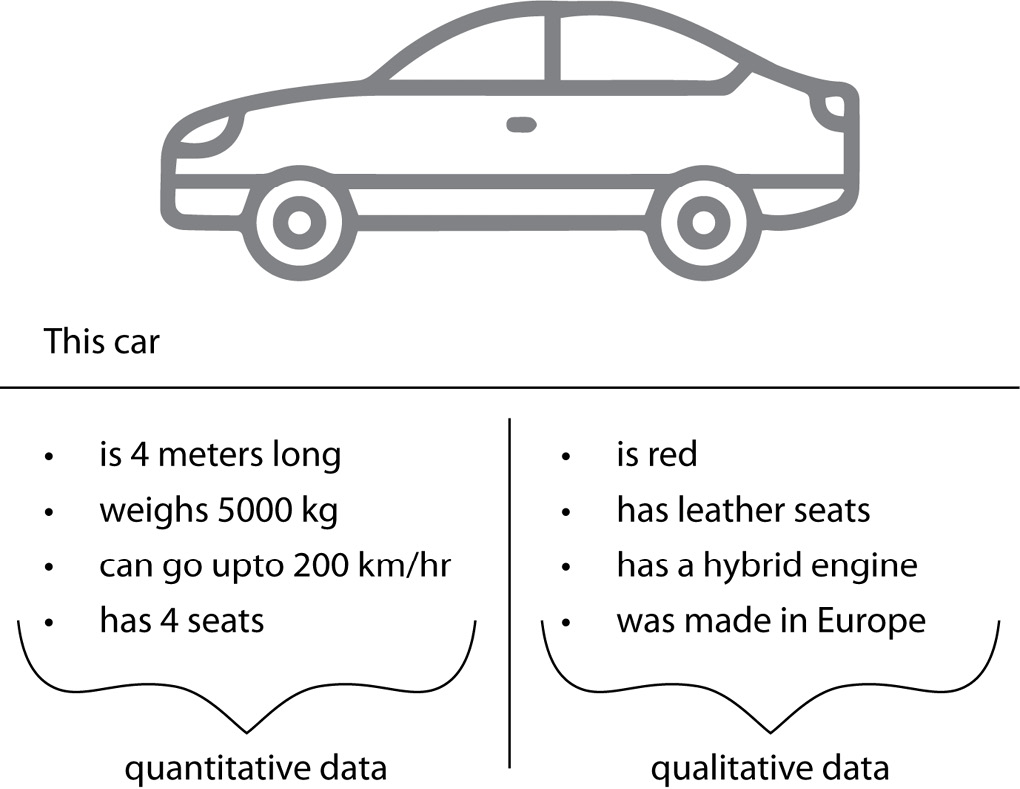
These are not mutually exclusive. An object can have both quantitative and qualitative features, as can be seen in the case of the car in the following figure:
Figure 2.3 – A single object depicted by both quantitative (left) and qualitative (right) features
Finally, data can be continuous or discrete.
Some data is continuous, as follows:
On the other hand, some data is discrete:
Note
Discrete != qualitative.
For example, a football score is discrete, but there is an intrinsic order: 3 points is more than 2.
The pandas read_csv function has a lot of flexibility as it can use other separators, handle headers, and much more. This is described in the official documentation: https://pandas.pydata.org/docs/reference/api/pandas.read_csv.html.
The pandas library allows I/O operations that have different types of inputs. For more information, have a look at the official documentation: https://pandas.pydata.org/docs/reference/io.html.
Change the font size
Change margin width
Change background colour