Sign In Start Free Trial
Account

Add to playlist

Create a Playlist

Modal Close icon
You need to login to use this feature.
  • Book Overview & Buying Getting Started with Talend Open Studio for Data Integration
  • Table Of Contents Toc
Getting Started with Talend Open Studio for Data Integration

Getting Started with Talend Open Studio for Data Integration

By : Jonathan Bowen
3.8 (20)
close
close
Getting Started with Talend Open Studio for Data Integration

Getting Started with Talend Open Studio for Data Integration

3.8 (20)
By: Jonathan Bowen

Overview of this book

Talend Open Studio for Data Integration (TOS) is an open source graphical development environment for creating custom integrations between systems. It comes with over 600 pre-built connectors that make it quick and easy to connect databases, transform files, load data, move, copy and rename files and connect individual components in order to define complex integration processes. "Getting Started with Talend Open Studio for Data Integration" illustrates common uses and scenarios in a simple, practical manner and, building on knowledge as the book progresses, works towards more complex integration solutions. TOS is a code generator and so does a lot of the "heavy lifting"ù for you. As such, it is a suitable tool for experienced developers and non-developers alike. You'll start by learning how to construct some common integrations tasks ñ transforming files and extracting data from a database, for example. These building blocks form a "toolkit"ù of techniques that you will learn how to apply in many different situations. By the end of the book, once complex integrations will appear easy and you will be your organization's integration expert! Best of all, TOS makes integrating systems fun!
Table of Contents (14 chapters)
close
close
13
Index

Downloading job and data files


In order to download the job and data files, visit the support page of the Packt website at http://www.packtpub.com/support, select the name of the book from the drop-down list, and enter your e-mail address. The code download link will be e-mailed to you and the necessary files can be downloaded by clicking on the link.

Once you have downloaded the job package, unzip it and open it. Inside, you will find three directories—SampleDataFiles, DBBackup, and ExampleJobs. Inside each of these subdirectories are the files you need to install.

Sample data files

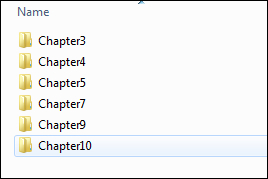
Within the SampleDataFiles directory is a further set of directories containing sample input files. They have been organized chapterwise for easy reference.

Once you have created your workspace directory and a new project, create a DataIn directory within the project and copy the chapter directories (shown previously) into the DataIn directory.

As an example, if your workspace was created in C:\Talend\Workspace...

CONTINUE READING
83
Tech Concepts
36
Programming languages
73
Tech Tools
Icon Unlimited access to the largest independent learning library in tech of over 8,000 expert-authored tech books and videos.
Icon Innovative learning tools, including AI book assistants, code context explainers, and text-to-speech.
Icon 50+ new titles added per month and exclusive early access to books as they are being written.
Getting Started with Talend Open Studio for Data Integration
notes
bookmark Notes and Bookmarks search Search in title playlist Add to playlist download Download options font-size Font size

Change the font size

margin-width Margin width

Change margin width

day-mode Day/Sepia/Night Modes

Change background colour

Close icon Search
Country selected

Close icon Your notes and bookmarks

Confirmation

Modal Close icon
claim successful

Buy this book with your credits?

Modal Close icon
Are you sure you want to buy this book with one of your credits?
Close
YES, BUY

Submit Your Feedback

Modal Close icon
Modal Close icon
Modal Close icon