-
Book Overview & Buying
-
Table Of Contents

Mastering phpMyAdmin 3.4 for Effective MySQL Management
By :


Mastering phpMyAdmin 3.4 for Effective MySQL Management
By:
Overview of this book
phpmyAdmin is one of the most widely used open source applications, which is written in PHP. phpMyAdmin supports a wide range of operations with MySQL. Currently, it can create and drop databases, create/drop/alter tables, delete/edit/add fields, execute any SQL statement, manage keys on fields, manage privileges, export data into various formats and is available in 52 languages.phpMyAdmin is a web-based front-end to manage MySQL databases and has been adopted by a number of Open-Source distributors.Mastering phpMyAdmin 3.4 for Effective MySQL Management is an easy-to-read, step-by-step practical guide that walks you through every facet of this legendary toolóphpMyAdminóand takes you a step ahead in taking full advantage of its potential. This book is filled with illustrative examples that will help you understand every phpMyAdmin feature in detail.This is the official guide to this popular MySQL web interface. It starts with installing and configuring phpMyAdmin, including the phpMyAdmin Configuration Storage, which is the key to its advanced features. This is followed by configuring authentication in phpMyAdmin and setting parameters that influence the interface as a whole.You will also learn some advanced features such as defining inter-table relations with the advanced Designer module. You will practice synchronizing databases on different servers and managing MySQL replication to improve performance and data security. Moreover, you will also store queries as bookmarks for their quick retrieval.In addition to it, this book helps you to learn new features introduced in version 3.4.x such as users' preferences, producing charts and the visual multi-table query builder.
Table of Contents (27 chapters)
Mastering phpMyAdmin 3.4 for Effective MySQL Management


Credits
About the Author
About the Reviewers
www.PacktPub.com
Preface
 Free Chapter
Getting Started with phpMyAdmin
Configuring Authentication and Security
Over Viewing the Interface
Creating and Browsing Tables
Changing Data and Structure
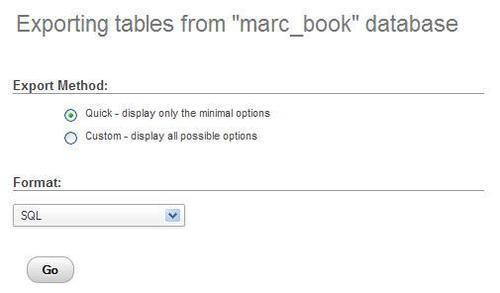
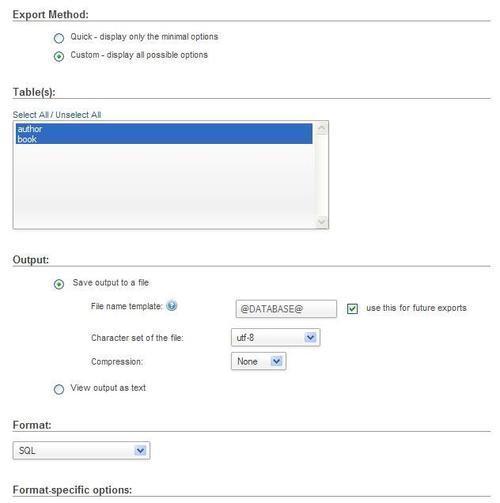
Exporting Structure and Data (Backup)

Importing Structure and Data
Searching Data
Performing Table and Database Operations
Benefiting from the Relational System
Entering SQL Statements
Generating Multi-table Queries
Synchronizing Data and Supporting Replication
Using Query Bookmarks
Documenting the System
Transforming Data using MIME
Supporting Features Added in MySQL 5
Tracking Changes
Administrating the MySQL Server
Troubleshooting and Support
Index