-
Book Overview & Buying
-
Table Of Contents
Effortless Cloud-Native App Development Using Skaffold
By :
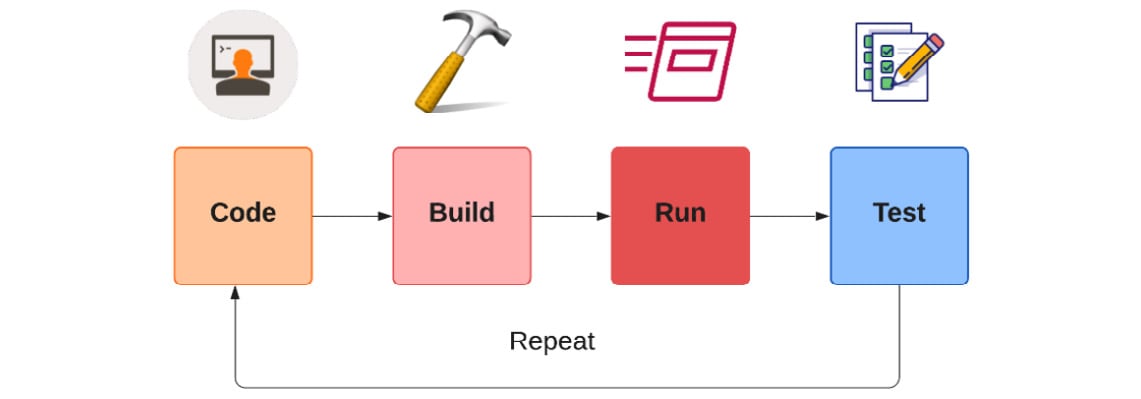
Before containers were cool, we were spoilt by the choices we have for the inner development loop. Your IDE can run builds for you in the background, and then you can deploy your application and test your changes locally. A typical traditional application development inner loop involves steps such as the following:
Here is a visualization of the traditional application development inner loop:
Figure 1.3 – Traditional application development inner loop
For Java developers, there are many options available to automate this process. Some of the most popular options are as follows:
Let's discuss these options briefly.
Spring Boot first introduced developer tools in version 1.3. Spring Boot Developer Tools provide fast feedback loops and automatic restart of the application for any code changes done. It provides the following functionalities:
classpath, it will automatically reboot the application. The automatic restart may differ based on your IDE. Please check the official documentation (https://docs.spring.io/spring-boot/docs/1.5.16.RELEASE/reference/html/using-boot-devtools.html#using-boot-devtools-restart) for more details on this.The following is a short snippet of how to add relevant dependencies to your Maven and Gradle projects to add support for Spring Boot Developer Tools. Maven/Gradle should have an introduction section first:
Maven pom.xml
<dependencies> <dependency> <groupId>org.springframework.boot</groupId> <artifactId>spring-boot-devtools</artifactId> </dependency> </dependencies>
Gradle build.gradle
Here is the code for Gradle:
dependencies {
compileOnly("org.springframework.boot:spring-boot-devtools")
}
But this is not how we will add dependencies to test the auto-reload feature of developer tools. We will use the Spring Initializr website (https://start.spring.io/) to generate the project stub based on the options you choose. Here are the steps we'll follow:
spring-boot-starter-web, spring-boot-dev-tools, and Thymeleaf as dependencies for my demo Hello World Spring Boot application.
Figure 1.4 – Spring Initializr home page
The next logical step is to build a simple Hello World Spring Boot web application. Let's begin.
The best way to understand the working parts of the Spring Boot application is by taking a look at an example. In this example, we will create a simple Spring Web MVC application that will accept HTTP GET requests at http://localhost:8080/hello. We will get an HTML web page with "Hello, John!" in the HTML body in response. We will allow the user to customize the default response by entering the query string in the http://localhost:8080/hello?name=Jack URL so that we can change the default message. Let's begin:
HelloController bean using the @Controller annotation for handling incoming HTTP requests. The @GetMapping annotation binds the HTTP GET request to the hello() method:@Controller
public class HelloController {
@GetMapping("/hello")
public String hello(@RequestParam(defaultValue = "John", name = "name", required = false) String name, Model model) {
model.addAttribute("name", name);
return "index";
}
}This controller returns the name of the view, which is index in our case. The view technology we have used here is Thymeleaf, which is responsible for server-side rendering of the HTML content.
index.html is available under the templates folder in src/main/resources/. Here are the contents of the file:<!DOCTYPE HTML>
<html xmlns:th="http://www.thymeleaf.org">
<head>
<meta charset="UTF-8"/>
<title>Welcome</title>
</head>
<body>
<p th:text="'Hello, ' + ${name} + '!'" />
</body>
</html>main class as well:@SpringBootApplication
public class Application {
public static void main(String[] args) {
SpringApplication.run(Application.class, args);
}
}mvn spring-boot:run maven goal, which is provided by spring-boot-maven-plugin: 
Figure 1.5 – Spring Boot application startup logs
Note
To reduce the verbosity of the logs, we have trimmed them down to show only the parts that are relevant to our discussion.
If you observe the logs carefully, we have developer tools support enabled, an embedded Tomcat server listening at port 8080, and an embedded LiveReload server running on port 35279. So far, this looks good. Once the application is started, you can access the http://localhost:8080/hello URL.

Figure 1.6 – REST endpoint response
restartedMain thread:2021-02-12 16:28:54.500 INFO 53622 --- [nio-8080-exec-1] o.a.c.c.C.[Tomcat].[localhost].[/] : Initializing Spring DispatcherServlet 'dispatcherServlet' 2021-02-12 16:28:54.500 INFO 53622 --- [nio-8080-exec-1] o.s.web.servlet.DispatcherServlet : Initializing Servlet 'dispatcherServlet' 2021-02-12 16:28:54.501 INFO 53622 --- [nio-8080-exec-1] o.s.web.servlet.DispatcherServlet : Completed initialization in 1 ms 2021-02-12 16:29:48.762 INFO 53622 --- [ Thread-5] o.s.s.concurrent.ThreadPoolTaskExecutor : Shutting down ExecutorService 'applicationTaskExecutor' 2021-02-12 16:29:49.291 INFO 53622 --- [ restartedMain] c.e.helloworld.HelloWorldApplication : Started HelloWorldApplication in 0.483 seconds (JVM running for 66.027) 2021-02-12 16:29:49.298 INFO 53622 --- [ restartedMain] .ConditionEvaluationDeltaLoggingListener : Condition evaluation unchanged 2021-02-12 16:29:49.318 INFO 53622 --- [nio-8080-exec-1] o.a.c.c.C.[Tomcat].[localhost].[/] : Initializing Spring DispatcherServlet 'dispatcherServlet' 2021-02-12 16:29:49.319 INFO 53622 --- [nio-8080-exec-1] o.s.web.servlet.DispatcherServlet : Initializing Servlet 'dispatcherServlet' 2021-02-12 16:29:49.320 INFO 53622 --- [nio-8080-exec-1] o.s.web.servlet.DispatcherServlet : Completed initialization in 1 ms
This completes the demo of the auto-restart feature of the Spring Boot Developer Tools. We have not covered the LiveReload feature for brevity as it would be difficult to explain here because it all happens in real time.
JRebel (https://www.jrebel.com/products/jrebel) is another option for Java developers for accelerating their inner loop development process. It is a JVM plugin, and it helps in reducing time for local development steps such as building and deploying. It is a paid tool developed by a company named Perforce. However, there is a free trial for 10 days if you would like to play with it. It provides the following functionalities:
There are many different ways to enable support for JRebel to your development process. We will consider the possibility of using it with an IDE such as Eclipse or IntelliJ. For both IDEs, you can install the plugin, and that's it. As I said earlier, this is a paid option, and you can only use it for free for 10 days.
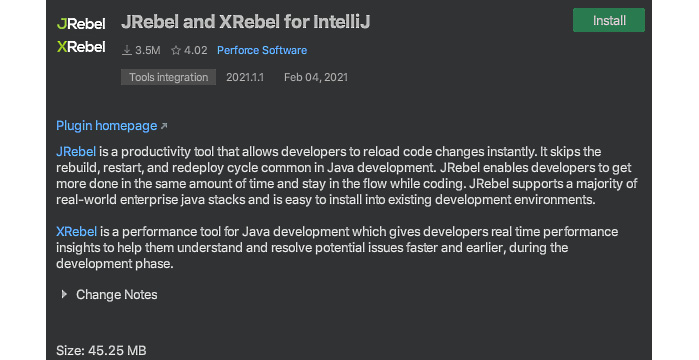
For IntelliJ IDEA, you can install the plugin from the marketplace.
Figure 1.7 – IntelliJ IDEA installing JRebel
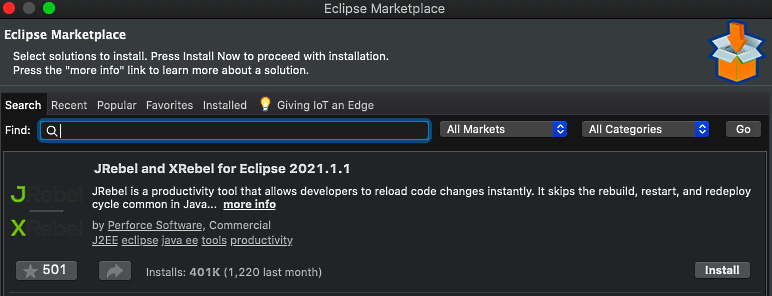
For the Eclipse IDE, you can install the plugin from Eclipse Marketplace.
Figure 1.8 – Eclipse IDE installing JRebel
Since JRebel is a paid option, we will not be exploring it in this book, but you are free to test it yourself.
We have covered the traditional application development inner loop life cycle and tools such as Spring Boot Developer Tools and JRebel, which allow rapid application development. Let's now go through the container-native application development inner loop life cycle.
Change the font size
Change margin width
Change background colour