-
Book Overview & Buying
-
Table Of Contents
Oracle ADF Faces Cookbook
By :
JDeveloper can work without tuning, but tuning is worth looking at for when you are looking at big enterprise applications that have many projects with source control and more than one team member.
In order to tune JDeveloper, perform the following steps:
%MIDDLEWARE_HOME% | Oracle_Home | jdeveloper. There are two files that you want to change: the first file is ide.conf located under ide\bin\ide.conf.AddVMOption –Xms AddVMOption -Xmx
You may want to increase these values if they are very low, for example, if you have more than 4 GB of RAM, you should set it to 1 GB each as shown in the following code:
AddVMOption –Xms1024M AddVMOption –Xmx1024M
jdev\bin\jdev.conf path under the jdeveloper directory.# optimize the JVM for strings / text editing AddVMOption -XX:+UseStringCache AddVMOption -XX:+OptimizeStringConcat AddVMOption -XX:+UseCompressedStrings # if on a 64-bit system, but using less than 32 GB RAM, this reduces object pointer memory size AddVMOption -XX:+UseCompressedOops # use an aggressive garbage collector (constant small collections) AddVMOption -XX:+AggressiveOpts # for multi-core machines, use multiple threads to create objects and reduce pause times AddVMOption -XX:+UseConcMarkSweepGC AddVMOption -XX:+UseGCOverheadLimit
These settings ensure that your JVM is optimized for your operating system. Also note that some of them are tailored depending on your Operating System architecture. So, don't just copy and paste them. Check what can apply and add accordingly.
If you started JDeveloper and faced some troubles, try reducing the amount of memory assigned with Xms and Xmx and start it again.

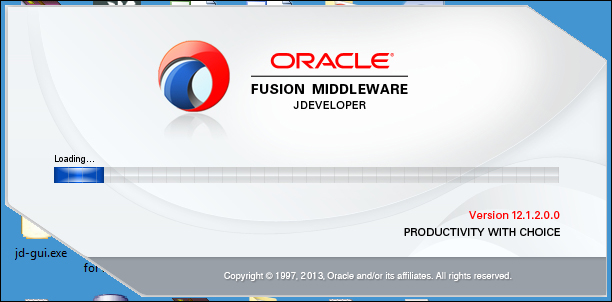
If this is not your first JDeveloper, you will also be prompted to migrate from the older JDeveloper versions. If you are planning to still use the old JDeveloper version and don't want to migrate your project, click on No; otherwise, click on Yes.
JDeveloper, like all IDEs, has configuration files that can be used to tune it to work without having memory problems. These configuration files are ide.conf and jdev.conf.
The first file controls the main JVM memory parameters that the JDeveloper thread will start using, and jdev.conf is used to add any additional configuration to the JDeveloper in order to enhance its performance with multicore processors or 64-bit architecture systems.
After that, we started JDeveloper for the first time and you were prompted to select a Role or Mode. Each role is tailored towards a specific behavior.
There are 5 roles you can choose from:
After starting JDeveloper, we also need to tune the JDeveloper preferences themselves. This is different since you have control over them from the JDeveloper IDE. So, you may want to change them while you are working. Secondly, it doesn't relate to the JVM thread but it's totally an application-specific property.
Doing these changes to the JDeveloper preferences can increase your performance time by preventing you from facing some problems with encoding and other stuff when you are working with other team members or a multilanguage application.
If you want to explore more properties that you can tweak with JDeveloper beyond the scope of this book, check the ADF EMG discussion at https://groups.google.com/forum/#!topic/adf-methodology/g3q8TgHtsbk.
Downloading the example code
You can download the example code files for all Packt books you have purchased from your account at http://www.packtpub.com. You can also download the files from GitHub at https://github.com/agawish/ADF-Faces-Cookbook/archive/master.zip. If you purchased this book elsewhere, you can visit http://www.packtpub.com/support and register to have the files e-mailed directly to you.
Change the font size
Change margin width
Change background colour