Sign In Start Free Trial
Account

Add to playlist

Create a Playlist

Modal Close icon
You need to login to use this feature.
  • Book Overview & Buying Python for Offensive PenTest
  • Table Of Contents Toc
Python for Offensive PenTest

Python for Offensive PenTest

By : Khrais
3.4 (7)
close
close
Python for Offensive PenTest

Python for Offensive PenTest

3.4 (7)
By: Khrais

Overview of this book

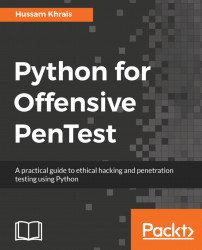
Python is an easy-to-learn and cross-platform programming language that has unlimited third-party libraries. Plenty of open source hacking tools are written in Python, which can be easily integrated within your script. This book is packed with step-by-step instructions and working examples to make you a skilled penetration tester. It is divided into clear bite-sized chunks, so you can learn at your own pace and focus on the areas of most interest to you. This book will teach you how to code a reverse shell and build an anonymous shell. You will also learn how to hack passwords and perform a privilege escalation on Windows with practical examples. You will set up your own virtual hacking environment in VirtualBox, which will help you run multiple operating systems for your testing environment. By the end of this book, you will have learned how to code your own scripts and mastered ethical hacking from scratch.
Table of Contents (8 chapters)
close
close

Privilege escalation – preparing vulnerable software


For this demonstration, I will be using a vulnerable software named Photodex taken from an Exploit Database website. You can download this software from https://www.exploit-db.com/exploits/24872/. Once the software is downloaded, install this software on our target machine. Once it's finished, restart the machine.

So now, let's try and create a nonadmin standard account in our target Windows machine by going to Control Panel | Add or remove user accounts | Create a new account. Let's call this one nonadmin. After creating the account log into the nonadmin account and navigate to the Photodex directory created while installation at C:\ drive and at the same time, open the Task Manager.

You will be able to see the service name, which gets created by Photodex software, which is ScsiAccess under the Services tab. To get more information about this service, click on the Services button. In the Services window that opens, find the ScsiAccess,...

CONTINUE READING
83
Tech Concepts
36
Programming languages
73
Tech Tools
Icon Unlimited access to the largest independent learning library in tech of over 8,000 expert-authored tech books and videos.
Icon Innovative learning tools, including AI book assistants, code context explainers, and text-to-speech.
Icon 50+ new titles added per month and exclusive early access to books as they are being written.
Python for Offensive PenTest
notes
bookmark Notes and Bookmarks search Search in title playlist Add to playlist download Download options font-size Font size

Change the font size

margin-width Margin width

Change margin width

day-mode Day/Sepia/Night Modes

Change background colour

Close icon Search
Country selected

Close icon Your notes and bookmarks

Confirmation

Modal Close icon
claim successful

Buy this book with your credits?

Modal Close icon
Are you sure you want to buy this book with one of your credits?
Close
YES, BUY

Submit Your Feedback

Modal Close icon
Modal Close icon
Modal Close icon