Sign In Start Free Trial
Account

Add to playlist

Create a Playlist

Modal Close icon
You need to login to use this feature.
  • Book Overview & Buying React Components
  • Table Of Contents Toc
React Components

React Components

By : Christopher Pitt
close
close
React Components

React Components

By: Christopher Pitt

Overview of this book

The reader will learn how to use React and its component-based architecture in order to develop modern user interfaces. A new holistic way of thinking about UI development will establish throughout this book and the reader will discover the power of React components with many examples. After reading the book and following the example application, the reader has built a small to a mid-size application with React using a component based UI architecture. The book will take the reader through a journey to discover the benefits of component-based user interfaces over the classical MVC architecture. Throughout the book, the reader will develop a wide range of components and then bring them together to build a component-based UI. By the end of this book, readers would have learned several techniques to build powerful components and how the component-based development is beneficial over regular web development.
Table of Contents (12 chapters)
close
close
11
Index

Debugging in the browser

We can also use our code directly in the browser. There may be times when we want to see the effects of a change, without a build step. In such cases, we can try something like this:

$ npm install --save babel-core
$ npm install --save systemjs

These will give us access to a browser-based dependency manager and cross-compiler; that is, we can use unbundled source code in an example HTML file:

<!DOCTYPE html>
<html>
    <head>
        <script src="/node_modules/babel-core/browser.js"></script>
        <script src="/node_modules/systemjs/dist/system.js"></script>
    </head>
    <body>
        <div class="react"></div>
        <script>
            System.config({
                "transpiler": "babel",
                "map": {
                    "react": "/examples/react/react",
                    "react-dom": "/examples/react/react-dom",
                    "page": "/src/page"
                },
                "defaultJSExtensions": true
            });

            System.import("main");
        </script>
    </body>
</html>

This uses the same unprocessed main.js file as before, but we no longer need to rebuild it after each change to the source code. The System is a reference to the SystemJS library we just installed through NPM. It takes care of the import statements, loading those dependencies with Ajax requests.

You may notice the references to react and react-dom. We import these in main.js, but where do they come from? Browserify fetches them out of the node_modules folder. When we skip the Browserify step, we need to let SystemJS know where to find them.

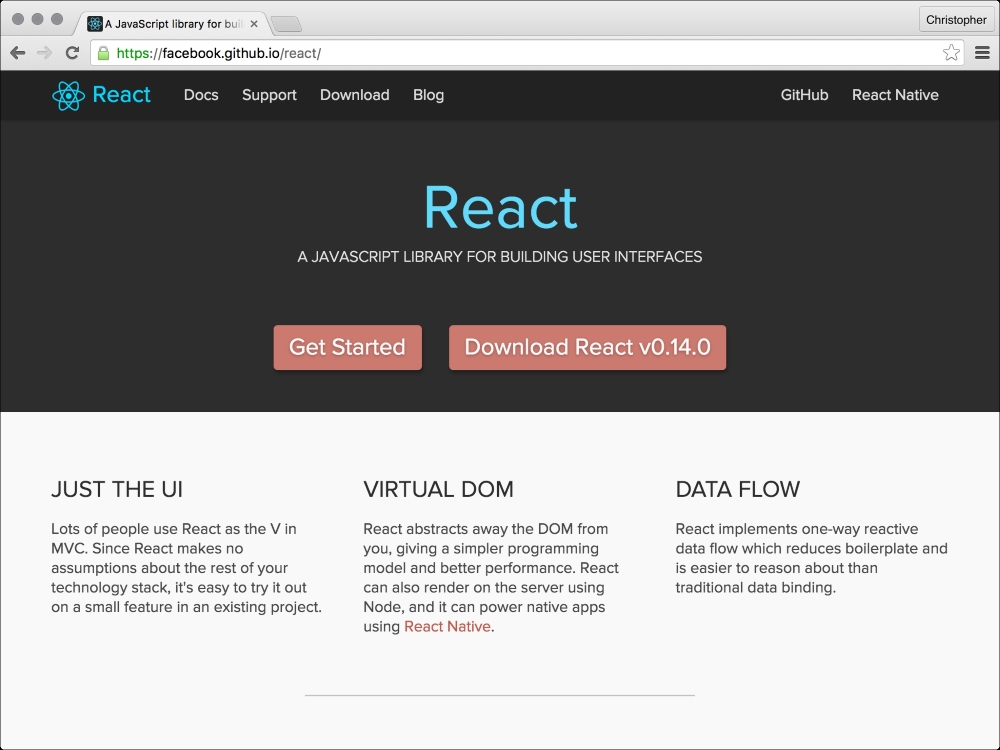
The easiest place to find these files is at https://facebook.github.io/react. Click on the download button, extract the archive, and copy the JS files in the build folder to where they are referenced in the HTML page.

The ReactJS website is a great place to download ReactJS, and find documentation about how you can use it:

Debugging in the browser
CONTINUE READING
83
Tech Concepts
36
Programming languages
73
Tech Tools
Icon Unlimited access to the largest independent learning library in tech of over 8,000 expert-authored tech books and videos.
Icon Innovative learning tools, including AI book assistants, code context explainers, and text-to-speech.
Icon 50+ new titles added per month and exclusive early access to books as they are being written.
React Components
notes
bookmark Notes and Bookmarks search Search in title playlist Add to playlist font-size Font size

Change the font size

margin-width Margin width

Change margin width

day-mode Day/Sepia/Night Modes

Change background colour

Close icon Search
Country selected

Close icon Your notes and bookmarks

Confirmation

Modal Close icon
claim successful

Buy this book with your credits?

Modal Close icon
Are you sure you want to buy this book with one of your credits?
Close
YES, BUY

Submit Your Feedback

Modal Close icon
Modal Close icon
Modal Close icon