-
Book Overview & Buying
-
Table Of Contents

Processing XML documents with Oracle JDeveloper 11g
By :


Processing XML documents with Oracle JDeveloper 11g
By:
Overview of this book
XML is an open standard for creating markup languages and exchanging structured documents and data over the Internet. JDeveloper 11g presents an effective, quick, and easy-to-use means of processing XML documents.
Inspired by the author's previous XML articles for the Oracle community, this expanded hands-on tutorial guides newcomers and intermediate users through JDeveloper 11g and XML document development. It offers up-to-date information on working with the latest version of JDeveloper, and brand new information on JAXB 2.0 support in JDeveloper 11g. Filled with illustrations, explanatory tables, and comprehensive instructions, this book walks the reader through the wide assortment of JDeveloper's capabilities.
Oracle's JDeveloper 11g is an Integrated Development Environment that provides a visual and declarative approach to application development. Over the course of 14 chapters, readers will get hands-on with JDeveloper as the comprehensive and self-contained tutorials provide clear instruction on the key XML tasks that JDeveloper can accomplish.
Filled with practical information and illustrated examples, this book shows the reader how to create, parse, and store XML documents quickly, as well as providing step-by-step instructions on how to construct an XML schema and use the schema to validate an XML document.
Oracle's XML Developer Kit (XDK) offers a set of components, tools, and utilities for developing XML-based applications, and developers will find the detailed XDK coverage invaluable. Later chapters are given over to using XPath, transforming XML with XSLT, and using the JSTL XML Tag Library.
Moving through the book, a chapter on the JAXB 2.0 API shows you how to bind, marshal and unmarshal XML documents, before we finally delve into comparing XML documents, and converting them into PDF and Excel formats. In all, this book will enable the reader to gain a good and wide-ranging understanding of what JDeveloper has to offer for XML processing.
Table of Contents (16 chapters)
Preface


 Free Chapter
1. Creating and Parsing an XML Document
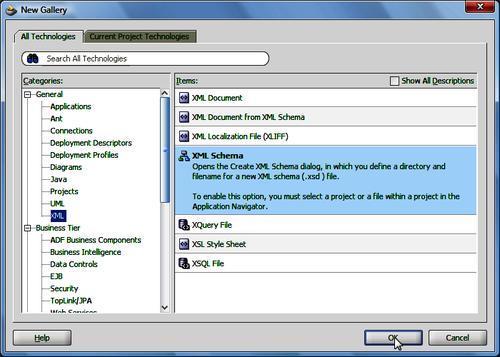
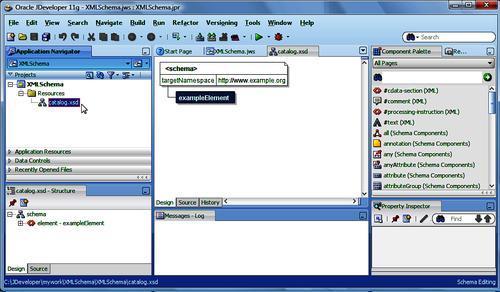
2. Creating an XML Schema

3. XML Schema Validation
4. XPath
5. Transforming XML with XSLT
6. JSTL XML Tag Library
7. Loading and Saving XML with DOM 3.0 LS
8. Validating an XML Document with DOM 3 Validation
9. JAXB 2.0
10. Comparing XML Documents
11. Converting XML to PDF
12. Converting XML to MS Excel
13. Storing XML in Oracle Berkeley DB XML
14. Oracle XML Publisher
Index