Sign In Start Free Trial
Account

Add to playlist

Create a Playlist

Modal Close icon
You need to login to use this feature.
  • Book Overview & Buying Building Websites with e107
  • Table Of Contents Toc
Building Websites with e107

Building Websites with e107

close
close
Building Websites with e107

Building Websites with e107

Overview of this book

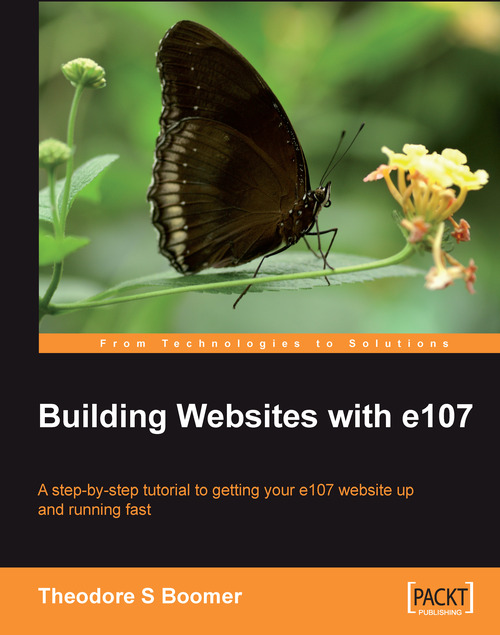
e107 is a PHP-based content management system that uses the popular open source MySQL database system for content storage. e107 is released under the terms of the GNU General Public License and is completely free, totally customizable and in constant development. It is an ideal tool for developing small to large dynamic community websites, intra company portals, corporate portals, weblogs and much more. It has a large, enthusiastic, and helpful community of users.If you want to create a powerful, fully-featured website in no time, this book is for you. This book will help you explore e107, putting you in the picture of what it offers, and how to go about building a site with the system. The book covers all the core features of e107, and it is thorough and incremental tutorial approach it gives you the understanding to experiment with advanced features and customization.
Table of Contents (16 chapters)
close
close
Building Websites with e107
Credits
About the Author
Acknowledgement
About the Reviewer
Preface

Customizing Layout


Using the control panel, we can modify the look of our site by activating or deactivating and changing the menu items. Let us change some things around on our site to demonstrate how this works.

Navigate to Area 2 (the first screenshot under the section Understanding the Theme Layout labels Area 2) by selecting Admin Area | Menus. Click the drop‑down menu below the heading powered_by. You will see a menu that looks as shown in the screenshot below. Select Deactivate and the item will disappear from Area 2 and appear in the Inactive Menus section in the middle of your screen.

You can check your work without having to log out of the administrative interface by opening up a new instance of your browser and viewing your page as a visitor. This will save you a lot of time. Do not forget to refresh the second browser after you have made changes with the admin browser or you will not see the changes.

Now go view your page as a visitor and you will notice that the Powered By e107...

CONTINUE READING
83
Tech Concepts
36
Programming languages
73
Tech Tools
Icon Unlimited access to the largest independent learning library in tech of over 8,000 expert-authored tech books and videos.
Icon Innovative learning tools, including AI book assistants, code context explainers, and text-to-speech.
Icon 50+ new titles added per month and exclusive early access to books as they are being written.
Building Websites with e107
notes
bookmark Notes and Bookmarks search Search in title playlist Add to playlist font-size Font size

Change the font size

margin-width Margin width

Change margin width

day-mode Day/Sepia/Night Modes

Change background colour

Close icon Search
Country selected

Close icon Your notes and bookmarks

Confirmation

Modal Close icon
claim successful

Buy this book with your credits?

Modal Close icon
Are you sure you want to buy this book with one of your credits?
Close
YES, BUY

Submit Your Feedback

Modal Close icon
Modal Close icon
Modal Close icon