


The Visual Studio project and its output have been added to the AOT, so the first stage of development is now complete. You can leave Visual Studio and switch to Microsoft Dynamics AX 2012. The project has been added to the Visual Studio Projects node in the AOT. As we have used C#, the project will be in the C Sharp Projects node.
Look for the DynamicsAxServices.WebServices.ZipCode project and expand some of the nodes to inspect it. It should appear as shown in the following screenshot:
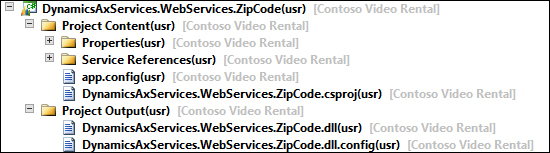
As you can see in the preceding screenshot, this is divided into the following two main components:
In order to use the assemblies that have been created and stored in the AOT, we'll have to deploy them. Let's look at the...