


When you first create a Scrum board using JIRA Agile's built-in templates, as outlined in Chapter 2, JIRA Agile for Scrum, the board is created with a set of default settings. Now, you as the board's administrator can go and customize these. To customize a board, perform the following steps:
Go to the Scrum board you want to customize.
Click on the Board drop-down menu and select the Configure option.
Select General from the left navigation:
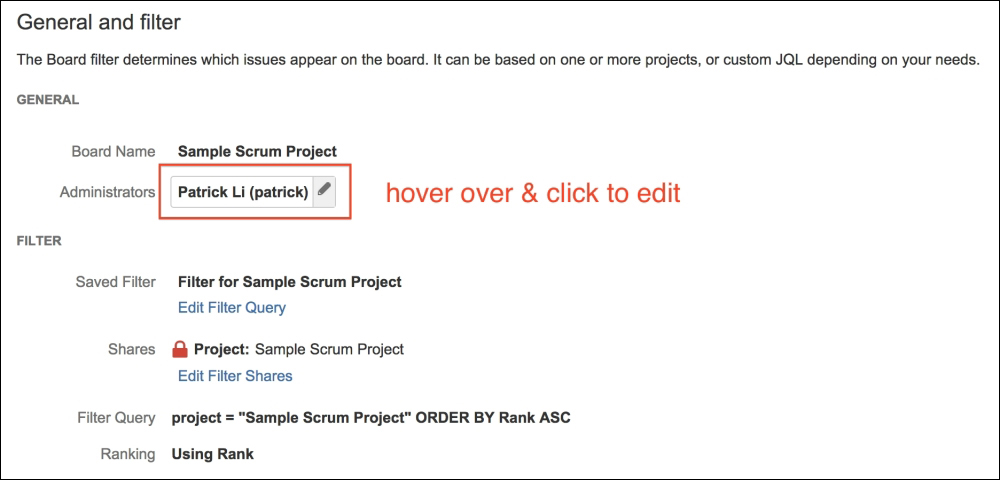
You can update the configuration options by first hovering over the field value, and then clicking on the edit (pencil) icon. The following table provides a summary of the configuration fields:
|
Field |
Description |
|---|---|
|
Board Name |
Name for the agile board. |
|
Administrators |
Users who can configure the agile board's settings. You can add more administrators by either selecting the users directly, or by selecting a group. |
|
Saved Filter |
This controls what issues will be included on the agile board. If you have created your board using the... |