
Sign In Start Free Trial
Account

Add to playlist

Create a Playlist

Modal Close icon
You need to login to use this feature.
  • Book Overview & Buying CCNA Security 210-260 Certification Guide
  • Table Of Contents Toc
CCNA Security 210-260 Certification Guide

CCNA Security 210-260 Certification Guide

By : Glen D. Singh, Vinod, Anandh
4.1 (22)
close
close
CCNA Security 210-260 Certification Guide

CCNA Security 210-260 Certification Guide

4.1 (22)
By: Glen D. Singh, Vinod, Anandh

Overview of this book

With CCNA Security certification, a network professional can demonstrate the skills required to develop security infrastructure, recognize threats and vulnerabilities to networks, and mitigate security threats. The CCNA Security 210-260 Certification Guide will help you grasp the fundamentals of network security and prepare you for the Cisco CCNA Security Certification exam. You’ll begin by getting a grip on the fundamentals of network security and exploring the different tools available. Then, you’ll see how to securely manage your network devices by implementing the AAA framework and configuring different management plane protocols. Next, you’ll learn about security on the data link layer by implementing various security toolkits. You’ll be introduced to various firewall technologies and will understand how to configure a zone-based firewall on a Cisco IOS device. You’ll configure a site-to-site VPN on a Cisco device and get familiar with different types of VPNs and configurations. Finally, you’ll delve into the concepts of IPS and endpoint security to secure your organization’s network infrastructure. By the end of this book, you’ll be ready to take the CCNA Security Exam (210-260).
Table of Contents (19 chapters)
close
close

Configuring an IPS on a Cisco IOS router

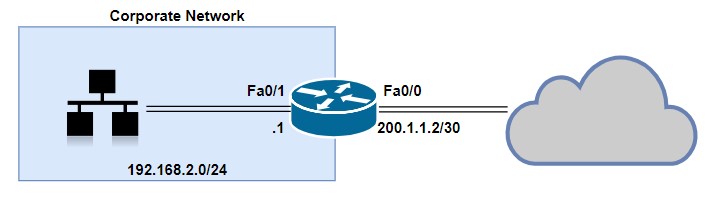
Let's begin configuring the IPS feature on the Cisco IOS router using the Cisco Configuration Professional (CCP). The following network topology will be used as a reference:
Now, perform the following steps:

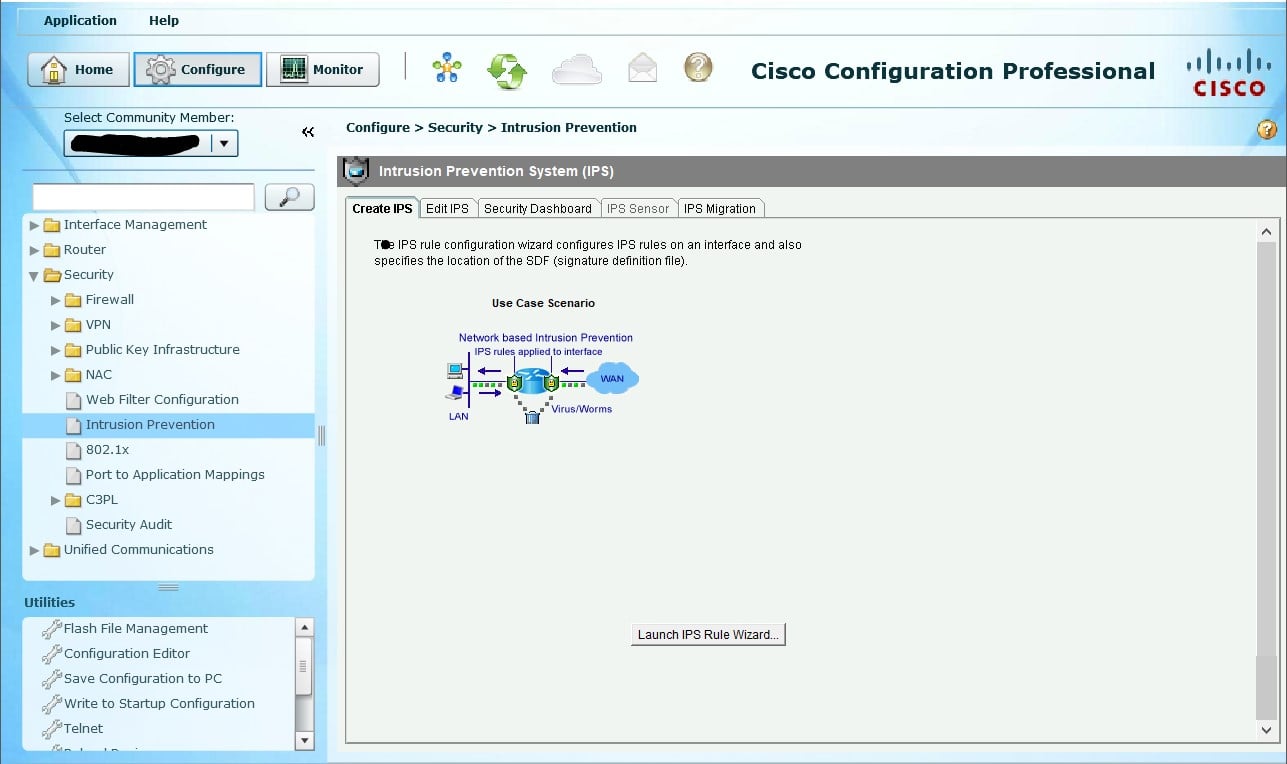
  1. Open the CCP and navigate to Configure | Security | Intrusion Prevention. Click on Launch IPS Rule Wizard...:
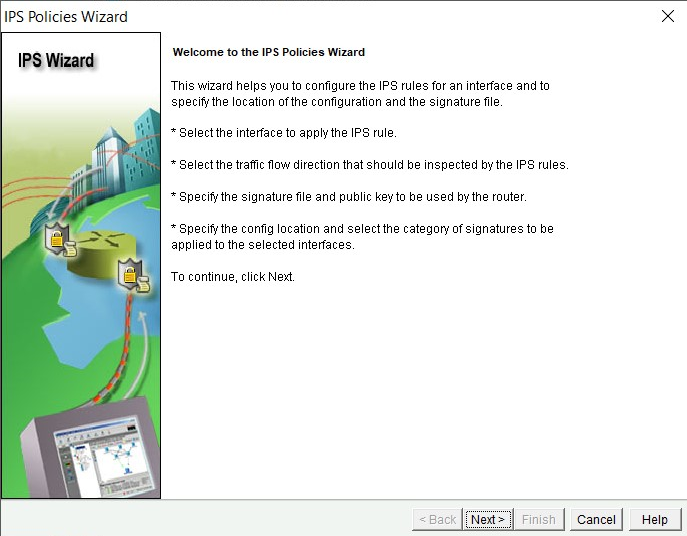
  1. The IPS Policies Wizard opens and provides us with an overview on the functionality of the wizard itself. Click on Next:
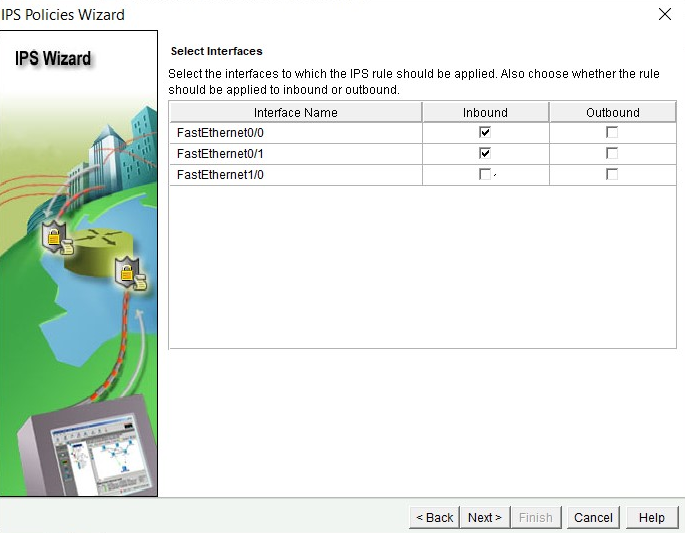
  1. Select which interfaces and direction the IPS sensor should monitor. In this exercise, we have selected both FastEthernet0/0 (Outside interface) and FastEthernet0/1 (Inside interface), and the direction is set as inbound. This means any traffic entering those two interfaces will be screened for potential threats. Click Next:
  1. In this phase, you'll need to add the Cisco IPS signature file...
CONTINUE READING
83
Tech Concepts
36
Programming languages
73
Tech Tools
Icon Unlimited access to the largest independent learning library in tech of over 8,000 expert-authored tech books and videos.
Icon Innovative learning tools, including AI book assistants, code context explainers, and text-to-speech.
Icon 50+ new titles added per month and exclusive early access to books as they are being written.
CCNA Security 210-260 Certification Guide
notes
bookmark Notes and Bookmarks search Search in title playlist Add to playlist download Download options font-size Font size

Change the font size

margin-width Margin width

Change margin width

day-mode Day/Sepia/Night Modes

Change background colour

Close icon Search
Country selected

Close icon Your notes and bookmarks

Confirmation

Modal Close icon
claim successful

Buy this book with your credits?

Modal Close icon
Are you sure you want to buy this book with one of your credits?
Close
YES, BUY

Submit Your Feedback

Modal Close icon
Modal Close icon
Modal Close icon