
Sign In Start Free Trial
Account

Add to playlist

Create a Playlist

Modal Close icon
You need to login to use this feature.
  • Book Overview & Buying kubectl: Command-Line Kubernetes in a Nutshell
  • Table Of Contents Toc
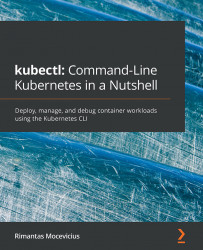
kubectl: Command-Line Kubernetes in a Nutshell

kubectl: Command-Line Kubernetes in a Nutshell

By : Rimantas Mocevicius
4.4 (7)
close
close
kubectl: Command-Line Kubernetes in a Nutshell

kubectl: Command-Line Kubernetes in a Nutshell

4.4 (7)
By: Rimantas Mocevicius

Overview of this book

The kubectl command line tool lets you control Kubernetes clusters to manage nodes in the cluster and perform all types of Kubernetes operations. This introductory guide will get you up to speed with kubectl in no time. The book is divided into four parts, touching base on the installation and providing a general overview of kubectl in the first part. The second part introduces you to managing Kubernetes clusters and working with nodes. In the third part, you’ll be taken through the different ways in which you can manage Kubernetes applications, covering how to create, update, delete, view, and debug applications. The last part of the book focuses on various Kubernetes plugins and commands. You’ll get to grips with using Kustomize and discover Helm, a Kubernetes package manager. In addition to this, you’ll explore how you can use equivalent Docker commands in kubectl. By the end of this book, you’ll have learned how to install and update an application on Kubernetes, view its logs, and inspect clusters effectively.
Table of Contents (16 chapters)
close
close
1
Section 1: Getting Started with kubectl
3
Section 2: Kubernetes Cluster and Node Management
6
Section 3: Application Management
10
Section 4: Extending kubectl

Rolling back an application release

There are always cases (such as bugs in the code, the wrong Docker tag supplied for the latest release, and more) when you need to roll back an application release to a previous version.

This can be done using the $ kubectl rollout undo deployment nginx command followed by the get and describe commands:

Figure 5.2 – Deployment release rollback

The preceding output shows the version as Image: nginx:1.18.0, so the rollback was successful.

We can also check the deployment rollout history:

$ kubectl rollout history deployment nginx
deployment.apps/nginx
REVISION  CHANGE-CAUSE
1         <none>
2         <none>

We can also roll back to a specific revision:

$ kubectl rollout undo deployment nginx –to-revision=1
deployment.apps/nginx rolled back

Nice, we have learned how to roll back a deployment...

CONTINUE READING
83
Tech Concepts
36
Programming languages
73
Tech Tools
Icon Unlimited access to the largest independent learning library in tech of over 8,000 expert-authored tech books and videos.
Icon Innovative learning tools, including AI book assistants, code context explainers, and text-to-speech.
Icon 50+ new titles added per month and exclusive early access to books as they are being written.
kubectl: Command-Line Kubernetes in a Nutshell
notes
bookmark Notes and Bookmarks search Search in title playlist Add to playlist download Download options font-size Font size

Change the font size

margin-width Margin width

Change margin width

day-mode Day/Sepia/Night Modes

Change background colour

Close icon Search
Country selected

Close icon Your notes and bookmarks

Confirmation

Modal Close icon
claim successful

Buy this book with your credits?

Modal Close icon
Are you sure you want to buy this book with one of your credits?
Close
YES, BUY

Submit Your Feedback

Modal Close icon
Modal Close icon
Modal Close icon