Sign In Start Free Trial
Account

Add to playlist

Create a Playlist

Modal Close icon
You need to login to use this feature.
  • Book Overview & Buying MySQL 5.1 Plugin Development
  • Table Of Contents Toc
MySQL 5.1 Plugin Development

MySQL 5.1 Plugin Development

5 (2)
close
close
MySQL 5.1 Plugin Development

MySQL 5.1 Plugin Development

5 (2)

Overview of this book

MySQL has introduced a Plugin API with its latest version – a robust, powerful, and easy way of extending the server functionality with loadable modules on the fly. But until now anyone wishing to develop a plugin would almost certainly need to dig into the MySQL source code and search the Web for missing bits of the information.This is the first book on the MySQL Plugin API. Written together with one of the Plugin API primary architects, it contains all the details you need to build a plugin. It shows what a plugin should contain and how to compile, install, and package it. Every chapter illustrates the material with thoroughly explained source code examples.Starting from the basic features, common to all plugin types, and the structure of the plugin framework, this book will guide you through the different plugin types, from simple examples to advanced ones. Server monitoring, full-text search in JPEG comments, typo-tolerant searches, getting the list of all user variables, system usage statistics, or a complete storage engine with indexes – these and other plugins are developed in different chapters of this book, demonstrating the power and versatility of the MySQL Plugin API and explaining the intricate details of MySQL Plugin programming.
Table of Contents (16 chapters)
close
close
MySQL 5.1 Plugin Development
Credits
About the Authors
About the Reviewer
Preface

Plugin libraries


Building and installing plugin libraries is very much like building and installing UDFs. The include and library paths are the same but some further build options are needed. This is slightly complicated by the fact that some plugin types (namely Information Schema and Storage Engine plugins) require the MySQL source to be downloaded for the version of the MySQL server you have installed. This is so that the plugin can have access to data and functions that are only "half-public" and are not declared in the installed C header files.

Linux

When compiling on Linux and using just the normal plugin API we can compile in the same way as with UDFs:

gcc -omy_plugin.so my_plugin.c `mysql_config --cflags` -shared -fPIC -DMYSQL_DYNAMIC_PLUGIN

Notice that the main difference here is -DMYSQL_DYNAMIC_PLUGIN. This sets up the necessary environment for the plugin at compile time.

For plugins that require access to the MySQL server source, compiling is slightly different (suppose, the MySQL source tree is in /Sources/mysql‑5.1.35):

gcc omy_plugin.so my_plugin.cc `mysql_config cflags` —I/Sources/mysql 5.1.35/include/ I/Sources/mysql 5.1.35/regex —I/Sources/mysql 5.1.35/sql shared fPIC fno exceptions —fno rtti DMYSQL_DYNAMIC_PLUGIN

Typically, such a plugin will be in C++, not C. It is compiled exactly the same way the main server is—without exceptions or runtime type identification. Technically, it could use exceptions, but then it may need to use g++ instead of gcc as a C++ compiler. Either way, it needs extra include paths that point to the include/, regex/, and sql/ directories of the MySQL source tree.

Mac OS X

Just as in the UDF case, compiling plugins on Mac OS X is almost the same as on Linux. You can use the same command line and only replace ‑shared ‑fPIC with ‑bundle or bundle ‑Wl, ‑undefined ‑Wl,dynamic_lookup as explained before.

Windows

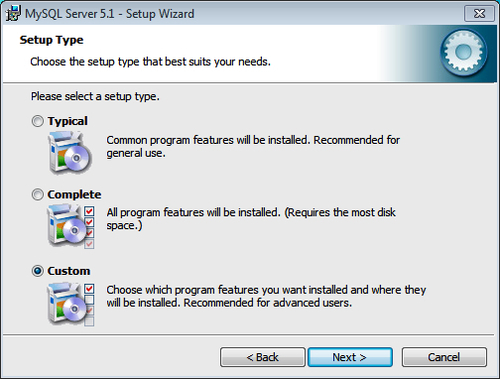
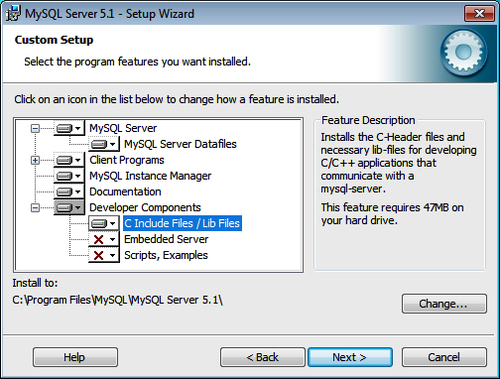
In Windows we can compile MySQL plugins that do not require the inclusion of the MySQL source code (everything except Information Schema and Storage Engine plugins) using a process very similar to compiling UDFs.

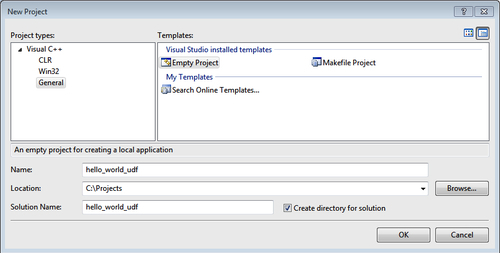
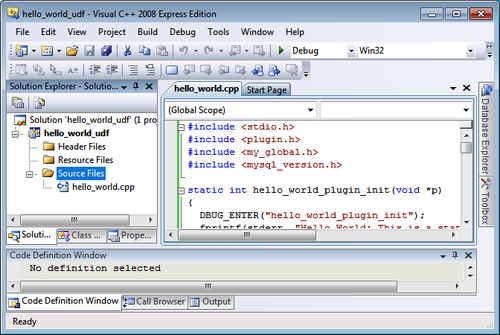
First, we need to create an empty project file to contain the source and build environment:

We can then add or create a .cpp file containing the source for our plugin:

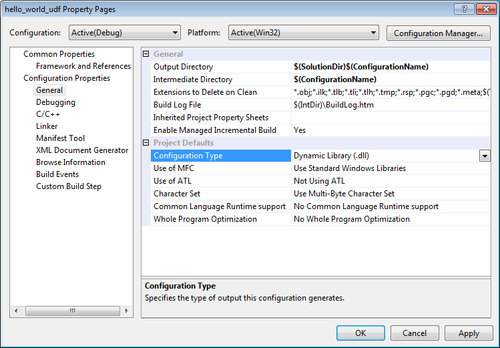
This project needs to be a .dll, not an executable one. We can set this in the project's Property Pages dialog:

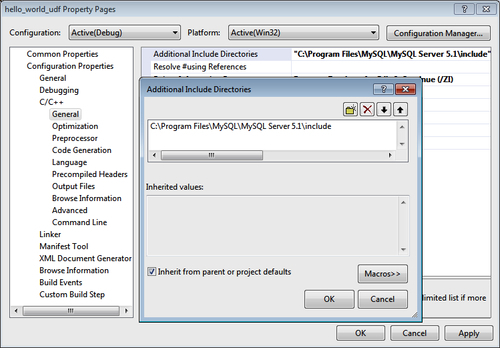
We now need to set up the C/C++ include paths so that the MySQL include path is in them:

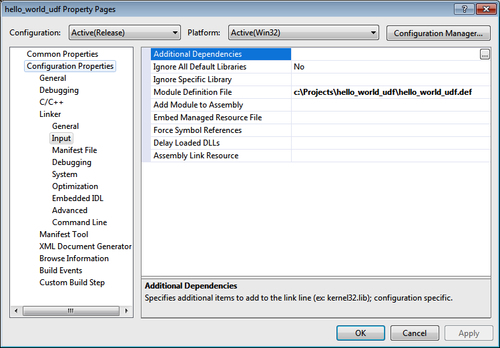
This final step is different to compiling the UDFs. We need to add a C/C++ preprocessor definition so that the include files set up everything we need for a MySQL plugin. To do this we simply add MYSQL_DYNAMIC_PLUGIN to the definitions list:

Installing a plugin

Just as with UDFs, our MySQL plugin needs to be in plugin_dir before it can be added to MySQL. Once it is located there the syntax is very simple. All of the details about how to use the plugin are in the plugin itself. So we simply need:

INSTALL PLUGIN my_plugin SONAME 'my_plugin.so'
CONTINUE READING
83
Tech Concepts
36
Programming languages
73
Tech Tools
Icon Unlimited access to the largest independent learning library in tech of over 8,000 expert-authored tech books and videos.
Icon Innovative learning tools, including AI book assistants, code context explainers, and text-to-speech.
Icon 50+ new titles added per month and exclusive early access to books as they are being written.
MySQL 5.1 Plugin Development
notes
bookmark Notes and Bookmarks search Search in title playlist Add to playlist font-size Font size

Change the font size

margin-width Margin width

Change margin width

day-mode Day/Sepia/Night Modes

Change background colour

Close icon Search
Country selected

Close icon Your notes and bookmarks

Confirmation

Modal Close icon
claim successful

Buy this book with your credits?

Modal Close icon
Are you sure you want to buy this book with one of your credits?
Close
YES, BUY

Submit Your Feedback

Modal Close icon
Modal Close icon
Modal Close icon