Sign In Start Free Trial
Account

Add to playlist

Create a Playlist

Modal Close icon
You need to login to use this feature.
  • Book Overview & Buying Blueprints Visual Scripting for Unreal Engine
  • Table Of Contents Toc
Blueprints Visual Scripting for Unreal Engine

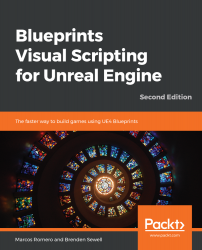
Blueprints Visual Scripting for Unreal Engine - Second Edition

By : Marcos Romero, Brenden Sewell
4.5 (10)
close
close
Blueprints Visual Scripting for Unreal Engine

Blueprints Visual Scripting for Unreal Engine

4.5 (10)
By: Marcos Romero, Brenden Sewell

Overview of this book

Blueprints is the visual scripting system in Unreal Engine that enables programmers to create baseline systems and can be extended by designers. This book helps you explore all the features of the Blueprint Editor and guides you through using Variables, Macros, and Functions. You’ll also learn about object-oriented programming (OOP) and discover the Gameplay Framework. In addition to this, you’ll learn how Blueprint Communication allows one Blueprint to access information from another Blueprint. Later chapters will focus on building a fully functional game using a step-by-step approach. You’ll start with a basic first-person shooter (FPS) template, and each chapter will build on the prototype to create an increasingly complex and robust game experience. You’ll then progress from creating basic shooting mechanics to more complex systems, such as user interface elements and intelligent enemy behavior. The skills you will develop using Blueprints can also be employed in other gaming genres. In the concluding chapters, the book demonstrates how to use arrays, maps, enums, and vector operations. Finally, you’ll learn how to build a basic VR game. By the end of this book, you’ll have learned how to build a fully functional game and will have the skills required to develop an entertaining experience for your audience.
Table of Contents (22 chapters)
close
close
Lock Free Chapter
1
Section 1: Blueprint Fundamentals
6
Section 2: Developing a Game
11
Section 3: Enhancing the Game
16
Section 4: Advanced Blueprints

Optimizing your graphics settings

Prior to creating a build, or a version of our game that has been optimized to play on a particular platform, you should change the graphics settings of our game to ensure that they are suited to your target machines. The graphics settings in Unreal Engine 4 are identified as Engine Scalability Settings. This setting interface is composed of several graphics settings, each of which determines the final visual quality of one element of the game. With any game, there is a trade-off between high-quality effects and visuals, and the performance of that game in terms of frame rate.

Games that struggle with low frame rates feel bad from a gameplay perspective, even if the mechanics are otherwise solid. As such, it is important to balance the desire to make your game look as good as it can with the need to understand what the performance impact will...

CONTINUE READING
83
Tech Concepts
36
Programming languages
73
Tech Tools
Icon Unlimited access to the largest independent learning library in tech of over 8,000 expert-authored tech books and videos.
Icon Innovative learning tools, including AI book assistants, code context explainers, and text-to-speech.
Icon 50+ new titles added per month and exclusive early access to books as they are being written.
Blueprints Visual Scripting for Unreal Engine
notes
bookmark Notes and Bookmarks search Search in title playlist Add to playlist download Download options font-size Font size

Change the font size

margin-width Margin width

Change margin width

day-mode Day/Sepia/Night Modes

Change background colour

Close icon Search
Country selected

Close icon Your notes and bookmarks

Confirmation

Modal Close icon
claim successful

Buy this book with your credits?

Modal Close icon
Are you sure you want to buy this book with one of your credits?
Close
YES, BUY

Submit Your Feedback

Modal Close icon
Modal Close icon
Modal Close icon