
Sign In Start Free Trial
Account

Add to playlist

Create a Playlist

Modal Close icon
You need to login to use this feature.
  • Book Overview & Buying Linux System Programming Techniques
  • Table Of Contents Toc
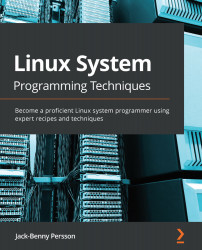
Linux System Programming Techniques

Linux System Programming Techniques

By : Jack-Benny Persson
4.8 (8)
close
close
Linux System Programming Techniques

Linux System Programming Techniques

4.8 (8)
By: Jack-Benny Persson

Overview of this book

Linux is the world's most popular open source operating system (OS). Linux System Programming Techniques will enable you to extend the Linux OS with your own system programs and communicate with other programs on the system. The book begins by exploring the Linux filesystem, its basic commands, built-in manual pages, the GNU compiler collection (GCC), and Linux system calls. You'll then discover how to handle errors in your programs and will learn to catch errors and print relevant information about them. The book takes you through multiple recipes on how to read and write files on the system, using both streams and file descriptors. As you advance, you'll delve into forking, creating zombie processes, and daemons, along with recipes on how to handle daemons using systemd. After this, you'll find out how to create shared libraries and start exploring different types of interprocess communication (IPC). In the later chapters, recipes on how to write programs using POSIX threads and how to debug your programs using the GNU debugger (GDB) and Valgrind will also be covered. By the end of this Linux book, you will be able to develop your own system programs for Linux, including daemons, tools, clients, and filters.
Table of Contents (14 chapters)
close
close

To get the most out of this book

To get the most out of this book, you'll need a basic understanding of Linux, some basic commands, be familiar with moving around the filesystem, and installing new programs. It would help if you also have a basic understanding of programming, preferably the C language.

You will need a Linux computer with root access—either via su or sudo—to complete all the recipes. You'll also need to install the GCC compiler, the Make tool, GDB, Valgrind, and some other smaller tools. The particular Linux distribution doesn't matter that much. There are installation instructions in the book for these programs for Debian, Ubuntu, CentOS, Fedora, and Red Hat.

If you are using the digital version of this book, we advise you to type the code yourself or access the code via the GitHub repository (link available in the next section). Doing so will help you avoid any potential errors related to the copying and pasting of code.

Download the example code files

You can download the example code files for this book from GitHub at https://github.com/PacktPublishing/Linux-System-Programming-Techniques. In case there's an update to the code, it will be updated on the existing GitHub repository.

We also have other code bundles from our rich catalog of books and videos available at https://github.com/PacktPublishing/. Check them out!

CONTINUE READING
83
Tech Concepts
36
Programming languages
73
Tech Tools
Icon Unlimited access to the largest independent learning library in tech of over 8,000 expert-authored tech books and videos.
Icon Innovative learning tools, including AI book assistants, code context explainers, and text-to-speech.
Icon 50+ new titles added per month and exclusive early access to books as they are being written.
Linux System Programming Techniques
notes
bookmark Notes and Bookmarks search Search in title playlist Add to playlist download Download options font-size Font size

Change the font size

margin-width Margin width

Change margin width

day-mode Day/Sepia/Night Modes

Change background colour

Close icon Search
Country selected

Close icon Your notes and bookmarks

Confirmation

Modal Close icon
claim successful

Buy this book with your credits?

Modal Close icon
Are you sure you want to buy this book with one of your credits?
Close
YES, BUY

Submit Your Feedback

Modal Close icon
Modal Close icon
Modal Close icon