Sign In Start Free Trial
Account

Add to playlist

Create a Playlist

Modal Close icon
You need to login to use this feature.
  • Book Overview & Buying Microsoft SharePoint 2010 Power User Cookbook
  • Table Of Contents Toc
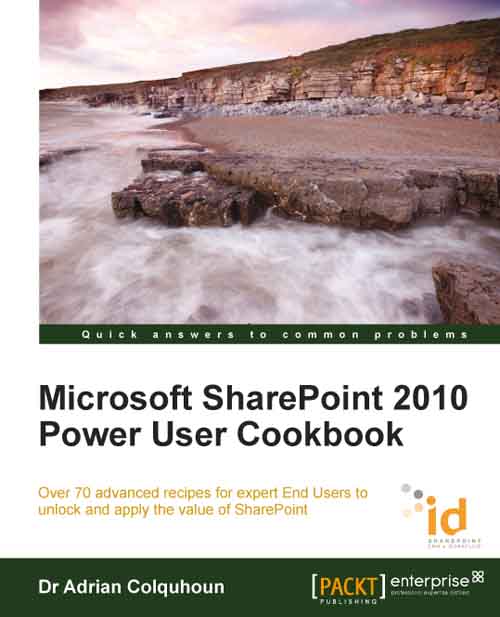
Microsoft SharePoint 2010 Power User Cookbook

Microsoft SharePoint 2010 Power User Cookbook

By : Adrian Colquhoun
4.7 (3)
close
close
Microsoft SharePoint 2010 Power User Cookbook

Microsoft SharePoint 2010 Power User Cookbook

4.7 (3)
By: Adrian Colquhoun

Overview of this book

The power of Microsoft SharePoint as the Enterprise collaboration platform is ever-growing; due to the wide range of capabilities it offers, SharePoint 2010 can help transform your business so you can quickly respond to the changes and challenges that you face. For End Users, SharePoint helps you and your team work "better, faster, and smarter". This book will take your SharePoint knowledge further, showing you how to use your skills to solve real business problems. While many other titles might be characterized as "SharePoint Explained", this cookbook contains advanced content that goes beyond that found in other SharePoint End User offerings: it is "SharePoint Applied". It provides recipes walking Power Users through a range of collaboration, data integration, business intelligence, electronic form, and workflow scenarios, as well as offering three invaluable business scenarios for building composite applications. The cookbook begins by providing a comprehensive treatment of SharePoint essentials, while quickly moving forward to topics like Data Integration, Business Intelligence, and automating business processes. At the end of the book, the information presented in the earlier recipes is combined to create three example SharePoint 2010 "composite applications" for Human Resources (HR), Customer Relationship Management (CRM), and Project Management. Composite applications are the "unique selling point" of SharePoint 2010 and understanding how to create them is the key to unlocking the business value of the product.
Table of Contents (11 chapters)
close
close
10
Index

Preface

This book is for people who want to "get things done" in Microsoft SharePoint Server 2010. You won't find a long and detailed history of the SharePoint product or a comprehensive explanation of every SharePoint feature. Rather, this book is a collection of recipes designed to quickly show you how to achieve common SharePoint tasks. Each recipe has a set of easy-to-follow instructions that first show you "how to do it", followed by an explanation of "why it works".

This is not a "tell me everything about SharePoint" book. You can read that for free on the Microsoft websites. Much like driving a car, you don't need to know how the engine works to be able to take the kids to school. This book is not "SharePoint explained"; rather this book is "SharePoint applied".

Taken individually, each recipe will make you more productive when using SharePoint 2010. The recipes are intended to be read "stand-alone". Feel free to dip in and out of the book as and when you need to know how to perform a particular task.

However, if you read this book as a whole, the simple, intermediate, and advanced recipes that it contains will walk you through a range of collaboration, data integration, business intelligence, electronic form, and workflow scenarios. The recipes will build your SharePoint knowledge to a point where you can "think SharePoint", applying the skills you have learnt to solve complex business problems. At the end of the book, I present three "no code" SharePoint applications that show you how to approach this.

This book is written from the perspective of the end user, not the SharePoint product. In creating its recipes, I haven't restricted them along product boundaries. Along with the standard SharePoint recipes that you would expect, you will also find recipes that show you how to use SharePoint Designer and InfoPath Forms Designer when they are needed to get the job done. You will also find a number of recipes that focus on integrating SharePoint 2010 with Office 2010. Some authors would have you buy several books to cover all these topics; I ask you to buy only one.

If you want to be more productive with SharePoint, then this book is for you.

CONTINUE READING
83
Tech Concepts
36
Programming languages
73
Tech Tools
Icon Unlimited access to the largest independent learning library in tech of over 8,000 expert-authored tech books and videos.
Icon Innovative learning tools, including AI book assistants, code context explainers, and text-to-speech.
Icon 50+ new titles added per month and exclusive early access to books as they are being written.
Microsoft SharePoint 2010 Power User Cookbook
notes
bookmark Notes and Bookmarks search Search in title playlist Add to playlist font-size Font size

Change the font size

margin-width Margin width

Change margin width

day-mode Day/Sepia/Night Modes

Change background colour

Close icon Search
Country selected

Close icon Your notes and bookmarks

Confirmation

Modal Close icon
claim successful

Buy this book with your credits?

Modal Close icon
Are you sure you want to buy this book with one of your credits?
Close
YES, BUY

Submit Your Feedback

Modal Close icon
Modal Close icon
Modal Close icon