Sign In Start Free Trial
Account

Add to playlist

Create a Playlist

Modal Close icon
You need to login to use this feature.
  • Book Overview & Buying Penetration Testing with Raspberry PI
  • Table Of Contents Toc
  • Feedback & Rating feedback
Penetration Testing with Raspberry PI

Penetration Testing with Raspberry PI

4.6 (12)
close
close
Penetration Testing with Raspberry PI

Penetration Testing with Raspberry PI

4.6 (12)

Overview of this book

If you are looking for a low budget, small form-factor remotely accessible hacking tool, then the concepts in this book are ideal for you. If you are a penetration tester who wants to save on travel costs by placing a low-cost node on a target network, you will save thousands by using the methods covered in this book. You do not have to be a skilled hacker or programmer to use this book. It will be beneficial to have some networking experience; however, it is not required to follow the concepts covered in this book.
Table of Contents (8 chapters)
close
close
7
Index

Hardware options and why the Pi

When researching for cheap and portable computing devices, there are many out there to choose from. This can make the process a little daunting if we don't know what we are looking for. Before we made our purchase, we started with a list of requirements that we felt were important. Some of the requirements we had when purchasing our option was the following:

  • Small footprint
  • Powerful
  • Wide community support
  • Inexpensive
  • Portable

There are very popular options out there such as, Arduino, Banana Pi, and even Intel with its newly announced Joule board. Each vendor out there is certainly a great option to use. The Intel platform is very powerful, but came in at too high a cost to justify. The Arduino certainly has a lot of community support and hardware options, but lacked some of the power we were looking for. Based on our requirements mentioned earlier, we decided to use a Raspberry Pi. It's the perfect small computer that offers a ton of flexibility, well-loved by the community with a lot of support, and definitely priced right.

Tip

This is the second edition of this book. The first edition focused on the Model B and all concepts are based on that limited performance. This edition, however, will be using a more current model of Raspberry Pi, Raspberry Pi 3, and therefore will provide more options.

Raspberry Pi has been around for some time. So if you do any research, we can see that there are multiple options out there. Here are the models to choose from:

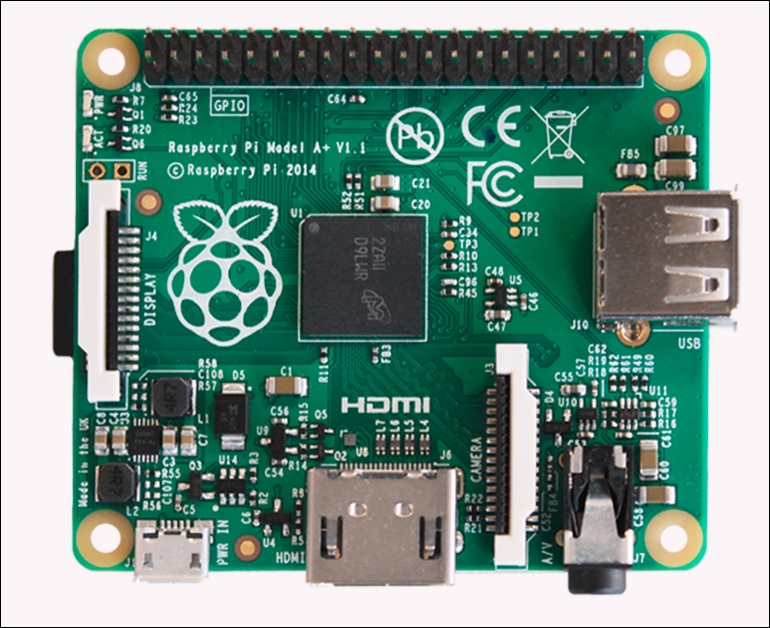
Hardware options and why the Pi

  • Raspberry Pi 1 Model A+
  • 700 Mhz ARMv6 32-bit Single Core
  • 512 MB RAM

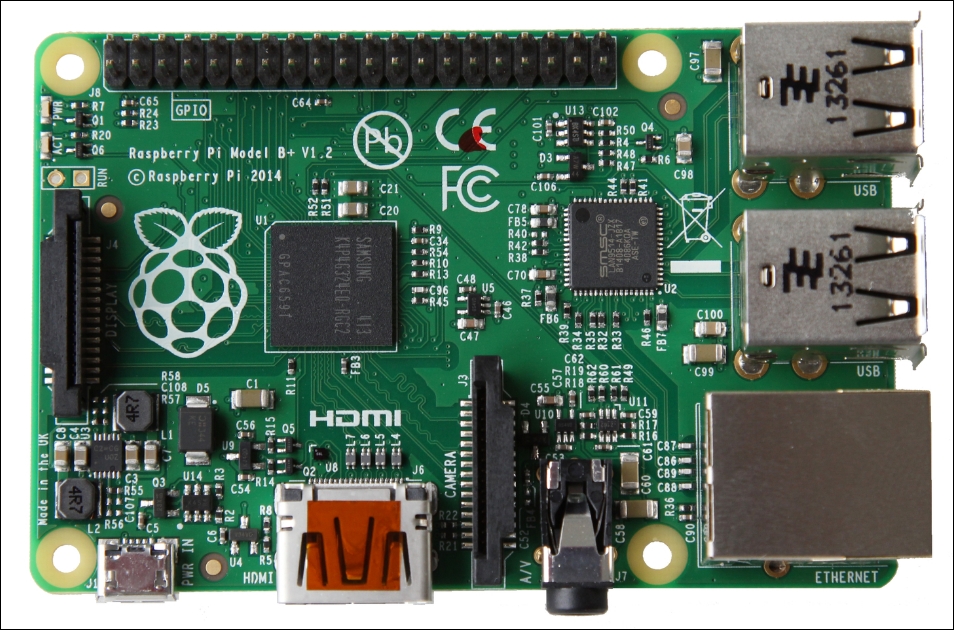
    Hardware options and why the Pi

  • Raspberry Pi 1 Model B+
  • 700 Mhz ARMv6 32-bit Single Core
  • 512 MB RAM

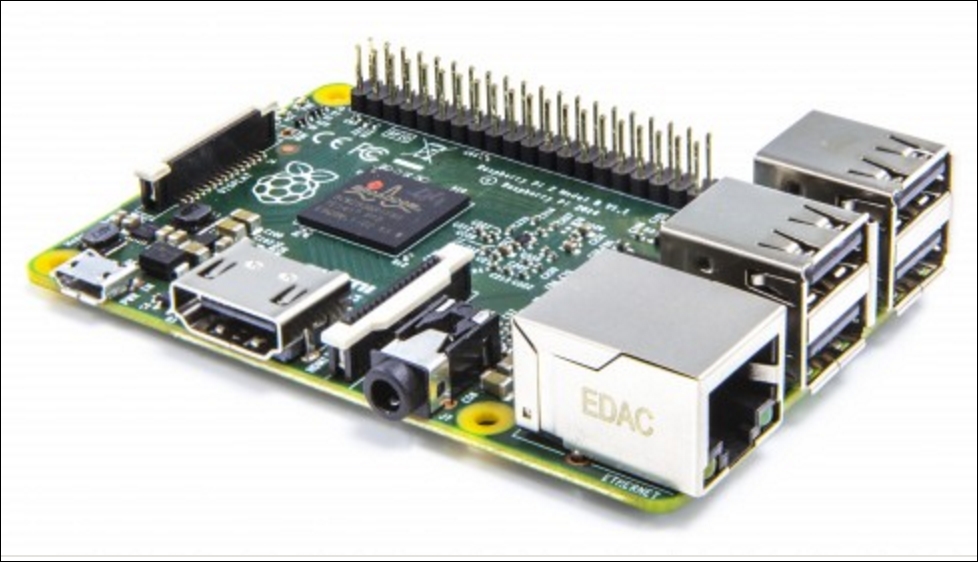
    Hardware options and why the Pi

  • Raspberry Pi 2 Model B
  • 900 Mhz ARMv7 32-bit Quad Core
  • 1 GB RAM

    Hardware options and why the Pi

  • Raspberry Pi 3 Model B
  • 2 Ghz ARMv8 64-bit Quad Core
  • 1 GB RAM

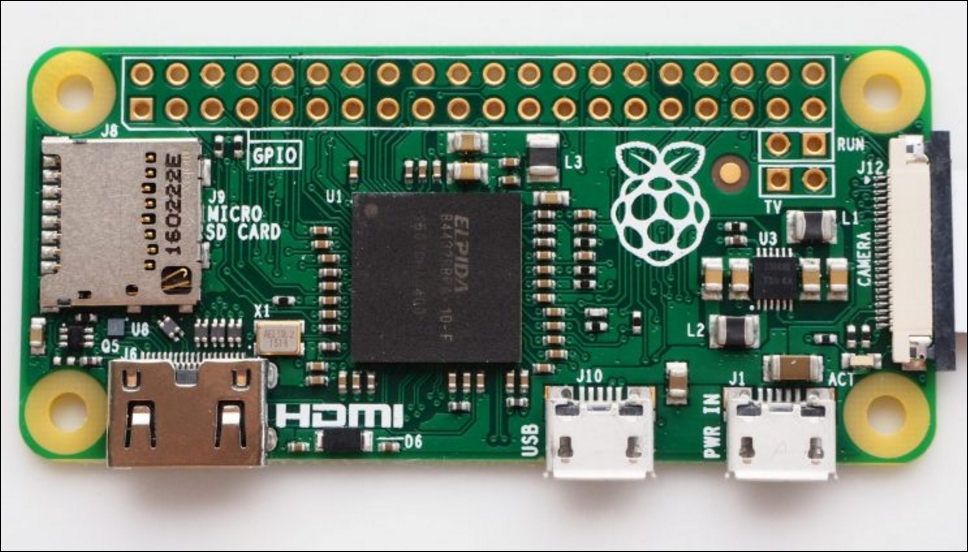
Let's not forget about the littlest Raspberry Pi out there, the Raspberry Pi Zero. This is a very inexpensive computer, typically available for $5. The Zero was released shortly after the Raspberry Pi 2 Model B. It is great for a lot of different projects we may want to build, offering a single-core 1 GHz processor and 512 MB SDRAM, and a cheaper alternative than the Pi 2 or Pi 3 models.

We should keep in mind that the Raspberry Pi Zero is a low-powered device compared to the Pi 3, so our mileage may vary. It's definitely not a direct replacement for the Pi 3 model, especially if we're looking for more hardware resources for our project.

Hardware options and why the Pi

As the models advanced, so did the hardware. The Pi 1 and Pi 2 models are great units, and they are still perfect for embedded projects. But due to the hardware enhancements and the power of the Raspberry Pi 3, Model B was our choice for this project. We wanted to get as much power in this little form factor as possible. The more power we have at our disposal, the better we should expect the pen-testing tools will perform.

Some of the key advantages the Raspberry Pi 3 has over the Raspberry Pi 2 are as follows:

  • Bluetooth 4.1 Support
  • Bluetooth Low Energy (BLE)
  • 2 GHZ Quad core ARM processor
  • 802.11n wireless support

These new additions can definitely help us in our quest to create the perfect portable pen-testing platform, but as we'll see a little later, some of these features are still not quite ready for prime time.

So with all these options to choose from, we selected the Raspberry Pi 3. The power was there with the Quad cores running at 1.2 GHz as well as SDRAM. But that wasn't just it, the Raspberry Pi 3 also offered the flexibility to use new pen-testing tools with the built-in wireless, as well as Bluetooth. We were very excited to see these new options compared with the past versions.

Visually different images
CONTINUE READING
83
Tech Concepts
36
Programming languages
73
Tech Tools
Icon Unlimited access to the largest independent learning library in tech of over 8,000 expert-authored tech books and videos.
Icon Innovative learning tools, including AI book assistants, code context explainers, and text-to-speech.
Icon 50+ new titles added per month and exclusive early access to books as they are being written.
Penetration Testing with Raspberry PI
notes
bookmark Notes and Bookmarks search Search in title playlist Add to playlist font-size Font size

Change the font size

margin-width Margin width

Change margin width

day-mode Day/Sepia/Night Modes

Change background colour

Close icon Search
Country selected

Close icon Your notes and bookmarks

Confirmation

Modal Close icon
claim successful

Buy this book with your credits?

Modal Close icon
Are you sure you want to buy this book with one of your credits?
Close
YES, BUY

Submit Your Feedback

Modal Close icon
Modal Close icon
Modal Close icon