Sign In Start Free Trial
Account

Add to playlist

Create a Playlist

Modal Close icon
You need to login to use this feature.
  • Book Overview & Buying Penetration Testing with Raspberry PI
  • Table Of Contents Toc
  • Feedback & Rating feedback
Penetration Testing with Raspberry PI

Penetration Testing with Raspberry PI

4.6 (12)
close
close
Penetration Testing with Raspberry PI

Penetration Testing with Raspberry PI

4.6 (12)

Overview of this book

If you are looking for a low budget, small form-factor remotely accessible hacking tool, then the concepts in this book are ideal for you. If you are a penetration tester who wants to save on travel costs by placing a low-cost node on a target network, you will save thousands by using the methods covered in this book. You do not have to be a skilled hacker or programmer to use this book. It will be beneficial to have some networking experience; however, it is not required to follow the concepts covered in this book.
Table of Contents (8 chapters)
close
close
7
Index

Assembling a Raspberry Pi

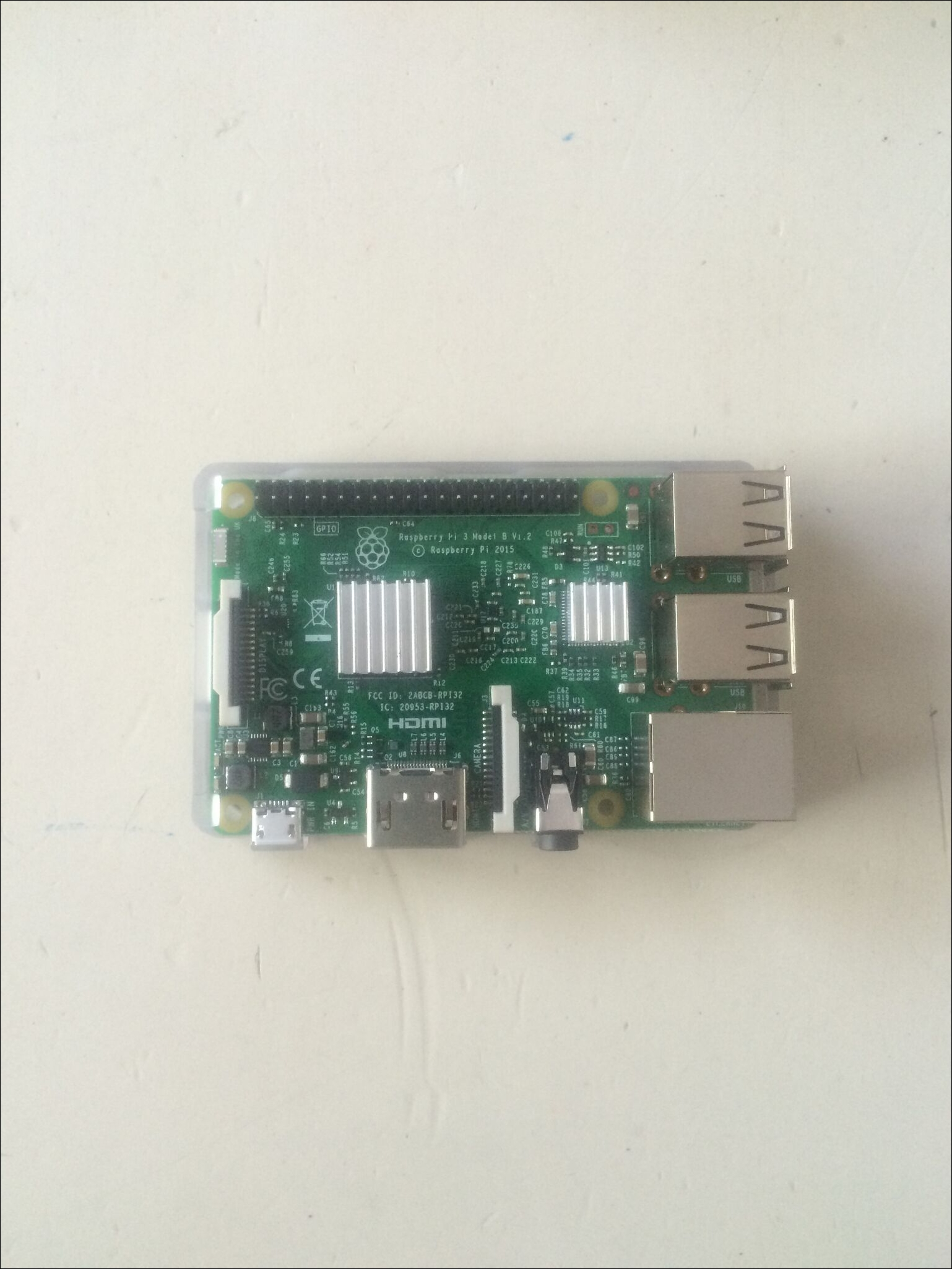
Putting together Raspberry Pi 3 for basic operation is a pretty straightforward process. There are a few items that need to be assembled before the initial use. Depending on package we get, we may have some additional parts that can be put together. The first thing we did was installed the heat sinks onto both the Broadcom chip, as well as the LAN chip:

Assembling a Raspberry Pi

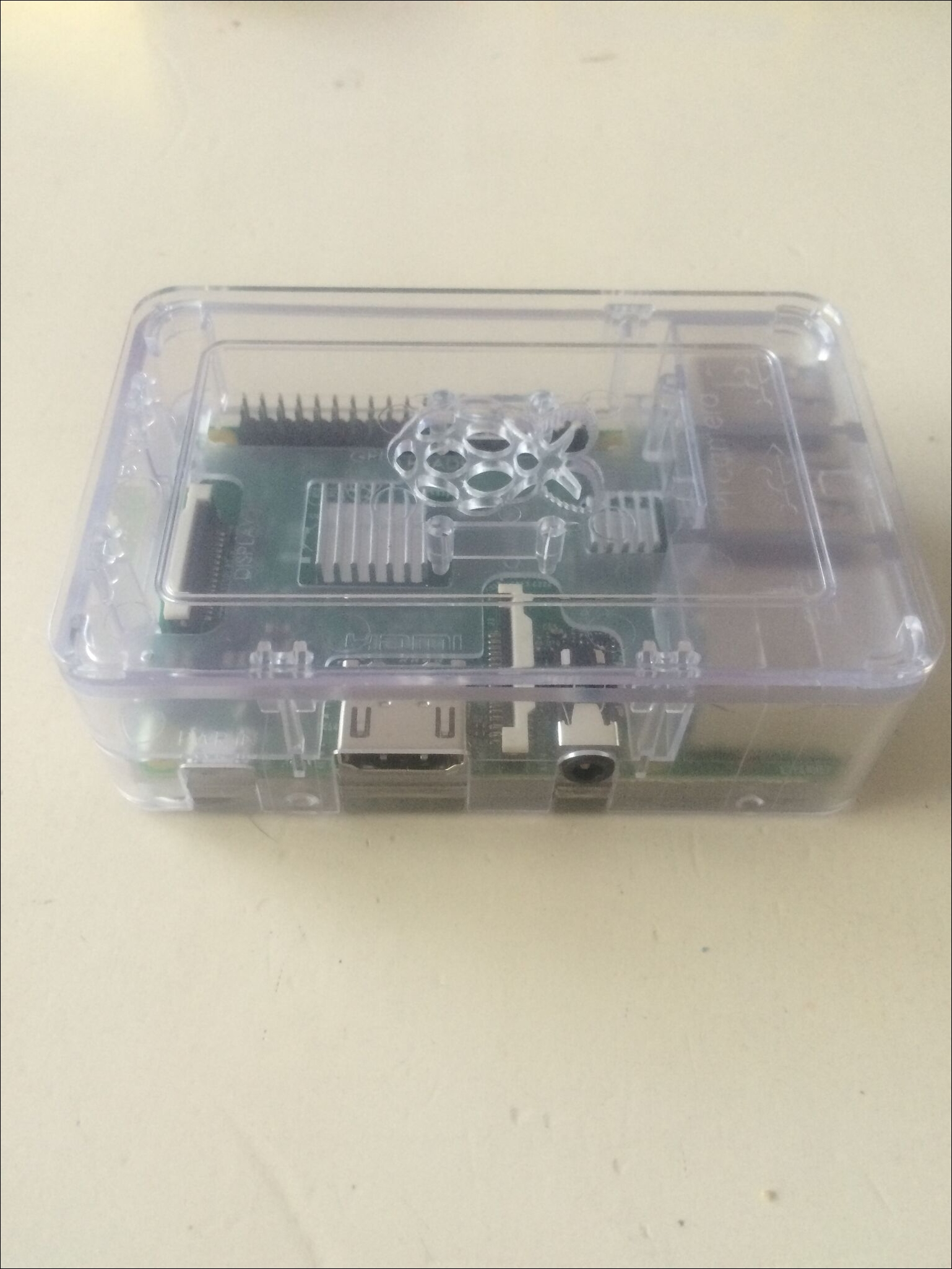
Next, we put the board in the case for protection, since we don't want anything to happen to our Raspberry Pi. There are different case options, and depending on the kit we get, we may get a different color or type. For example, there may be a need to hide our Pi from others. So stealth is sometimes a need or requirement, and the Pi can be hidden in objects or placed in a plain white case to look like it belongs to something else, such as a power adapter. In situations such as this, we may want to consider using a USB power supply to power our Raspberry Pi so as not to draw attention to the power cable running from the hidden Pi to the wall. This is ideal for a true plant scenario. Based on our tests, powering our Pi with the USB power stick gives us about 1 week or so, but our mileage will vary depending on the size of the power stick, as well as how heavily we consume the resources of the Pi over that time period.

Tip

Some people choose not to use the heat sinks or want to know if they are needed. We would always use the heat sink, especially if the Raspberry Pi is in a case and/or you plan on overclocking it (more on that topic in Chapter 2, Preparing for Battle). The chips tend to get a little hotter than the previous generations, and the last thing you would want to do is to overheat your Raspberry Pi.

Assembling a Raspberry Pi

After that, the Raspberry Pi 3 was fully assembled, we merely hooked up our monitor via the High-Definition Multimedia Interface (HDMI) interface using the cable provided,which is plugged in our USB mouse and keyboard, and start preparing for the SD card for the operating system.

Visually different images
CONTINUE READING
83
Tech Concepts
36
Programming languages
73
Tech Tools
Icon Unlimited access to the largest independent learning library in tech of over 8,000 expert-authored tech books and videos.
Icon Innovative learning tools, including AI book assistants, code context explainers, and text-to-speech.
Icon 50+ new titles added per month and exclusive early access to books as they are being written.
Penetration Testing with Raspberry PI
notes
bookmark Notes and Bookmarks search Search in title playlist Add to playlist font-size Font size

Change the font size

margin-width Margin width

Change margin width

day-mode Day/Sepia/Night Modes

Change background colour

Close icon Search
Country selected

Close icon Your notes and bookmarks

Confirmation

Modal Close icon
claim successful

Buy this book with your credits?

Modal Close icon
Are you sure you want to buy this book with one of your credits?
Close
YES, BUY

Submit Your Feedback

Modal Close icon
Modal Close icon
Modal Close icon