Sign In Start Free Trial
Account

Add to playlist

Create a Playlist

Modal Close icon
You need to login to use this feature.
  • Book Overview & Buying Leaflet.js Essentials
  • Table Of Contents Toc
Leaflet.js Essentials

Leaflet.js Essentials

By : Paul Crickard III
4 (7)
close
close
Leaflet.js Essentials

Leaflet.js Essentials

4 (7)
By: Paul Crickard III

Overview of this book

If you are a web developer working with geospatial concepts and mapping APIs, and you want to learn Leaflet to create mapping solutions, this book is for you. You need to have a basic knowledge of working with JavaScript and performing web application development.
Table of Contents (8 chapters)
close
close
7
Index

Multiple tile layers

In the previous example, you added a WMS layer and set the transparency to true. The reason you need to do this is because you can add multiple tile layers on top of each other, and with the transparency set to true, you will be able to see them all at the same time. In this example, you need to add the National Weather Service (NWS) radar mosaic WMS on top of the USGS satellite imagery.

Note

The National Oceanic and Atmospheric Administration (NOAA) provides a list of several WMS layers; they are available at the following link:

http://nowcoast.noaa.gov/help/mapservices.shtml?name=mapservices

The adding of extra WMS layers follows the same format as the previous example, but with a different URL, layer name, and attribution. Add the following code after the code for the satellite imagery in LeafletEssentials.html:

Varnexrad = L.tileLayer.wms("http://nowcoast.noaa.gov/wms/com.esri.wms.Esrimap/obs", {
layers: 'RAS_RIDGE_NEXRAD',
format: 'image/png',
transparent: true,
attribution: "NOAA/NWS"
}).addTo(map);

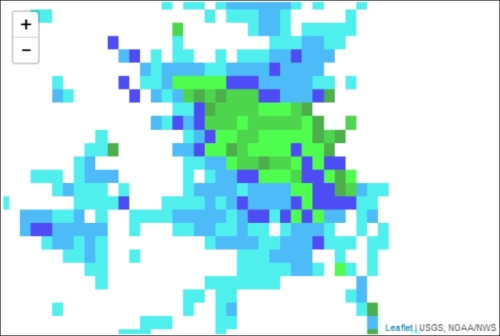
This code adds the NOAA WMS layer for the NWS radar mosaic. Note that the URL and layer have changed and the attribution is set to NOAA/NWS. The RAS_RIDGE_NEXRAD layer is a grid that displays values when they begin to exist. The name of the layer can be found on the NOAA website; you are not expected to remember that RAS_RIDGE_NEXRAD is the weather radar layer. There are large portions of the map with no data, and since we set the transparency to true, these blank spaces allow the satellite imagery to become visible. Your map should now show the satellite imagery with the radar mosaic overlaid, as in the following screenshot:

Multiple tile layers

If you set the transparency to false, you allow the layer to draw on the entire map. Areas with no data are displayed as white squares and cover the satellite imagery underneath, as shown in the following screenshot:

Multiple tile layers

WMS layers do not need to serve as base layers only; they can be used as additional data. This was shown in the previous example where you overlaid the radar on the satellite imagery. In this example, you used a satellite image. You can also use the OpenStreetMap tile layer from the first map. Again, just set the transparency to true. WMS layers can be added just like points, lines, and polygons, which is discussed in the following sections.

Visually different images
CONTINUE READING
83
Tech Concepts
36
Programming languages
73
Tech Tools
Icon Unlimited access to the largest independent learning library in tech of over 8,000 expert-authored tech books and videos.
Icon Innovative learning tools, including AI book assistants, code context explainers, and text-to-speech.
Icon 50+ new titles added per month and exclusive early access to books as they are being written.
Leaflet.js Essentials
notes
bookmark Notes and Bookmarks search Search in title playlist Add to playlist font-size Font size

Change the font size

margin-width Margin width

Change margin width

day-mode Day/Sepia/Night Modes

Change background colour

Close icon Search
Country selected

Close icon Your notes and bookmarks

Confirmation

Modal Close icon
claim successful

Buy this book with your credits?

Modal Close icon
Are you sure you want to buy this book with one of your credits?
Close
YES, BUY

Submit Your Feedback

Modal Close icon
Modal Close icon
Modal Close icon