Sign In Start Free Trial
Account

Add to playlist

Create a Playlist

Modal Close icon
You need to login to use this feature.
  • Book Overview & Buying Mastering Drupal 8
  • Table Of Contents Toc
Mastering Drupal 8

Mastering Drupal 8

By : Sean Montague, Chaz Chumley, William Hurley
4.2 (5)
close
close
Mastering Drupal 8

Mastering Drupal 8

4.2 (5)
By: Sean Montague, Chaz Chumley, William Hurley

Overview of this book

Drupal is an open source content management system trusted by governments and organizations around the globe to run their websites. It brings with it extensive content authoring tools, reliable performance, and a proven track record of security. The community of more than 1,000,000 developers, designers, editors, and others have developed and maintained a wealth of modules, themes, and other add-ons to help you build a dynamic web experience. Drupal 8 is the latest release of the Drupal built on the Symfony2 framework. This is the largest change to the Drupal project in its history. The entire API of Drupal has been rebuilt using Symfony and everything from the administrative UI to themes to custom module development has been affected. This book will cover everything you need to plan and build a complete website using Drupal 8. It will provide a clear and concise walkthrough of the more than 200 new features and improvements introduced in Drupal core. In this book, you will learn advanced site building techniques, create and modify themes using Twig, create custom modules using the new Drupal API, explore the new REST and Multilingual functionality, import, and export Configuration, and learn how to migrate from earlier versions of Drupal.
Table of Contents (17 chapters)
close
close

Creating view pages and blocks


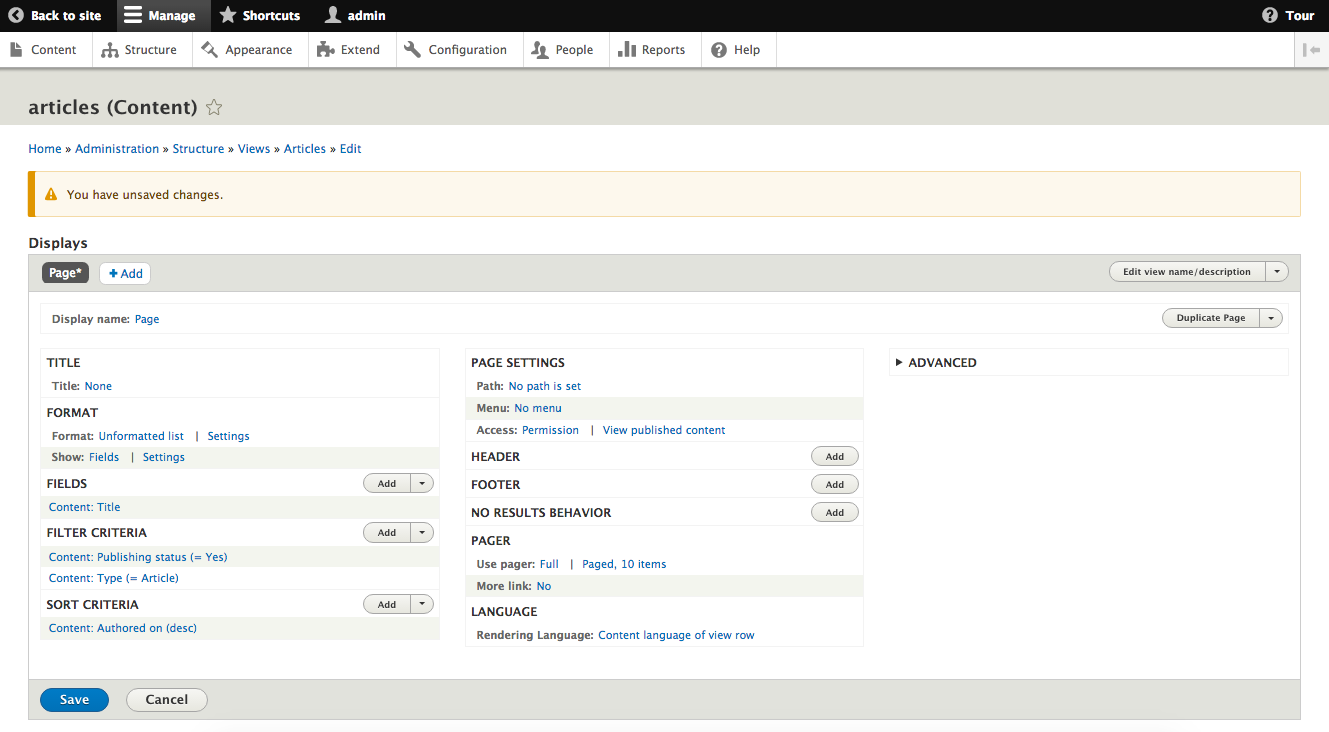
We can create a new page display by selecting the Add button from the Displays screen and then selecting Page* from the list.

Most settings will be the same as the initial Master Display you initially created. The new configuration is around how a user will be able to get to the View. There will be a new section labeled PAGE SETTINGS where we will see options for Path and Menu.

  • Path is the URL that a user can place within their browser to navigate to the View page.
  • Menu is where the new path will be attached to., such as the main menu of our site.

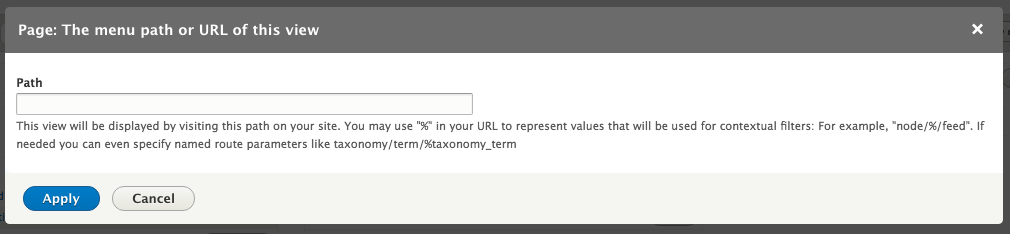
Path is required, so we will need to click on the link that reads No path is set and enter a new path in the dialog that opens. The path should be entered without a leading slash, for example it should be like articles and not /articles.

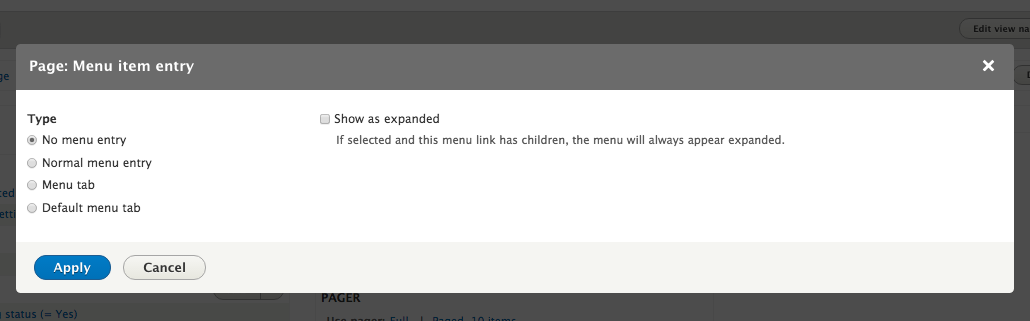
You can optionally add a menu link to our page. Clicking on the link that reads No menu entry will bring up a dialog where we can add one of a few different types of menu links:

Menu link...

CONTINUE READING
83
Tech Concepts
36
Programming languages
73
Tech Tools
Icon Unlimited access to the largest independent learning library in tech of over 8,000 expert-authored tech books and videos.
Icon Innovative learning tools, including AI book assistants, code context explainers, and text-to-speech.
Icon 50+ new titles added per month and exclusive early access to books as they are being written.
Mastering Drupal 8
notes
bookmark Notes and Bookmarks search Search in title playlist Add to playlist download Download options font-size Font size

Change the font size

margin-width Margin width

Change margin width

day-mode Day/Sepia/Night Modes

Change background colour

Close icon Search
Country selected

Close icon Your notes and bookmarks

Confirmation

Modal Close icon
claim successful

Buy this book with your credits?

Modal Close icon
Are you sure you want to buy this book with one of your credits?
Close
YES, BUY

Submit Your Feedback

Modal Close icon
Modal Close icon
Modal Close icon