
Sign In Start Free Trial
Account

Add to playlist

Create a Playlist

Modal Close icon
You need to login to use this feature.
  • Book Overview & Buying Building Bots with Microsoft Bot Framework
  • Table Of Contents Toc
  • Feedback & Rating feedback
Building Bots with Microsoft Bot Framework

Building Bots with Microsoft Bot Framework

By : Gaddam
2.3 (3)
close
close
Building Bots with Microsoft Bot Framework

Building Bots with Microsoft Bot Framework

2.3 (3)
By: Gaddam

Overview of this book

Bots help users to use the language as a UI and interact with the applications from any platform. This book teaches you how to develop real-world bots using Microsoft Bot Framework. The book starts with setting up the Microsoft Bot Framework development environment and emulator, and moves on to building the first bot using Connector and Builder SDK. Explore how to register, connect, test, and publish your bot to the Slack, Skype, and Facebook Messenger platforms. Throughout this book, you will build different types of bots from simple to complex, such as a weather bot, a natural speech and intent processing bot, an Interactive Voice Response (IVR) bot for a bank, a facial expression recognition bot, and more from scratch. These bots were designed and developed to teach you concepts such as text detection, implementing LUIS dialogs, Cortana Intelligence Services, third-party authentication, Rich Text format, Bot State Service, and microServices so you can practice working with the standard development tools such as Visual Studio, Bot Emulator, and Azure.
Table of Contents (10 chapters)
close
close

Development of WeatherBot code

We have completed setting up LUIS. Now let's develop a bot for knowing the weather of a given geography. We will also see how LUIS can help us in identifying the geography of a given sentence.

This guide is for C# using the Bot Framework Connector SDK .NET template:

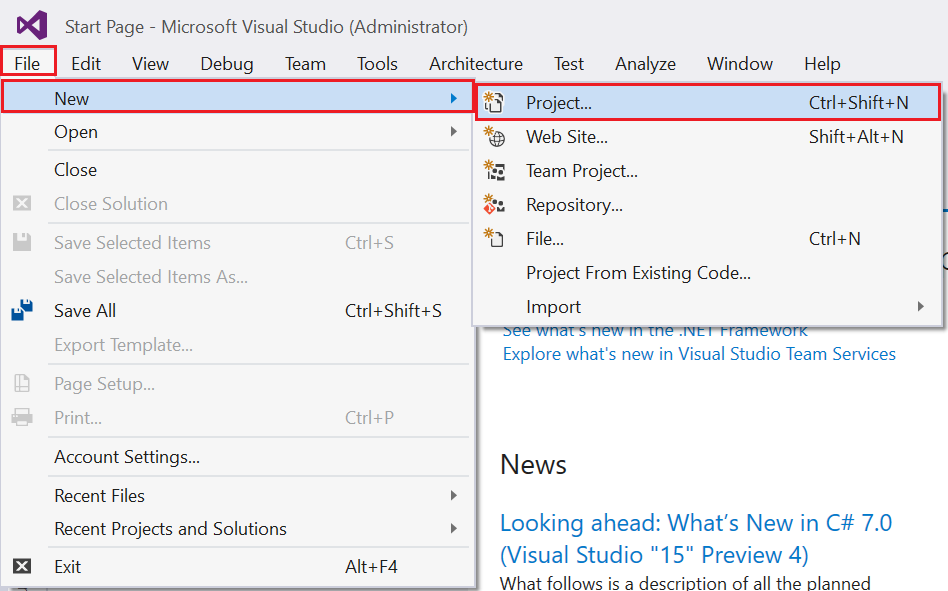
  1. Open Visual Studio and navigate to New | Project:
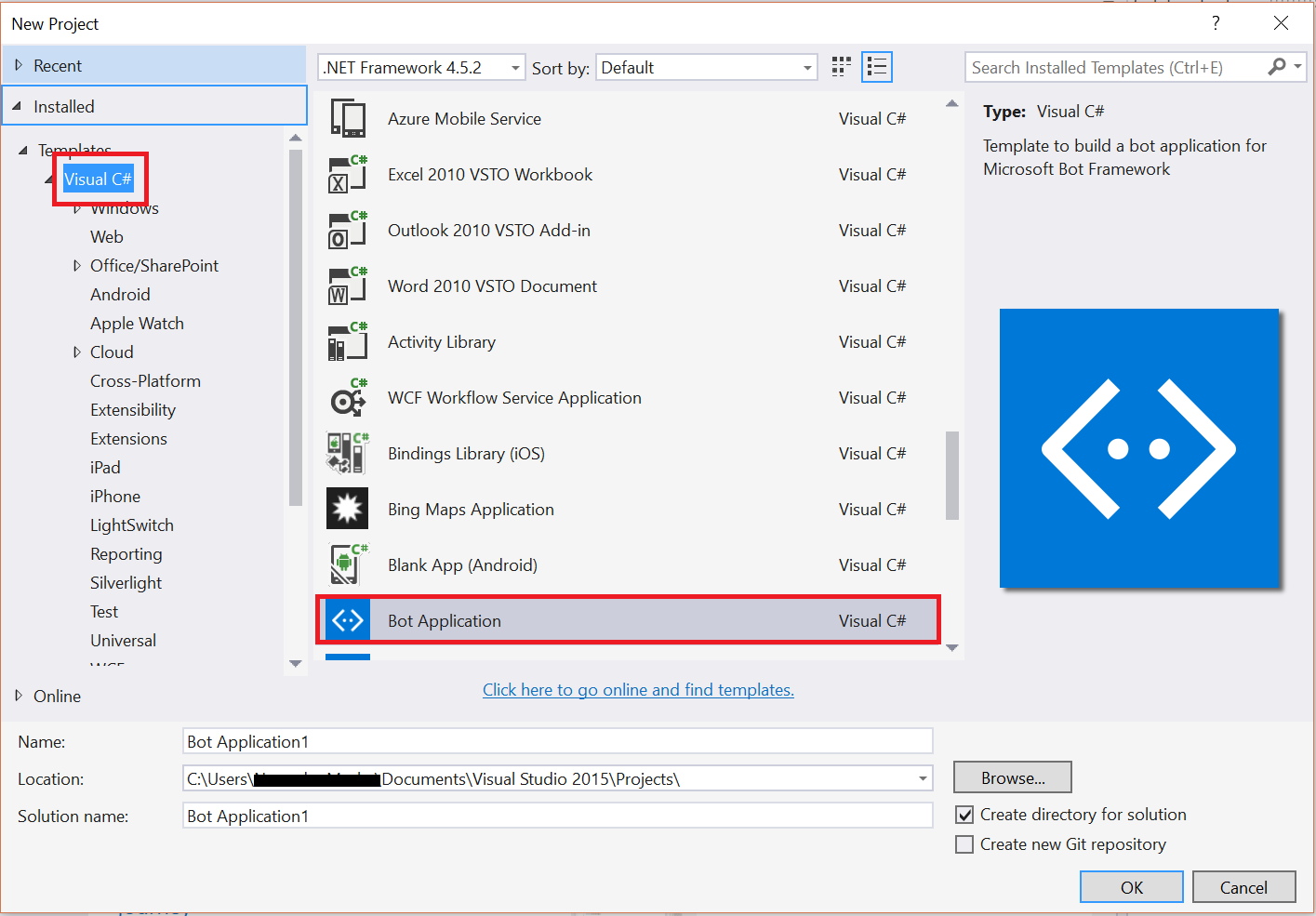
  1. Select Visual C# from the left-hand side template category. From the templates section, you will see the Bot Application template:
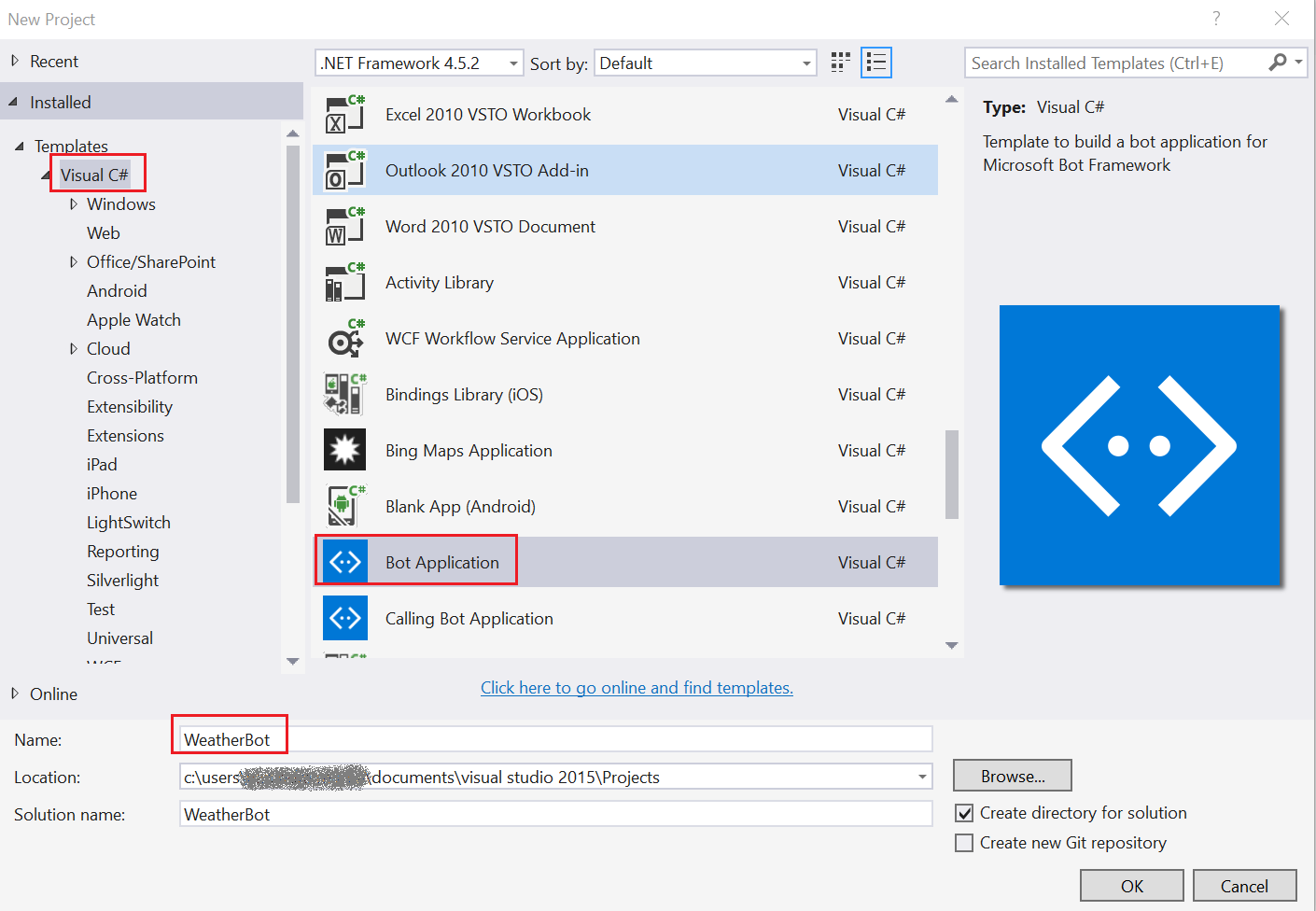
  1. Select the Bot Application template, name the project WeatherBot, and then click on OK:
  1. Select the MessagesController.cs file, which is located under the Controllers folder:
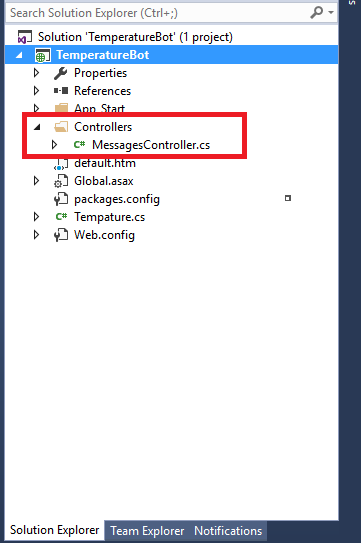
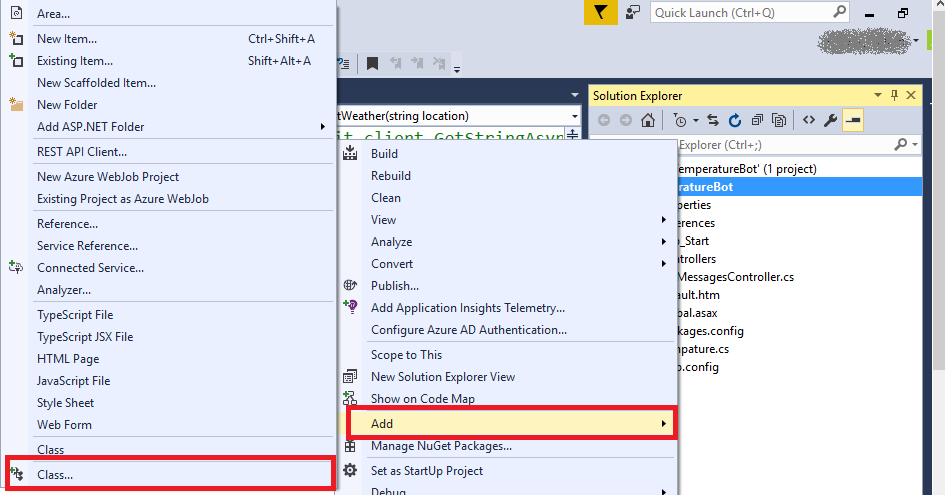
  1. Update the Post method to call the Dialogs. For that, add a class called WeatherDialog.cs in to your solution and extend it with IDialog. For that, you have to right-click on your project and select Add | Class...:
  1. Extend the class with IDialog, implement...

Visually different images
CONTINUE READING
83
Tech Concepts
36
Programming languages
73
Tech Tools
Icon Unlimited access to the largest independent learning library in tech of over 8,000 expert-authored tech books and videos.
Icon Innovative learning tools, including AI book assistants, code context explainers, and text-to-speech.
Icon 50+ new titles added per month and exclusive early access to books as they are being written.
Building Bots with Microsoft Bot Framework
notes
bookmark Notes and Bookmarks search Search in title playlist Add to playlist download Download options font-size Font size

Change the font size

margin-width Margin width

Change margin width

day-mode Day/Sepia/Night Modes

Change background colour

Close icon Search
Country selected

Close icon Your notes and bookmarks

Confirmation

Modal Close icon
claim successful

Buy this book with your credits?

Modal Close icon
Are you sure you want to buy this book with one of your credits?
Close
YES, BUY

Submit Your Feedback

Modal Close icon
Modal Close icon
Modal Close icon