Sign In Start Free Trial
Account

Add to playlist

Create a Playlist

Modal Close icon
You need to login to use this feature.
  • Book Overview & Buying Django 3 Web Development Cookbook
  • Table Of Contents Toc
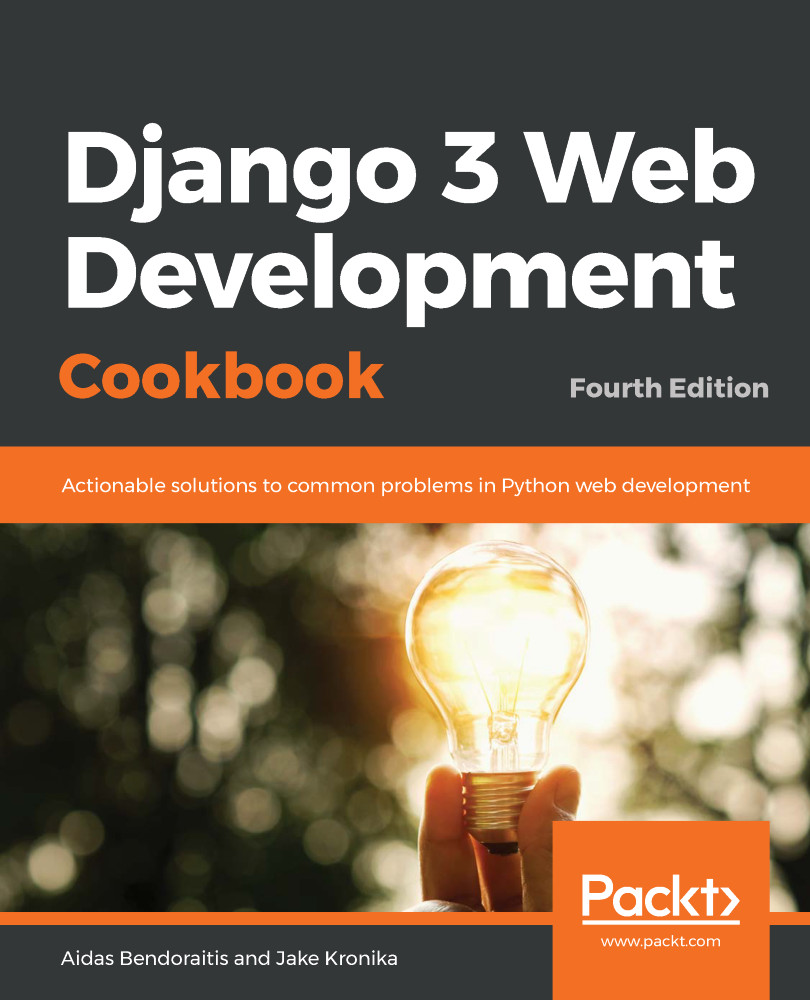
Django 3 Web Development Cookbook

Django 3 Web Development Cookbook - Fourth Edition

By : Aidas Bendoraitis, Jake Kronika
3.6 (9)
close
close
Django 3 Web Development Cookbook

Django 3 Web Development Cookbook

3.6 (9)
By: Aidas Bendoraitis, Jake Kronika

Overview of this book

Django is a web framework for perfectionists with deadlines, designed to help you build manageable medium and large web projects in a short time span. This fourth edition of the Django Web Development Cookbook is updated with Django 3's latest features to guide you effectively through the development process. This Django book starts by helping you create a virtual environment and project structure for building Python web apps. You'll learn how to build models, views, forms, and templates for your web apps and then integrate JavaScript in your Django apps to add more features. As you advance, you'll create responsive multilingual websites, ready to be shared on social networks. The book will take you through uploading and processing images, rendering data in HTML5, PDF, and Excel, using and creating APIs, and navigating different data types in Django. You'll become well-versed in security best practices and caching techniques to enhance your website's security and speed. This edition not only helps you work with the PostgreSQL database but also the MySQL database. You'll also discover advanced recipes for using Django with Docker and Ansible in development, staging, and production environments. By the end of this book, you will have become proficient in using Django's powerful features and will be equipped to create robust websites.
Table of Contents (15 chapters)
close
close

Avoiding circular dependencies

When developing Django models, it is very important to avoid circular dependencies especially in the models.py files. Circular dependencies are imports in different Python modules from each other. You should never cross-import from the different models.py files, because that causes serious stability issues. Instead, if you have interdependencies, you should use the actions described in this recipe.

Getting ready

Let's work with categories and ideas apps to illustrate how to deal with cross dependencies.

How to do it...

Follow these practices when working with models that use models from other apps:

  1. For foreign keys and many-to-many relationships with models from other apps, use the "<app_label>.<model>" declaration instead of importing the model. In Django this works with ForeignKey, OneToOneField, and ManyToManyField, for example:
# myproject/apps/ideas/models.py
from django.db import models
from django.conf import settings
from django.utils.translation import gettext_lazy as _

class
Idea(models.Model):
author = models.ForeignKey(
settings.AUTH_USER_MODEL,
verbose_name=_("Author"),
on_delete=models.SET_NULL,
blank=True,
null=True,
)
category = models.ForeignKey(
"categories.Category",
verbose_name=_("Category"),
blank=True,
null=True,
on_delete=models.SET_NULL,
)
# other fields, attributes, properties and methods…

Here, settings.AUTH_USER_MODEL is a setting with a value such as "auth.User":

  1. If you need to access a model from another app in a method, import that model inside the method instead of at the module level, for example, as follows:
# myproject/apps/categories/models.py
from
django.db import models
from django.utils.translation import gettext_lazy as _

class Category(models.Model):
# fields, attributes, properties, and methods…

def get_ideas_without_this_category(self):
from myproject.apps.ideas.models import Idea
return Idea.objects.exclude(category=self)
  1. If you use model inheritance, for example, for model mixins, keep the base classes in a separate app and place them before other apps that would use them in INSTALLED_APPS, as follows:
# myproject/settings/_base.py

INSTALLED_APPS = [
# contributed
"django.contrib.admin",
"django.contrib.auth",
"django.contrib.contenttypes",
"django.contrib.sessions",
"django.contrib.messages",
"django.contrib.staticfiles",
# third-party
# ...
# local
"myproject.apps.core",
"myproject.apps.categories",
"myproject.apps.ideas",
]

Here the ideas app will use the model mixins from the core app as follows:

# myproject/apps/ideas/models.py
from
django.db import models
from django.conf import settings
from django.utils.translation import gettext_lazy as _

from myproject.apps.core.models import (
CreationModificationDateBase,
MetaTagsBase,
UrlBase,
)

class Idea(CreationModificationDateBase, MetaTagsBase, UrlBase):
# fields, attributes, properties, and methods…

See also

  • The Configuring settings for development, testing, staging, and production environments recipe in Chapter 1, Getting Started with Django 3.0
  • The Respecting the import order in Python files recipe in Chapter 1, Getting Started with Django 3.0
  • The Using model mixins recipe
  • The Changing the foreign key to the many-to-many field recipe
CONTINUE READING
83
Tech Concepts
36
Programming languages
73
Tech Tools
Icon Unlimited access to the largest independent learning library in tech of over 8,000 expert-authored tech books and videos.
Icon Innovative learning tools, including AI book assistants, code context explainers, and text-to-speech.
Icon 50+ new titles added per month and exclusive early access to books as they are being written.
Django 3 Web Development Cookbook
notes
bookmark Notes and Bookmarks search Search in title playlist Add to playlist download Download options font-size Font size

Change the font size

margin-width Margin width

Change margin width

day-mode Day/Sepia/Night Modes

Change background colour

Close icon Search
Country selected

Close icon Your notes and bookmarks

Confirmation

Modal Close icon
claim successful

Buy this book with your credits?

Modal Close icon
Are you sure you want to buy this book with one of your credits?
Close
YES, BUY

Submit Your Feedback

Modal Close icon
Modal Close icon
Modal Close icon