-
Book Overview & Buying
-
Table Of Contents

Building Websites with PHP-Nuke
By :


Building Websites with PHP-Nuke
By:
Overview of this book
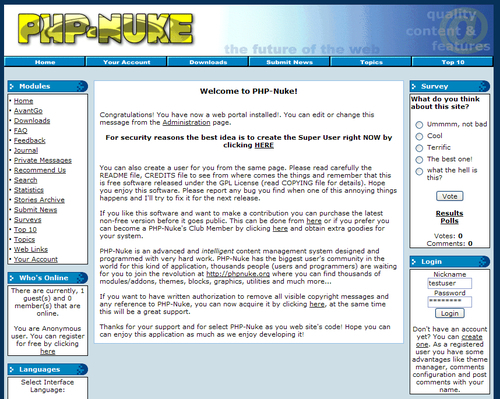
PHP-Nuke is a free tool for managing the content of a dynamic website. As one of the most popular applications on the Internet, PHP-Nuke has grown into a complex, powerful tool with an extraordinary range of features, and a loyal community of supporters. Through a web-based interface, users can edit and manage their site without the need for knowledge of web programming. PHP-Nuke is ideal for running a community-driven website, where visitors create accounts, comment and interact with the site, and contribute material in an easily managed fashion. PHP-Nuke has many of the features you would want from a website such as news stories, ratings, comments, discussion forums, and its look can be easily controlled with the use of themes.
If you want to create a powerful, fully-featured website in no time, this book is for you. This book will help you explore PHP-Nuke, putting you in the picture of what it offers, and how to go about realizing this.
Throughout the book we develop an example site, as you are taken on a detailed tour of the features of PHP-Nuke. You will be introduced to the main components of PHP-Nuke, and learn how to manage them. You will develop the skills and confidence to manage all types of content on the site, and also understand how users work and interact with the site.
To make sure that you create a site that looks the way you want it to, the book covers customizing themes to help define your look for your pages.
Although PHP-Nuke allows you to accomplish much without doing any web programming, to extend your site you will need to get your hands dirty with some coding. The book leads you through adding custom code to PHP-Nuke, and shows you how PHP-Nuke puts pages together, and the functions it uses for the fundamental operations of the site.
Table of Contents (15 chapters)
Building Websites with PHP-Nuke


Credits
About the Author
Preface
 Free Chapter
An Introduction to PHP-Nuke
Installing PHP-Nuke

Your First Page
Managing the Site
Managing Users
Story Management with PHP‑Nuke
Content Management Modules
Managing the Discussion Forums
Customizing Layout with Themes
Programming PHP-Nuke
Installing XAMPP