
Sign In Start Free Trial
Account

Add to playlist

Create a Playlist

Modal Close icon
You need to login to use this feature.
  • Book Overview & Buying Learning Salesforce Visual Workflow and Process Builder
  • Table Of Contents Toc
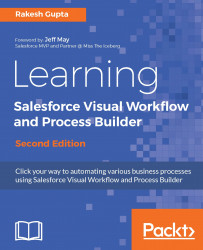
Learning Salesforce Visual Workflow and Process Builder

Learning Salesforce Visual Workflow and Process Builder - Second Edition

By : Gupta
5 (2)
close
close
Learning Salesforce Visual Workflow and Process Builder

Learning Salesforce Visual Workflow and Process Builder

5 (2)
By: Gupta

Overview of this book

Salesforce Management System is an information system used in CRM to automate the business processes like sales and marketing. To implement this, Force.com developed a powerful tool called Visual Workflow to automate business processes by creating applications also called Flows. Learning Salesforce Visual Workflow, Second Edition is a practical guide on Flows that will enable you to develop custom applications in Salesforce with minimized code usage. The book starts with an introduction to Visual Workflows that teaches all the building blocks of creating Flows and use it efficiently. You will learn how to easily automate business processes and tackle complex business scenarios using Flows. The book explains the working of the Process Builder so you can create reusable processes. The book also covers how you can integrate existing or newly created Flows with the Salesforce Lightening Experience. By the end of the book, you will get a clear understanding on how to use Flows and Process Builder in your organization to optimize code usage.
Table of Contents (9 chapters)
close
close

Hands on 4 - understanding Subflow and the Wait element

Subflow allows us to embed an existing Flow into another Flow. You can use Subflow input and output assignments to transfer data between the master Flow and the referenced Flow, whereas the Wait element can only be used in an auto-launched Flow to create a time-dependent action, for example, to send an e-mail to the Opportunity owner 10 days after the Opportunity close date. To understand Subflow, we have to create a master Flow first.

Creating a master Flow

Let's look at a business scenario. Sara Bareilles is working as a system administrator at Universal Containers. She wants to use Flow to create an Opportunity and set the Opportunity fields according to the following requirements:

  • Close Date: Today...
CONTINUE READING
83
Tech Concepts
36
Programming languages
73
Tech Tools
Icon Unlimited access to the largest independent learning library in tech of over 8,000 expert-authored tech books and videos.
Icon Innovative learning tools, including AI book assistants, code context explainers, and text-to-speech.
Icon 50+ new titles added per month and exclusive early access to books as they are being written.
Learning Salesforce Visual Workflow and Process Builder
notes
bookmark Notes and Bookmarks search Search in title playlist Add to playlist font-size Font size

Change the font size

margin-width Margin width

Change margin width

day-mode Day/Sepia/Night Modes

Change background colour

Close icon Search
Country selected

Close icon Your notes and bookmarks

Confirmation

Modal Close icon
claim successful

Buy this book with your credits?

Modal Close icon
Are you sure you want to buy this book with one of your credits?
Close
YES, BUY

Submit Your Feedback

Modal Close icon
Modal Close icon
Modal Close icon