Sign In Start Free Trial
Account

Add to playlist

Create a Playlist

Modal Close icon
You need to login to use this feature.
  • Book Overview & Buying Programming Microsoft Dynamics 365 Business Central
  • Table Of Contents Toc
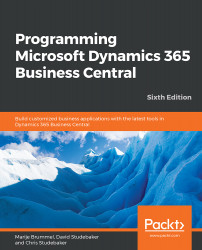
Programming Microsoft Dynamics 365 Business Central

Programming Microsoft Dynamics 365 Business Central - Sixth Edition

By : Marije Brummel, David Studebaker, Christopher D. Studebaker
3.4 (5)
close
close
Programming Microsoft Dynamics 365 Business Central

Programming Microsoft Dynamics 365 Business Central

3.4 (5)
By: Marije Brummel, David Studebaker, Christopher D. Studebaker

Overview of this book

Microsoft Dynamics 365 Business Central is a full ERP business solution suite with a robust set of development tools to support customization and enhancement. These tools can be used to tailor Business Central's in-built applications to support complete management functions for finance, supply chain, manufacturing, and operations. Using a case study approach, this book will introduce you to Dynamics 365 Business Central and Visual Studio Code development tools to help you become a productive Business Central developer. You'll also learn how to evaluate a product's development capabilities and manage Business Central-based development and implementation. You'll explore application structure, the construction of and uses for each object type, and how it all fits together to build apps that meet special business requirements. By the end of this book, you'll understand how to design and develop high-quality software using the Visual Studio Code development environment, the AL language paired with the improved editor, patterns, and features.
Table of Contents (12 chapters)
close
close
9
Successful Conclusions

Register

The register table type contains a record of the range of transaction ID numbers for each batch of posted Ledger Entries. Register data provides an audit trail of the physical timing and sequence of postings. This, combined with the full details that are retained in the Ledger Entry, makes Business Central a very auditable system, because we can see exactly what activity was done and when it was done:

The user views the register through a tabular page, as shown in the previous screenshot. We can see that each register entry has the CREATION DATE, SOURCE CODE, JOURNAL BATCH NAME, and the identifying entry number range for all of the entries in that batch. Another Business Central feature, the NAVIGATE function, which we will discuss in detail in Chapter 4, Pages The Interactive Interface, also provides a very useful auditing tool. The NAVIGATE function allows the user (who may be a developer doing testing) to highlight a single Ledger Entry and find all of the other...

CONTINUE READING
83
Tech Concepts
36
Programming languages
73
Tech Tools
Icon Unlimited access to the largest independent learning library in tech of over 8,000 expert-authored tech books and videos.
Icon Innovative learning tools, including AI book assistants, code context explainers, and text-to-speech.
Icon 50+ new titles added per month and exclusive early access to books as they are being written.
Programming Microsoft Dynamics 365 Business Central
notes
bookmark Notes and Bookmarks search Search in title playlist Add to playlist download Download options font-size Font size

Change the font size

margin-width Margin width

Change margin width

day-mode Day/Sepia/Night Modes

Change background colour

Close icon Search
Country selected

Close icon Your notes and bookmarks

Confirmation

Modal Close icon
claim successful

Buy this book with your credits?

Modal Close icon
Are you sure you want to buy this book with one of your credits?
Close
YES, BUY

Submit Your Feedback

Modal Close icon
Modal Close icon
Modal Close icon