Sign In Start Free Trial
Account

Add to playlist

Create a Playlist

Modal Close icon
You need to login to use this feature.
  • Book Overview & Buying Configuring IPCop Firewalls: Closing Borders with Open Source
  • Table Of Contents Toc
  • Feedback & Rating feedback
Configuring IPCop Firewalls: Closing Borders with Open Source

Configuring IPCop Firewalls: Closing Borders with Open Source

3 (2)
close
close
Configuring IPCop Firewalls: Closing Borders with Open Source

Configuring IPCop Firewalls: Closing Borders with Open Source

3 (2)

Overview of this book

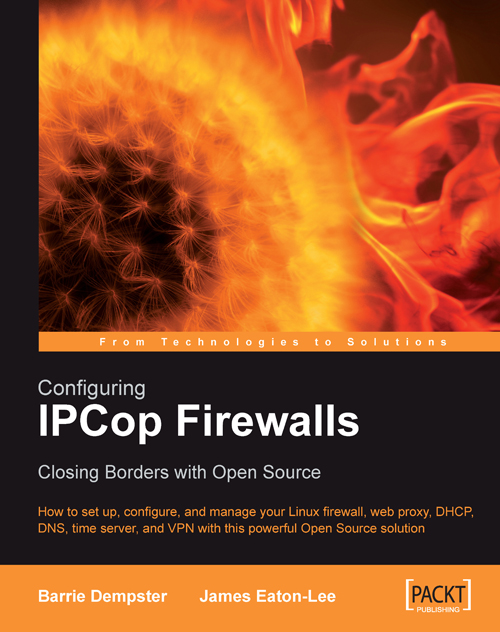
IPCop is a powerful, open source, Linux based firewall distribution for primarily Small Office Or Home (SOHO) networks, although it can be used in larger networks. It provides most of the features that you would expect a modern firewall to have, and what is most important is that it sets this all up for you in a highly automated and simplified way. This book is an easy introduction to this popular application. After introducing and explaining the foundations of firewalling and networking and why they're important, the book moves on to cover using IPCop, from installing it, through configuring it, to more advanced features, such as configuring IPCop to work as an IDS, VPN and using it for bandwidth management. While providing necessary theoretical background, the book takes a practical approach, presenting sample configurations for home users, small businesses, and large businesses. The book contains plenty of illustrative examples.
Table of Contents (16 chapters)
close
close
Configuring IPCop Firewalls
Credits
About the Authors
About the Reviewers
Preface
7
Virtual Private Networks
11
IPCop Support

Chapter 5. Basic IPCop Usage

Now that we have covered the installation of the IPCop firewall and several situations in which we would want to deploy it, we can discuss how to administer and operate an IPCop firewall. Assuming that the installation has been successful, a default IPCop installation presents us with a web interface. The web interface allows us to configure the firewall via any web browser, and is (by default) enabled only for clients on the Green, internal interface.

The web server runs on port 445 (for HTTPS traffic) by default, although these ports can be altered; the port is different from the commonly used/allocated port (443). It should be noted that accessing the web interface using this port will yield a certificate popup—this results from the use of a self-signed SSL certificate, and can safely be ignored.

The port assignment for HTTPS administration can be changed to any port above 445 using the setreservedports command from the IPCop console or an SSH session, and...

Visually different images
CONTINUE READING
83
Tech Concepts
36
Programming languages
73
Tech Tools
Icon Unlimited access to the largest independent learning library in tech of over 8,000 expert-authored tech books and videos.
Icon Innovative learning tools, including AI book assistants, code context explainers, and text-to-speech.
Icon 50+ new titles added per month and exclusive early access to books as they are being written.
Configuring IPCop Firewalls: Closing Borders with Open Source
notes
bookmark Notes and Bookmarks search Search in title playlist Add to playlist font-size Font size

Change the font size

margin-width Margin width

Change margin width

day-mode Day/Sepia/Night Modes

Change background colour

Close icon Search
Country selected

Close icon Your notes and bookmarks

Confirmation

Modal Close icon
claim successful

Buy this book with your credits?

Modal Close icon
Are you sure you want to buy this book with one of your credits?
Close
YES, BUY

Submit Your Feedback

Modal Close icon
Modal Close icon
Modal Close icon