Sign In Start Free Trial
Account

Add to playlist

Create a Playlist

Modal Close icon
You need to login to use this feature.
  • Book Overview & Buying Mastering OpenCV 4
  • Table Of Contents Toc
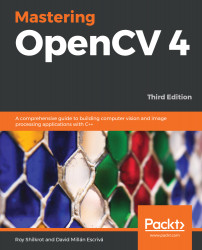
Mastering OpenCV 4

Mastering OpenCV 4 - Third Edition

By : Roy Shilkrot, Millán Escrivá
2.7 (3)
close
close
Mastering OpenCV 4

Mastering OpenCV 4

2.7 (3)
By: Roy Shilkrot, Millán Escrivá

Overview of this book

Mastering OpenCV, now in its third edition, targets computer vision engineers taking their first steps toward mastering OpenCV. Keeping the mathematical formulations to a solid but bare minimum, the book delivers complete projects from ideation to running code, targeting current hot topics in computer vision such as face recognition, landmark detection and pose estimation, and number recognition with deep convolutional networks. You’ll learn from experienced OpenCV experts how to implement computer vision products and projects both in academia and industry in a comfortable package. You’ll get acquainted with API functionality and gain insights into design choices in a complete computer vision project. You’ll also go beyond the basics of computer vision to implement solutions for complex image processing projects. By the end of the book, you will have created various working prototypes with the help of projects in the book and be well versed with the new features of OpenCV4.
Table of Contents (12 chapters)
close
close

To get the most out of this book

The book assumes that readers have a firm grasp of programming concepts and software engineering skills, building and running software from scratch in C++. The book also features code in JavaScript, Python, Java, and Swift. Engineers looking to dive deeper into those sections will benefit from programming language knowledge beyond C++.

Readers of this book should be able to obtain an installation of OpenCV in its various flavors. Some chapters will require a Python, others an Android, installation. Obtaining these and installing them is discussed thoroughly in the accompanying code and in the text.

Download the example code files

You can download the example code files for this book from your account at www.packt.com. If you purchased this book elsewhere, you can visit www.packt.com/support and register to have the files emailed directly to you.

You can download the code files by following these steps:

  1. Log in or register at www.packt.com.
  2. Select the SUPPORT tab.
  3. Click on Code Downloads & Errata.
  4. Enter the name of the book in the Search box and follow the onscreen instructions.

Once the file is downloaded, please make sure that you unzip or extract the folder using the latest version of:

  • WinRAR/7-Zip for Windows
  • Zipeg/iZip/UnRarX for Mac
  • 7-Zip/PeaZip for Linux

The code bundle for the book is also hosted on GitHub at https://github.com/PacktPublishing/Mastering-OpenCV-4-Third-Edition. In case there's an update to the code, it will be updated on the existing GitHub repository.

We also have other code bundles from our rich catalog of books and videos available at https://github.com/PacktPublishing/. Check them out!

Download the color images

Conventions used

There are a number of text conventions used throughout this book.

CodeInText: Indicates code words in text, database table names, folder names, filenames, file extensions, pathnames, dummy URLs, user input, and Twitter handles. Here is an example: "To see the remaining space on your SD card, run df -h | head -2."

A block of code is set as follows:

Mat bigImg; 
resize(smallImg, bigImg, size, 0,0, INTER_LINEAR);
dst.setTo(0);
bigImg.copyTo(dst, mask);

When we wish to draw your attention to a particular part of a code block, the relevant lines or items are set in bold:

Mat bigImg; 
resize(smallImg, bigImg, size, 0,0, INTER_LINEAR);
dst.setTo(0);
bigImg.copyTo(dst, mask);

Any command-line input or output is written as follows:

sudo apt-get purge -y wolfram-engine

Bold: Indicates a new term, an important word, or words that you see on screen. For example, words in menus or dialog boxes appear in the text like this. Here is an example: "Navigate to Media | Open Network Stream."

Warnings or important notes appear like this.
Tips and tricks appear like this.
CONTINUE READING
83
Tech Concepts
36
Programming languages
73
Tech Tools
Icon Unlimited access to the largest independent learning library in tech of over 8,000 expert-authored tech books and videos.
Icon Innovative learning tools, including AI book assistants, code context explainers, and text-to-speech.
Icon 50+ new titles added per month and exclusive early access to books as they are being written.
Mastering OpenCV 4
notes
bookmark Notes and Bookmarks search Search in title playlist Add to playlist font-size Font size

Change the font size

margin-width Margin width

Change margin width

day-mode Day/Sepia/Night Modes

Change background colour

Close icon Search
Country selected

Close icon Your notes and bookmarks

Confirmation

Modal Close icon
claim successful

Buy this book with your credits?

Modal Close icon
Are you sure you want to buy this book with one of your credits?
Close
YES, BUY

Submit Your Feedback

Modal Close icon
Modal Close icon
Modal Close icon