Sign In Start Free Trial
Account

Add to playlist

Create a Playlist

Modal Close icon
You need to login to use this feature.
  • Book Overview & Buying Learning Android Game Development
  • Table Of Contents Toc
Learning Android Game Development

Learning Android Game Development

By : Malankar
2 (2)
close
close
Learning Android Game Development

Learning Android Game Development

2 (2)
By: Malankar

Overview of this book

In this book, we’ll start with installing Android studio and its components, and setting it up ready for Android N. We teach you how to take inputs from users, create images and interact with them, and work with sprites to create animations. You’ll then explore the various collision detection methods and use sprites to create an explosion. Moving on, you’ll go through the process of UI creation and see how to create buttons as well as display the score and other parameters on screen. By the end of the book, you will have a working example and an understanding of a 2D platform game like Super Mario and know how to convert your 2D games to 3D games.
Table of Contents (11 chapters)
close
close
4
Creating Sprites and Interactive Objects

Creating a 3D scene with OpenGL ES


Just as we did in our 2D game example, most of our draw mechanism is going to remain the same. You will see that there are many similarities between both procedures. We will be working on a new project folder for this example, so let's go ahead and create a new project as we did in Chapter 8, Adding Explosion and Creating a UI.

Creating our project folder

We will follow the steps we did in Chapter 2, Getting Familiar with Android Studio. First, we will create a new project from our top menu.

To create a new project, perform the following steps:

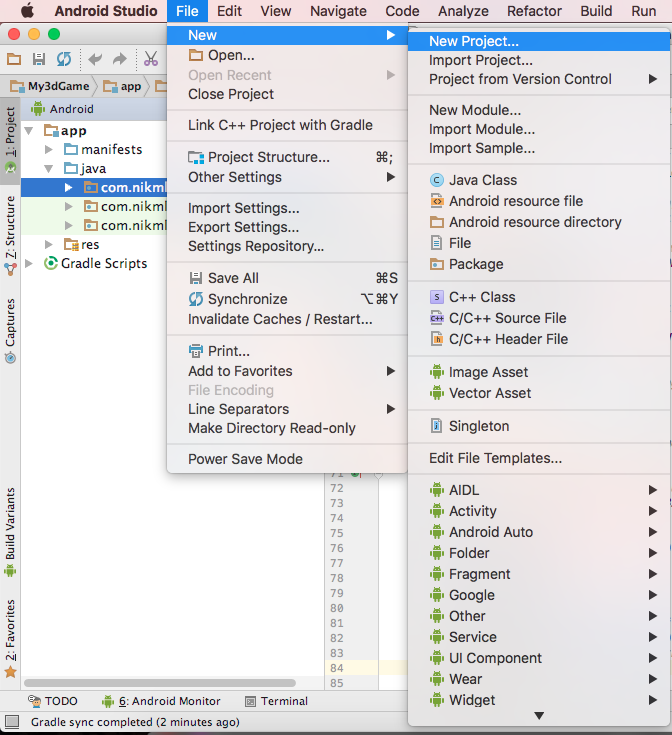
  1. Go to FileNewNew Project..., as shown in the following screenshot:
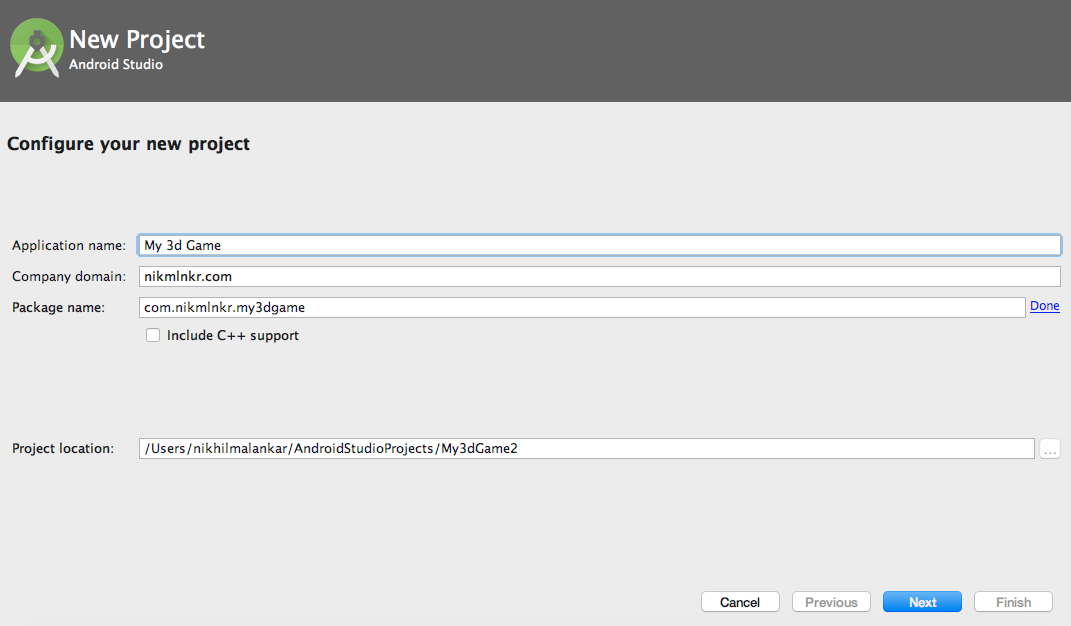
  1. Fill in your Application name, Company domain, and Package name details; then click on Next:
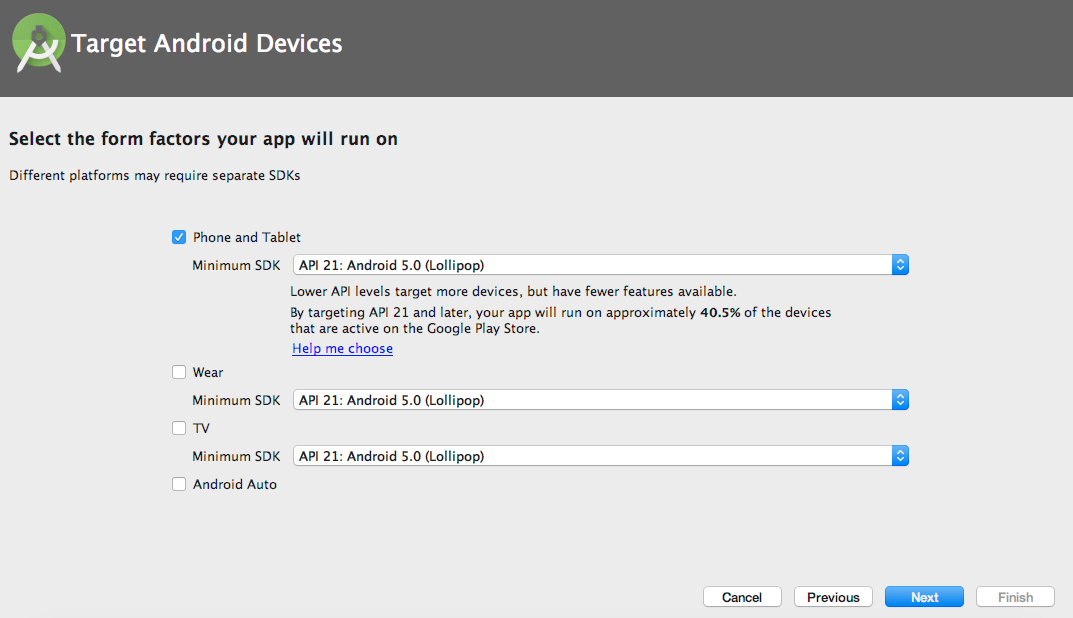
  1. Select your target devices and click on Next:
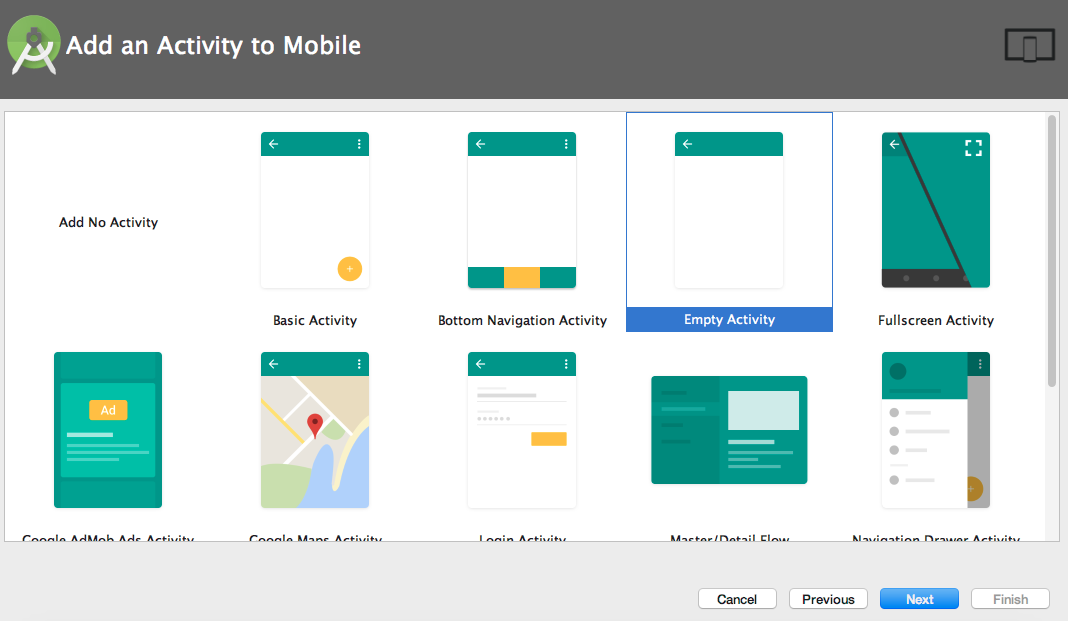
  1. Select Empty Activity and click on Next:
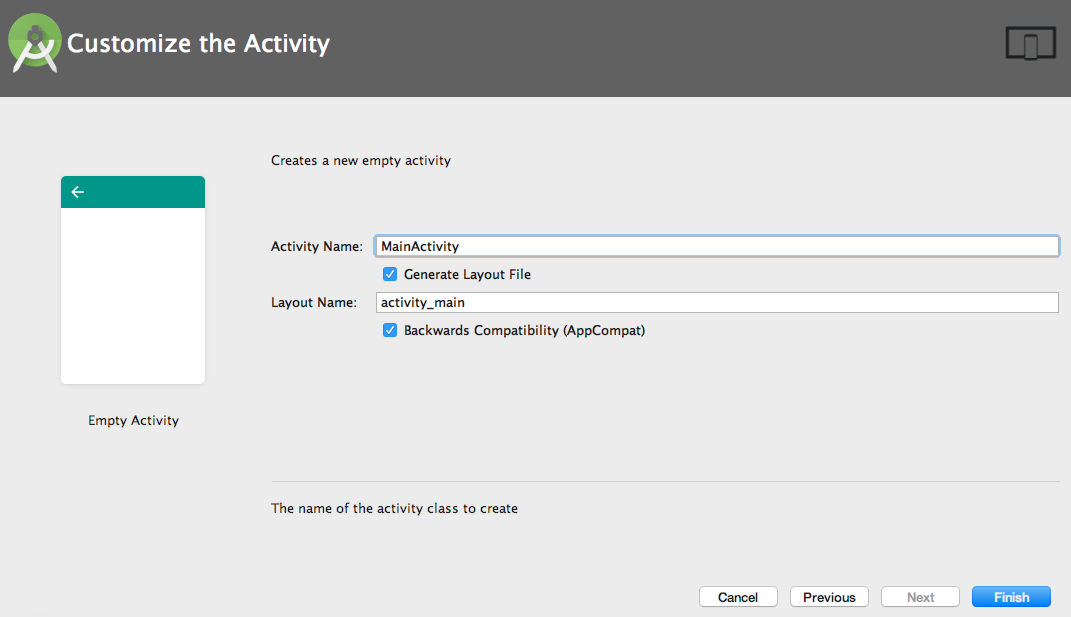
  1. Fill in your Activity NameLayout Name, and click on Finish:

Okay then, we are now set with our new project folder. Also, we will use the landscape mode orientation for this...

CONTINUE READING
83
Tech Concepts
36
Programming languages
73
Tech Tools
Icon Unlimited access to the largest independent learning library in tech of over 8,000 expert-authored tech books and videos.
Icon Innovative learning tools, including AI book assistants, code context explainers, and text-to-speech.
Icon 50+ new titles added per month and exclusive early access to books as they are being written.
Learning Android Game Development
notes
bookmark Notes and Bookmarks search Search in title playlist Add to playlist download Download options font-size Font size

Change the font size

margin-width Margin width

Change margin width

day-mode Day/Sepia/Night Modes

Change background colour

Close icon Search
Country selected

Close icon Your notes and bookmarks

Confirmation

Modal Close icon
claim successful

Buy this book with your credits?

Modal Close icon
Are you sure you want to buy this book with one of your credits?
Close
YES, BUY

Submit Your Feedback

Modal Close icon
Modal Close icon
Modal Close icon