
Sign In Start Free Trial
Account

Add to playlist

Create a Playlist

Modal Close icon
You need to login to use this feature.
  • Book Overview & Buying Ionic Cookbook
  • Table Of Contents Toc
Ionic Cookbook

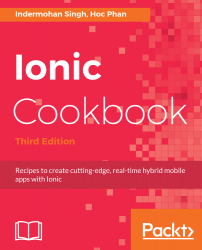
Ionic Cookbook - Third Edition

By : Singh
4.3 (10)
close
close
Ionic Cookbook

Ionic Cookbook

4.3 (10)
By: Singh

Overview of this book

Ionic is the preferred choice for JavaScript developers to develop real-time hybrid applications. This book will get you started with Ionic 3.9 and help you create Angular 5 components that interact with templates. You will work with Ionic components and find out how to share data efficiently between them. You'll discover how to make the best use of the REST API to handle back-end services and then move on to animating your application to make it look pretty. You then learn to add in a local push notification in order to test the app. Then you'll work with Cordova to support native functionalities on both iOS and Android. From there, you'll get to grips with using the default themes for each platform and customizing your own. We then take you through the advanced Ionic features like lazy loading, deep linking, localizing ionic apps etc. Finally, you'll see how best to deploy your app to different platforms. This book will solve all your Ionic-related issues through dedicated recipes that will help you get the best out of Ionic.
Table of Contents (12 chapters)
close
close

What this book covers

Chapter 1, Creating Our First App with Ionic, introduces the Ionic framework with instructions on how to set up the development environment and quickly create and run your first app.

Chapter 2, Adding Ionic Components, walks you through some examples of how to manage pages, states, and the overall navigation within the app.

Chapter 3, Extending Ionic with Angular Building Blocks, takes a deep dive into the Angular components, directives, and the customization of pipes. You will learn how to leverage the Ionic module architecture to create shared services.

Chapter 4, Validating Forms and Making HTTP Requests, explains how to create a complex form with input validation, retrieve data via REST API calls, and integrate with Stripe for online payment.

Chapter 5, Adding Animation, provides instructions on how to embed a video as background, create a physics-based CSS animation, and bind gestures to the animation state.

Chapter 6, User Authentication and Push Notifications, takes a deep dive into registering and authenticating users using Auth0 and sending and receiving push notifications using OneSignal.

Chapter 7, Supporting Device Functionalities Using Ionic Native, explains how to use Ionic Native to access native device functionalities, such as camera, social sharing, InAppBrowser, and map.

Chapter 8, Theming the App, focuses on how to customize the app for different platforms using Sass variables.

Chapter 9, Advanced Topics, teaches how to use advanced ionic features such as lazy loading, deep linking, and localizing ionic apps.

Chapter 10, Publishing the App for Different Platforms, looks into the process of performing the final steps of getting the app published.

CONTINUE READING
83
Tech Concepts
36
Programming languages
73
Tech Tools
Icon Unlimited access to the largest independent learning library in tech of over 8,000 expert-authored tech books and videos.
Icon Innovative learning tools, including AI book assistants, code context explainers, and text-to-speech.
Icon 50+ new titles added per month and exclusive early access to books as they are being written.
Ionic Cookbook
notes
bookmark Notes and Bookmarks search Search in title playlist Add to playlist font-size Font size

Change the font size

margin-width Margin width

Change margin width

day-mode Day/Sepia/Night Modes

Change background colour

Close icon Search
Country selected

Close icon Your notes and bookmarks

Confirmation

Modal Close icon
claim successful

Buy this book with your credits?

Modal Close icon
Are you sure you want to buy this book with one of your credits?
Close
YES, BUY

Submit Your Feedback

Modal Close icon
Modal Close icon
Modal Close icon