-
Book Overview & Buying
-
Table Of Contents
-
Feedback & Rating
OpenJDK Cookbook
By :
The Linux operating system allows for many internal tweaks, as well as for changes to the system's source code. It is also known as a complicated OS, and not all distributions are user-friendly. There are many people using it, and it's open source, such as OpenJDK itself. The installation process varies between chosen distributions, and we will go through the process for the three most-used package managers, as well as through the process that will work for virtually all x86 Linux distributions.
To follow this recipe, you will need an installed Linux system. It will be better if it has the kernel version 2.6 or higher, though OpenJDK is reported workable on 2.4 kernels as well. Also, if you have the .deb, .rpm, or .ebuild package manager, the recommended way to install any package is to install it using those.
When the installation of various packages is concerned, the process is dependent on our Linux distribution.
For a Debian-based distribution:
apt-get install openjdk-7-jdk
We should have root permissions or use sudo to gain access to system files.
For an RPM-based distribution, we'll need to first search for the package names, because package names are varied between different distributions, as shown here:
yum search openjdk
You will see an output like this:
java-1.6.0-openjdk.x86_64 : OpenJDK Runtime Environment java-1.6.0-openjdk-demo.x86_64 : OpenJDK Demos java-1.6.0-openjdk-devel.x86_64 : OpenJDK Development Environment java-1.6.0-openjdk-javadoc.x86_64 : OpenJDK API Documentation java-1.6.0-openjdk-src.x86_64 : OpenJDK Source Bundle java-1.7.0-openjdk.x86_64 : OpenJDK Runtime Environment java-1.7.0-openjdk-demo.x86_64 : OpenJDK Demos java-1.7.0-openjdk-devel.x86_64 : OpenJDK Development Environment java-1.7.0-openjdk-javadoc.noarch : OpenJDK API Documentation java-1.7.0-openjdk-src.x86_64 : OpenJDK Source Bundle
You may install all of the packages that have the desired version. Then, we will run another command, using the package name we've just found:
yum install <a found package name>
This will also trigger an automatic download and installation.
If we have a Gentoo-based distribution, just type the following:
emerge openjdk-1.7
This will, depending on your distribution, unpack and install a binary package or, more probably, automatically build this package from source.
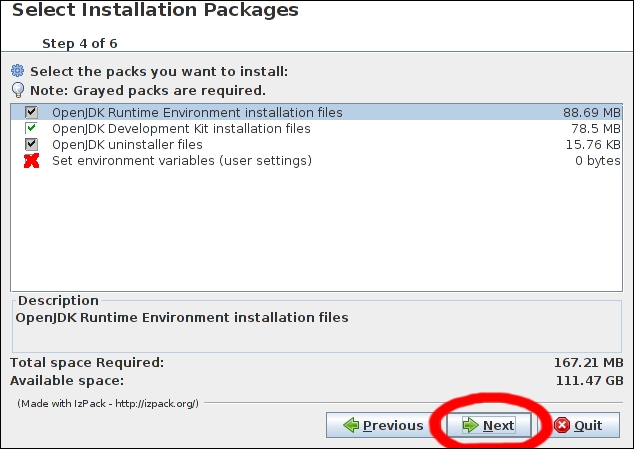
Aside from the recommended ways, there is a generic installation procedure. It is quite simple, though it may do some damage to your operating system, so don't use it unless you really know what you're doing:
java -jar ./install.jar

Change the font size
Change margin width
Change background colour